FastPix for ecommerce
Video API for ecommerce
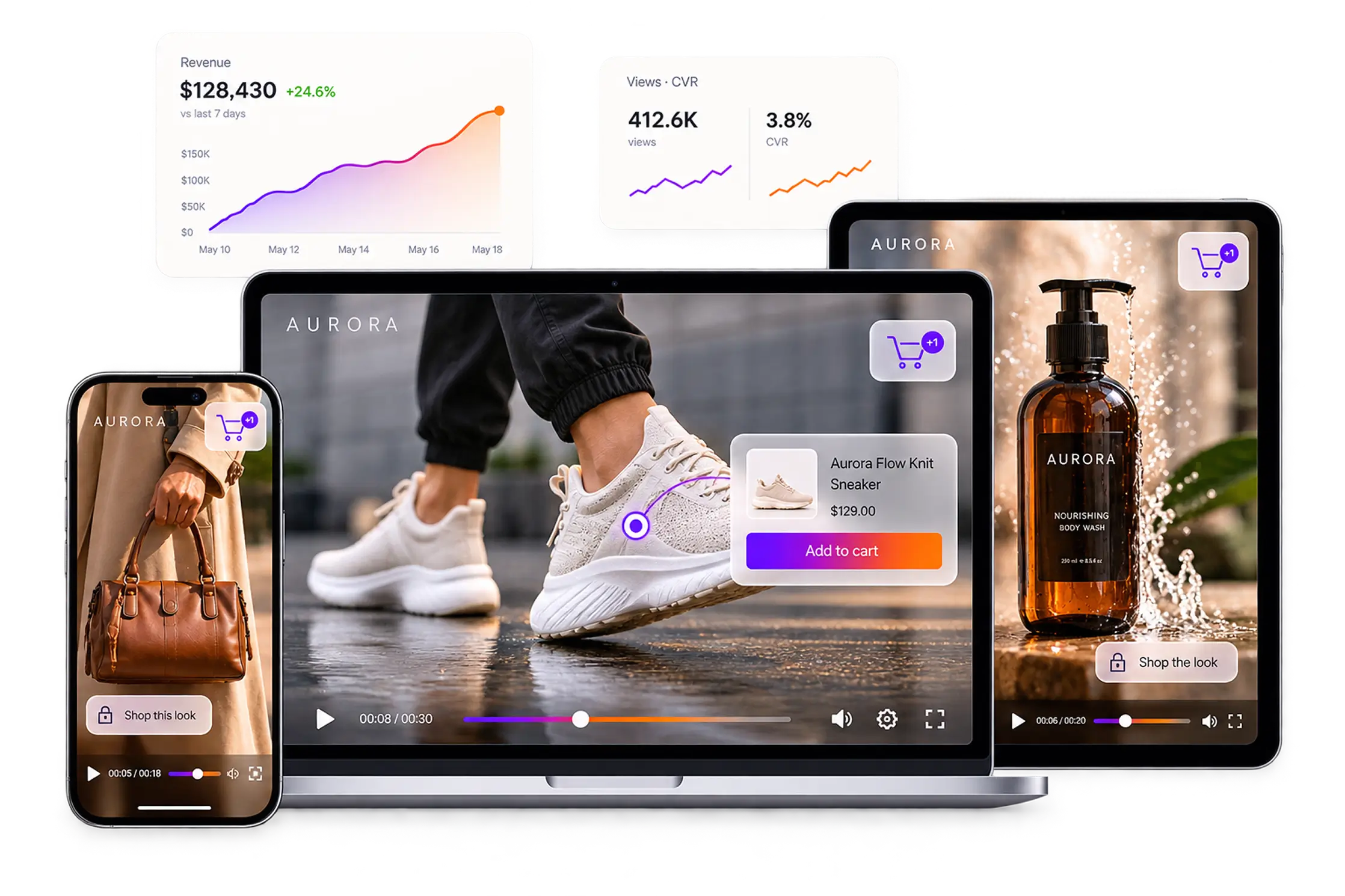
FastPix Video API has everything you need to put video next to the buy button. Product page video, a shoppable feed, live shopping, customer reviews and the data behind all four.
Per-minute pricing, no per-product fee and no revenue share. $25 in signup credits, no credit card.
Trusted by teams shipping video at scale






Why FastPix
Complete video infrastructure for ecommerce
One API, whole stack
Upload, encoding, playback, live, moderation and data all come from the same API key.
Built for scale
Multi-CDN delivery scales with traffic, so a peak sales day runs on the same setup as a quiet one.
Fast by default
Per-title encoding and a poster frame mean video starts quickly instead of holding up the page.
Analytics built in
Every session reports watch time and playback quality, with no separate analytics product to buy.
Developer reference
Video API reference for an ecommerce store
Everything on this page maps to a documented call, grouped the way video moves from a shoot to a sale.
Catalog ingest
Encode and deliver
Storefront playback
Live shopping
Customer video and AI
Catalog ingest
Video upload API for a product catalog
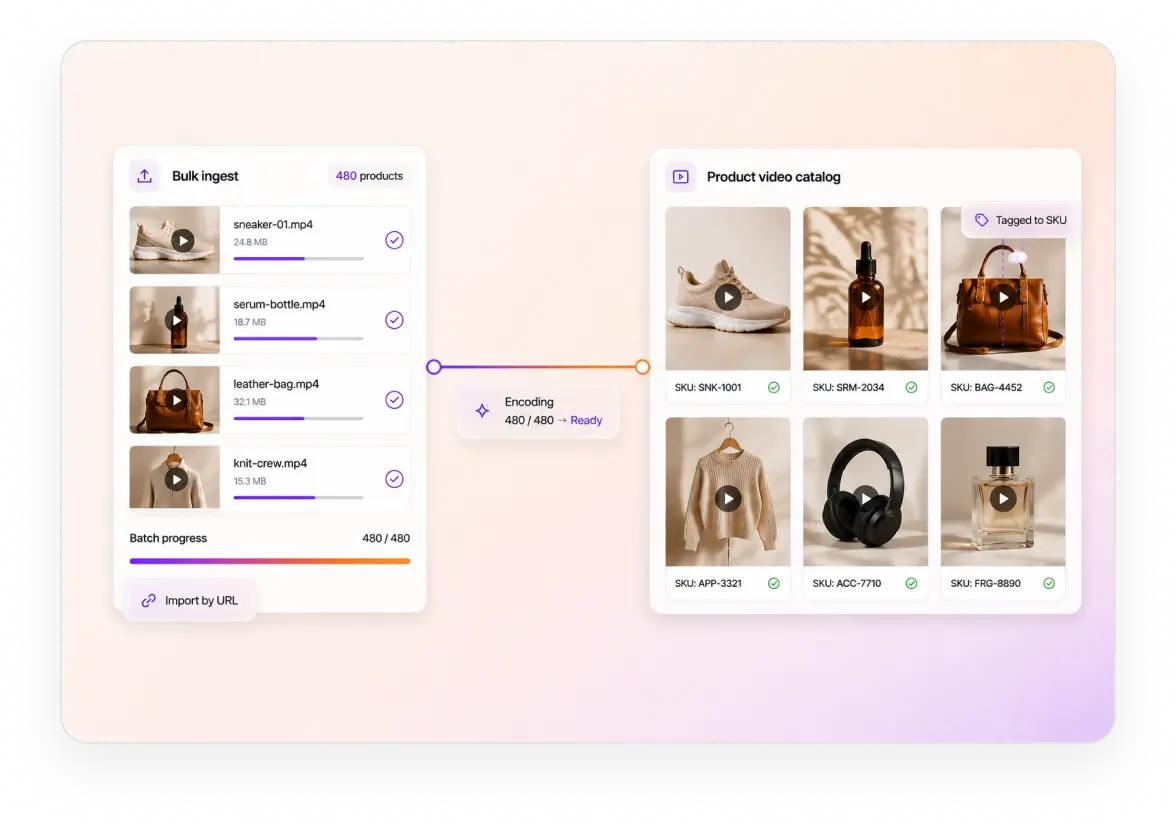
A catalog is thousands of SKUs, not one library. Upload from a device or pull by URL, move an existing library in bulk, and tag every asset with its SKU.
Resumable uploads from a device, so a large studio file keeps moving on a poor connection. Guide
URL pull from cloud storage, which is how an existing catalog arrives without passing through your servers. Guide
Bulk import for a whole catalog, with a status webhook per asset rather than a spreadsheet. Explore
35% smaller files at matched quality, so thousands of product clips cost less to store and start faster. Explore
Encode and deliver
Adaptive bitrate encoding and global video delivery
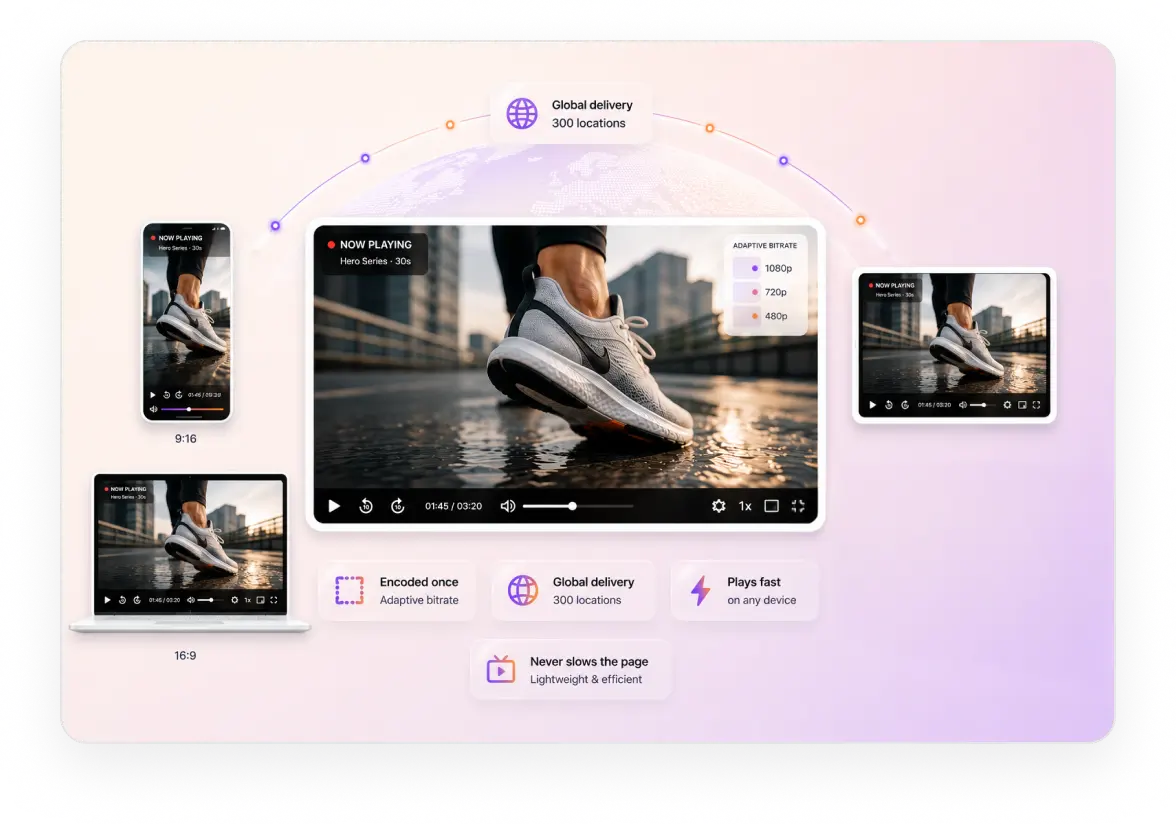
Every video is encoded once at several quality levels and served from 300 locations around the world. It plays fast for every shopper, on any connection, without slowing the page down.
Video player
Shoppable video player for product pages and feeds
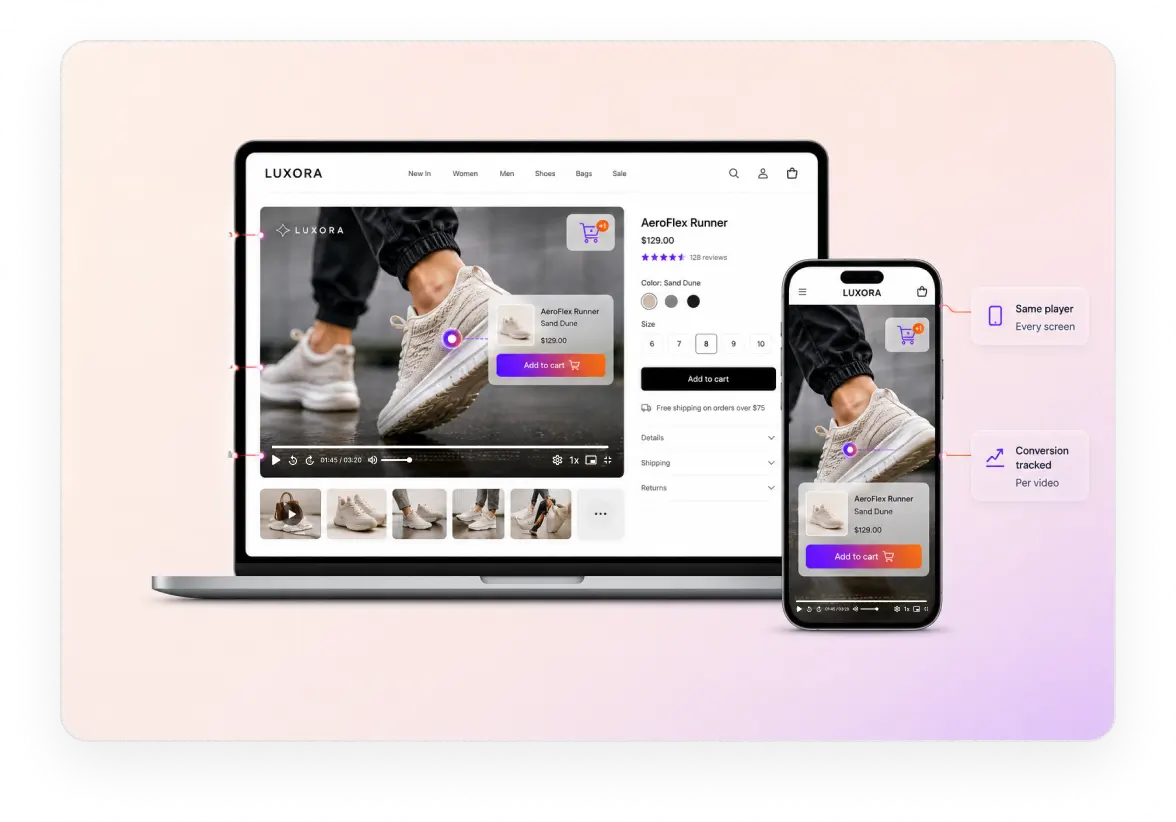
One player runs the product page, the discovery feed and a long demo. Same playback ID, different theme, and it never becomes the reason a page loads slowly.
On the product page. Autoplay muted inline, a poster frame per product so the tile is never black, and preload plus lazy loading so video below the fold fetches nothing until it is reached. Guide
Shopping inside the video. Two shoppable themes: hotspots pinned into the frame, a sidebar that opens on play with hover overlays and image swap, and products that activate by timecode, each click a trackable event. Guide
Your player, not someone else's. Your colours, logo and controls; no ads and no suggested videos; and native SDKs for web, iOS, Android, Flutter and React Native from one playback ID. Guide
Product discovery
Vertical video feed for product discovery
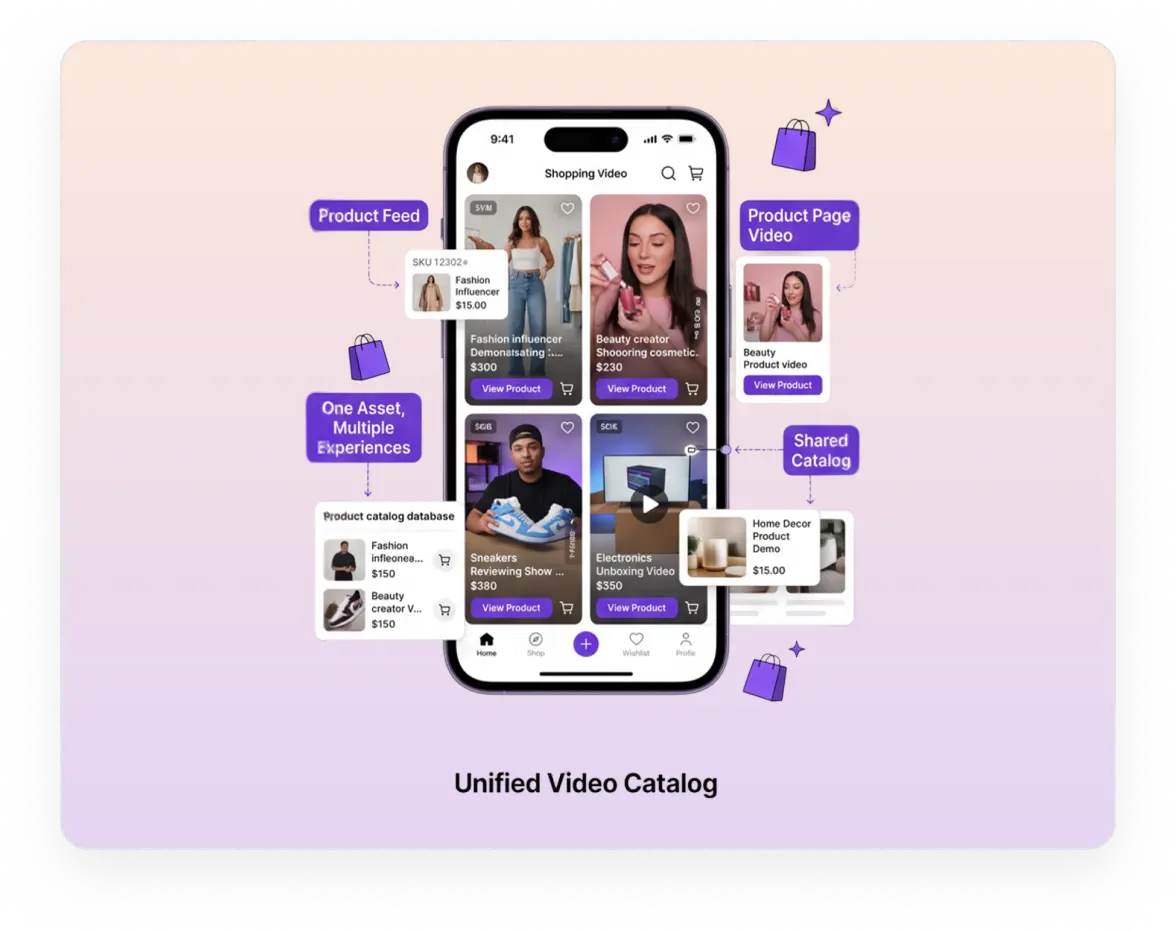
A discovery feed is how shoppers browse when they do not know what they want yet. Short vertical clips, swipe to the next, each one tagged to the product it shows.
Next-clip prefetch, so the following clip is ready the moment someone swipes and nothing buffers. Guide
A React reference implementation of the feed, so you are not building swipe and prefetch from scratch. Guide
One asset serves the feed and the product page, with no second upload and no second encode.
The Clipping Agent fills the feed from long demos, live shopping events and influencer video. Explore
Video data
Shopper, product and playback analytics for store video
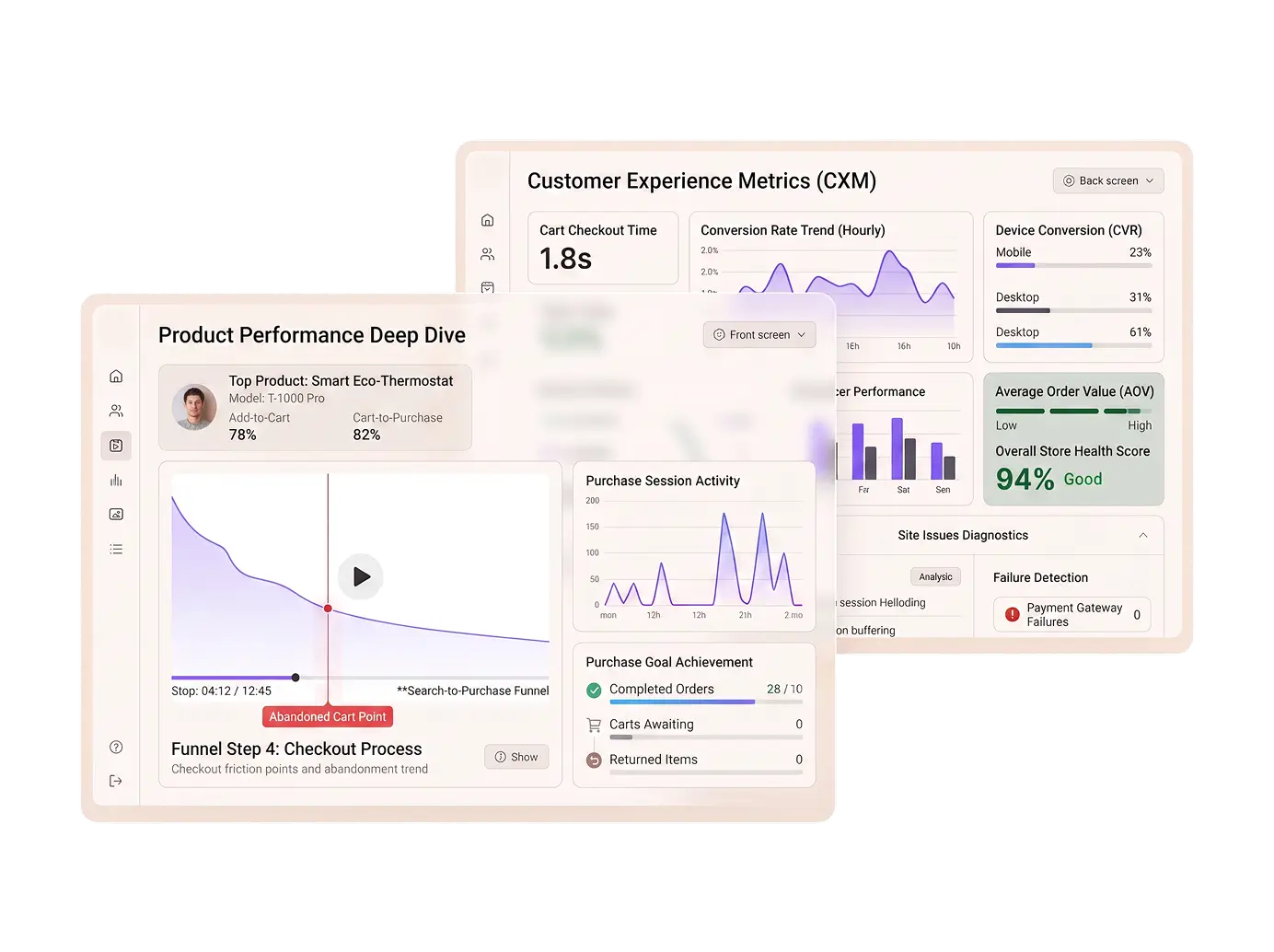
Every session reports three things at once: what one shopper did, how a product video performed across everyone, and whether playback got in the way of either.
Shopper-level data. Completion per session, where they stopped (which on a 40 second clip points at one shot), and repeat views of the same video. Guide
Product-level data. Video starts per SKU, top-performing content for the category page, and ten custom dimensions so SKU, category and surface become filters. Guide
Playback quality. Startup time and rebuffering, playback failures by device so you find the broken browser first, and network and region breakdowns. Guide
56 dimensions on every session, the first 100,000 session plays a month included. FastPix measures video, not revenue: tag the asset with its SKU, then join playback to orders in your own warehouse.
Live shopping
Live shopping events that become shoppable replays
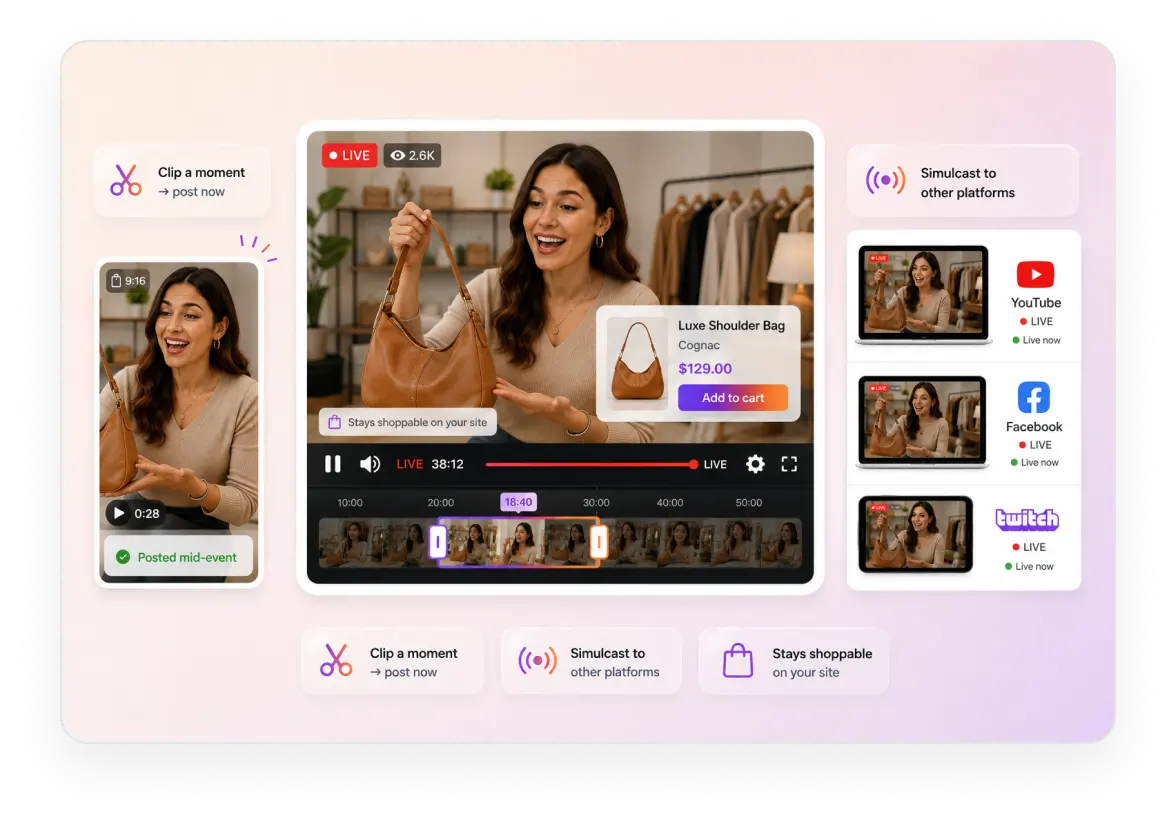
A live shopping event sells twice, once live and again for weeks afterwards. The stream records automatically and lands as an on-demand asset, so the replay is ready when the event ends.
Go live from a phone or a studio encoder over RTMP or SRT. Guide
The replay is the same playback ID, so links shared during the event keep working after it. Guide
Clip a product moment while the event runs and post it before the stream has ended. Guide
Simulcast to social while the shoppable version stays on your own site. Guide
Customer video
Customer video reviews with automated moderation
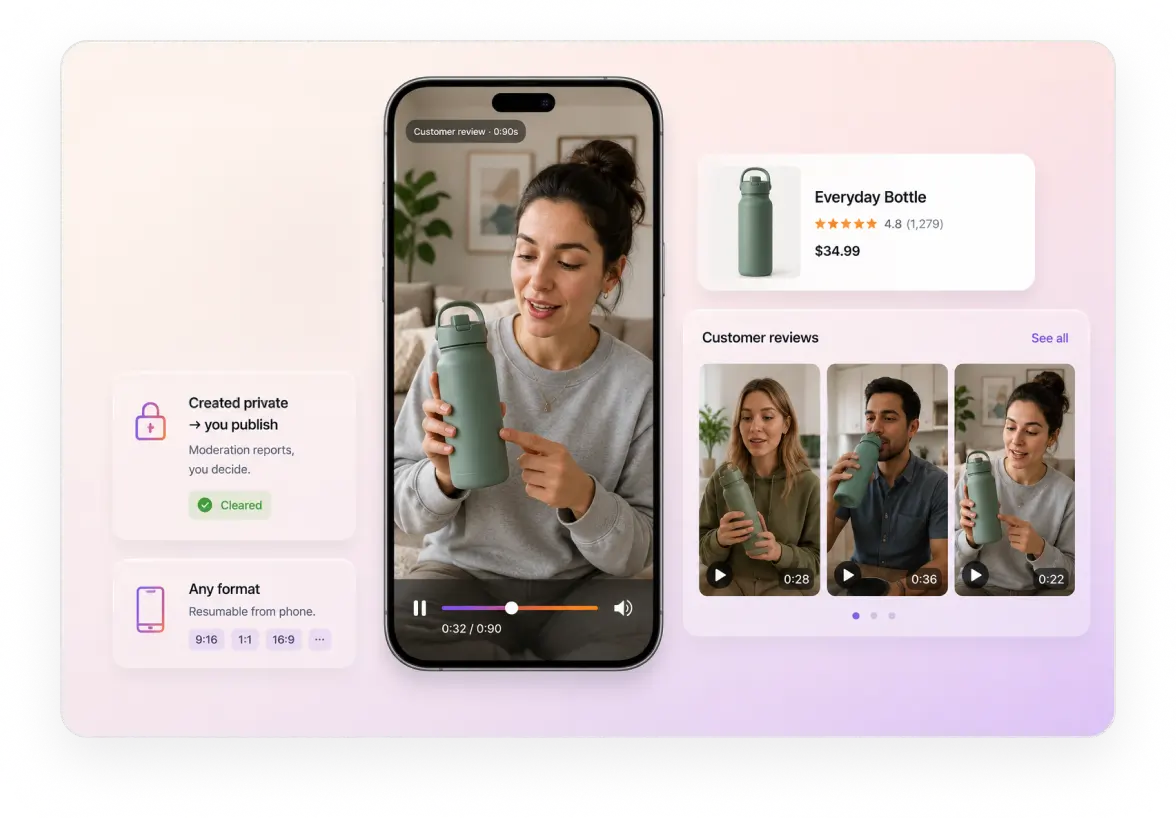
A shopper filming the product at home outsells a studio shoot, and it arrives as an untrusted upload. Take it in any format, run moderation, and open it once the result clears.
Resumable upload from a phone, which is the only device a customer will use. Guide
Moderation across thirteen categories, scored 0 to 1, with a webhook when analysis completes. Guide
Create it private and publish on your call, since moderation reports rather than blocks.
A hover preview per clip for the review grid under the product. Guide
Agents
AI agents for product video clipping and search
Two agents that work on the catalog you already have. One cuts long video into short clips, the other makes what happens inside a video findable.
Clipping Agent
Point it at a long product demo, an influencer video or a finished live shopping event. It scores the moments, then returns each one reframed to 9:16 with captions, ready for the discovery feed and for social.
Explore AI video clippingSearch Agent (early access)
Search what happens inside video across the whole catalog, so a merchandiser finds the clip showing a detail rather than scrubbing through files to reach it.
Explore video searchAPI and SDKs
Video API and SDKs for an online store
Video sits inside a storefront your team already maintains. Every step above is one call, in the language your backend already speaks, with the cart and the catalog untouched.
SERVER SDKS
CLIENT SDKS
Read the API referenceHow it comes together
What it takes to put video on an online store
Five steps between a product video sitting in a folder and a shopper watching it next to the buy button.
Get the catalog in
Upload from a device or pull the existing library by URL, in bulk, with a webhook per asset.
GuideTag it to the product
Write the SKU and category into custom fields, then keep the media ID beside the product in your database.
GuidePut it on the page
Set the poster frame, autoplay muted and the preload level that suits where the video sits.
GuideAdd the feed and the live event
Reuse the same asset for a 9:16 shoppable feed, and stream a live event that records itself.
GuideRead what it did
Completion and drop-off per SKU, joined to orders in the warehouse where conversion already lives.
GuideKeep reading
Go deeper on video for ecommerce
Build guides, cost and conversion, for teams putting video on a storefront.
What shoppable video actually is
The format, the overlay layer, and what has to exist behind it.
BlogHow to build a reels-style shopping feed
A vertical product feed inside an ecommerce app, step by step.
BlogWhat video costs an online store
Where the money goes across encoding, delivery and storage.
BlogBest video APIs for ecommerce apps
How the options compare for a storefront rather than a media site.
BlogLive commerce and where it came from
What live shopping borrowed from China, and what it needs technically.
BlogBuild a product video gallery in WordPress
Putting a video gallery on a product page without a plugin fight.
BlogSend us one product video and a SKU
One real product video and the SKU it belongs to. In 30 minutes we will publish it, embed it on a test product page and show completion coming back tagged to that SKU.
Prefer to build it yourself? Start building free
Common questions
Ecommerce video questions, answered.
What is shoppable video?
A clip with product tags on it and a path to the cart one tap away. The FastPix player renders it: two shoppable themes, a full one with a product sidebar and hotspots pinned into the frame, and a lightweight one for a vertical feed. A click opens your product URL, so the cart and checkout stay in your storefront.
Do you have a Shopify app?
No. The documented integrations are WordPress, StreamGate, Supabase and Moodle. A Shopify store embeds FastPix video the same way it embeds any player, by iframe or a custom component in the theme, and the playback URL works anywhere.
How fast does a product video start?
Playback begins on the first rendition rather than waiting for the full ladder, so the shopper sees a frame rather than a spinner. Two seconds is the documented abandonment threshold for video start, and on a product page a shopper who waits simply scrolls instead.
Can one video serve the product page and a vertical feed?
Yes. One asset carries one playback ID and serves both surfaces, so a 9:16 cut for the feed and the embed on the product page do not need separate uploads. Reframing a horizontal video into vertical automatically is not a FastPix feature; the crop is an editorial decision.
Pricing
Rate card
Per minute, with the player and analytics already in it. No per-product fee, no per-order fee and no revenue share. See full pricing.
ENCODING
Pay per minute encoded
$0.0267/min 1080p Pro
Per-title ABR encoding across H.264.
STREAMING
Pay per minute streamed
$0.00067/min 1080p Pro
Multi-CDN delivery from 300+ POPs.
STORAGE
Pay per minute stored
$0.00268/min 1080p Pro
Assets stored and CDN caching, lifecycle handled.
Support
Three ways to get unstuck
Engineering
Engineering support
Stuck on an API call, a webhook signature or a player integration? Reach the engineering team directly, and hear back in hours rather than days.
Contact engineeringDocs
Integration help
Quickstart guides, SDK examples and playback logs in your dashboard, for the integrations most teams hit first.
Browse the docsCommunity
Solution architect
A new build, a migration off another platform or a complex multi-tenant rollout. Plan it with a FastPix solution architect.
Join the Slack community