FastPix for generative AI
Video API for generative AI apps
One API to store, encode, deliver and publish the video around any generative model, so your team spends its time on the model instead of on video infrastructure.
Per-minute pricing, no per-title fee and no per-seat fee. $25 in signup credits, no credit card.
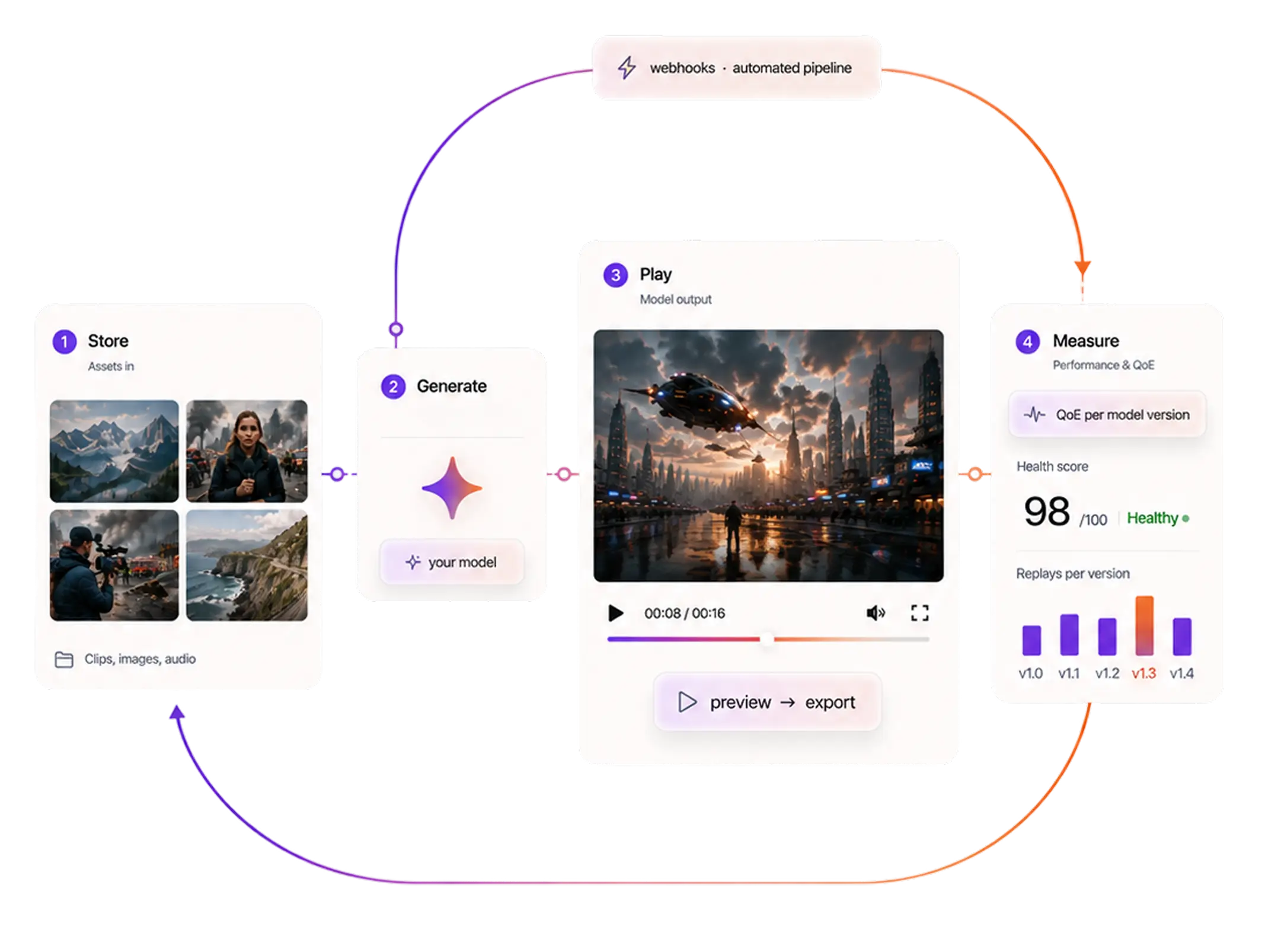
Trusted by teams shipping video at scale






Why FastPix
Complete video infrastructure for generative AI products
One API, whole stack
Storage, encoding, playback, watermarking and data all come from the same API key.
Built for scale
Multi-CDN delivery scales with demand, so a launch spike runs on the same setup as everyday load.
Fast by default
Output lands and starts playing quickly, which matters when a user has already watched a queue counter.
Pay per minute
Billed on minutes, so short generated clips cost like short clips. Docs, SDKs and engineers in Slack.
Developer reference
Every endpoint a generative AI product uses
Everything on this page maps to a documented call, grouped the way a generation moves through your pipeline.
Ingest and manage
Encode and transform
Audio and moderation
Access and export
Players and SDKs
Assets
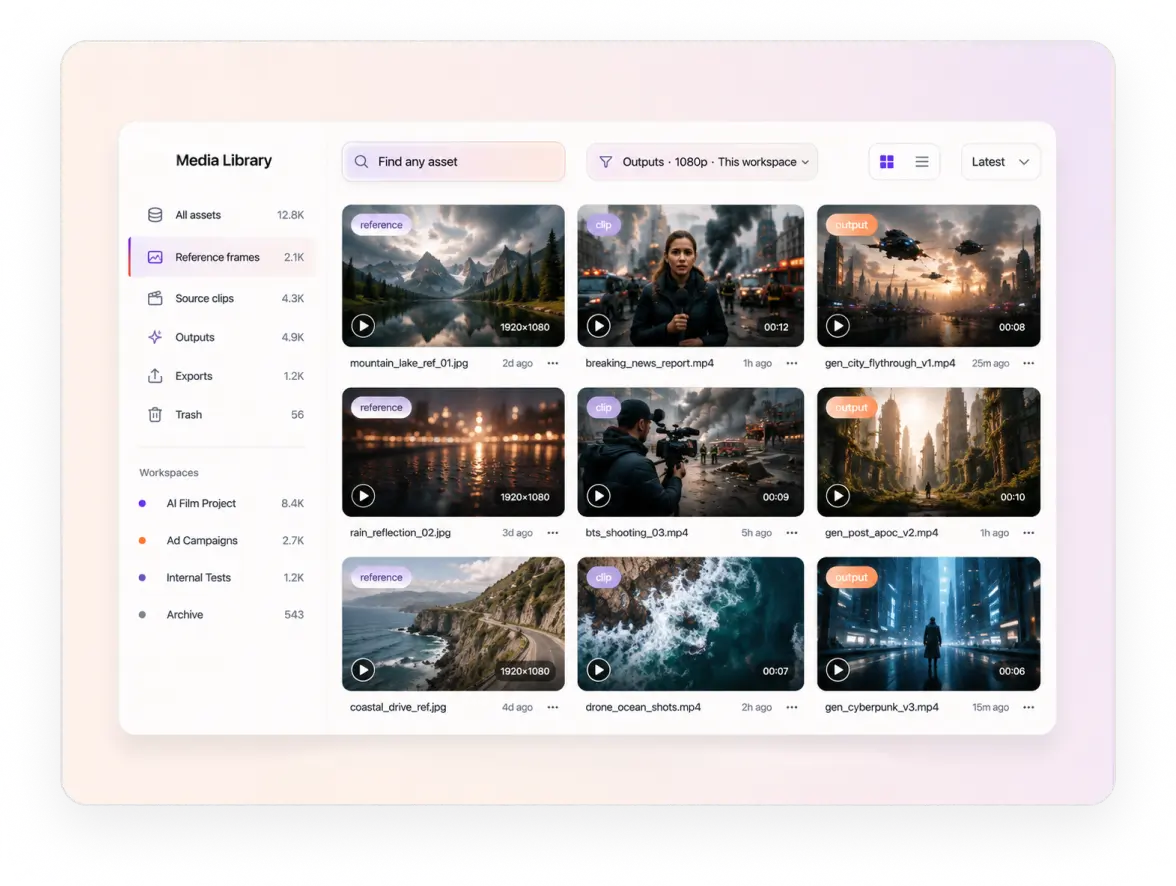
Store and deliver AI-generated video at scale
Users upload reference frames. Your model reads them and writes clips back. FastPix holds both ends, each with a URL your model can fetch and your own fields attached.
Transformations
Video transformation API for clips, GIFs and watermarks
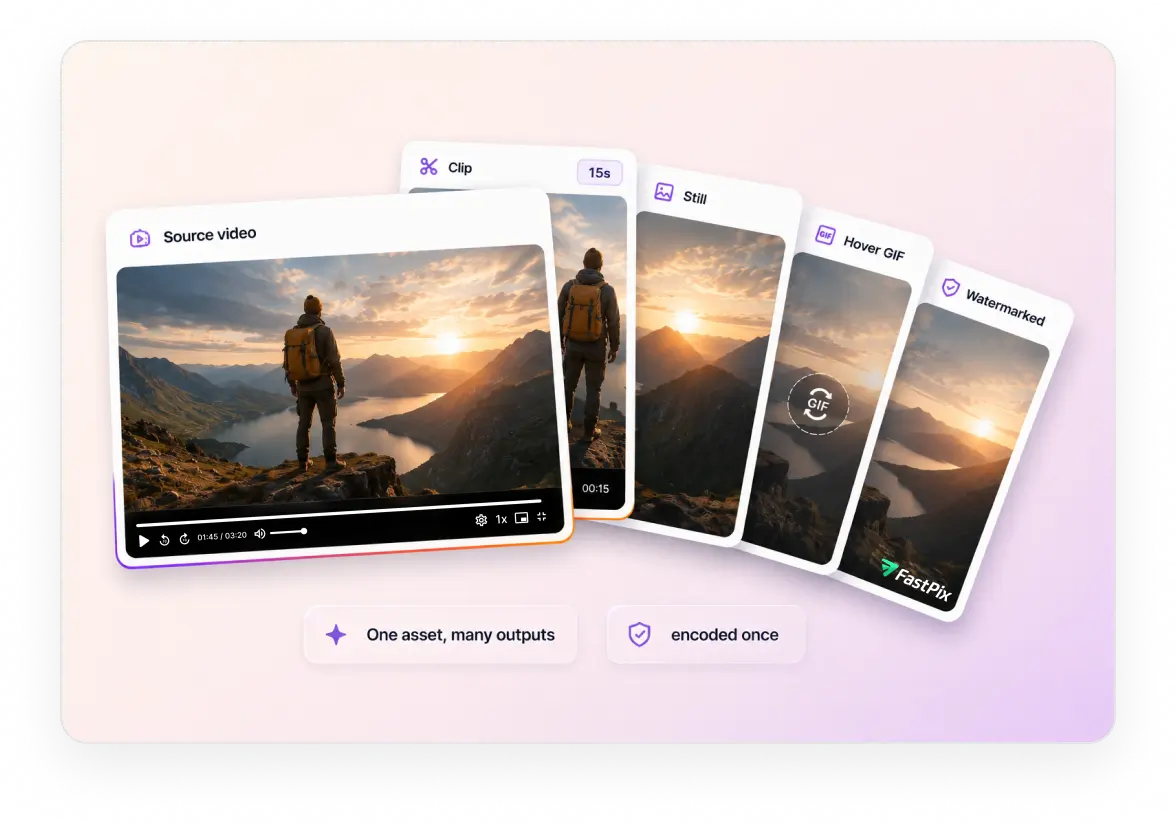
Your model writes one file, but the product still needs thumbnails, GIFs and watermarks. FastPix runs those as transforms on the stored asset, so your team stays on output quality.
Clip and trim to a share length, with no re-upload and no second encode. Guide
Stills, GIFs and timeline hovers, so a gallery previews on hover instead of sitting static. Guide
Watermark by pixel or percentage with opacity control, on the assets you choose. Guide
Intro and outro stitched on, so an export carries your brand without a render step. Guide
Audio
Audio API to add, replace and normalize a soundtrack
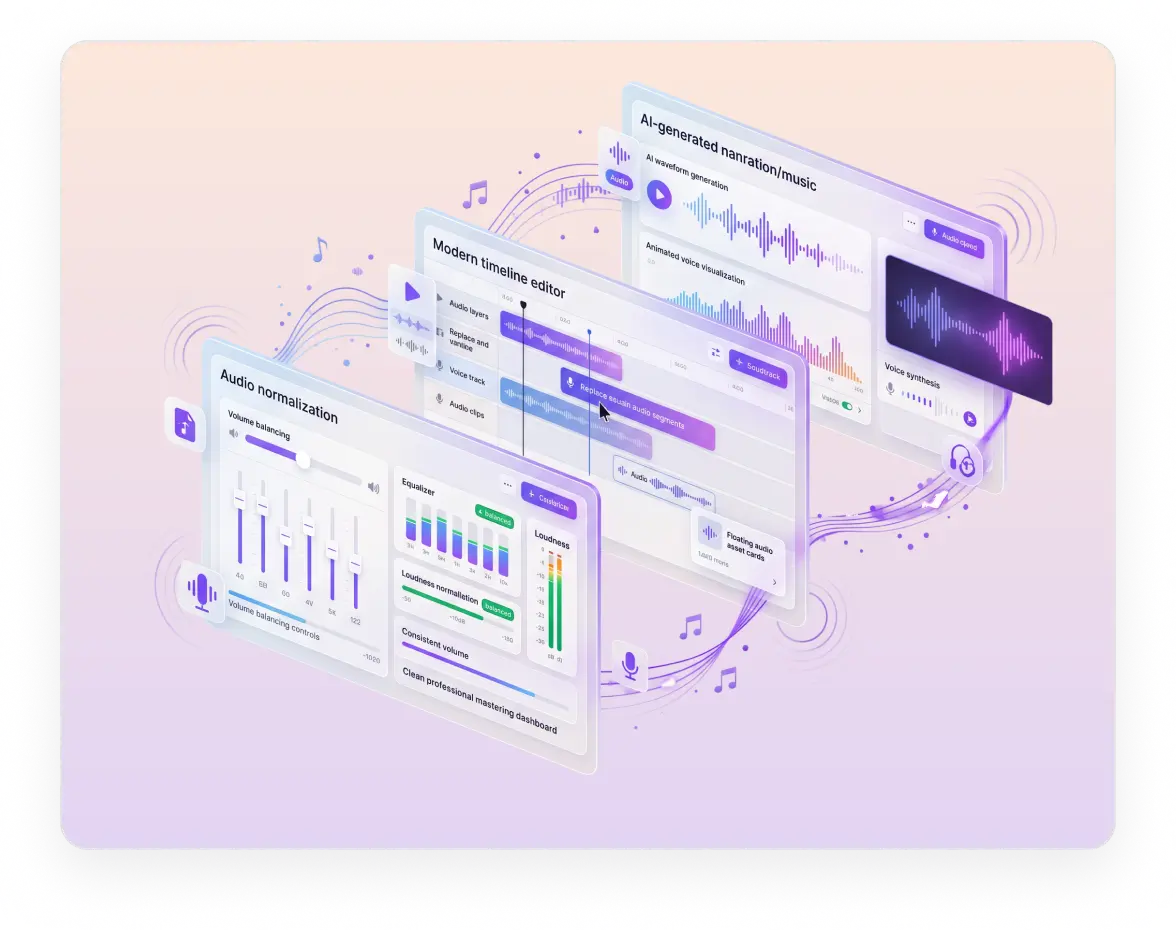
A generation comes back silent, or with audio that is louder than the last one. Add the track, place it where you want it, and set every clip to the same volume.
Add an audio track to a silent generation, the narration or score your voice model returned. Guide
Replace the audio track for a re-recorded take or another language, without touching the video. Guide
Overlay audio on the timeline, placing a cue at a point in the clip rather than across all of it. Guide
Audio normalization, so a quiet take and a loud one both end up at the same volume. Guide
Moderation
Content moderation for AI-generated video
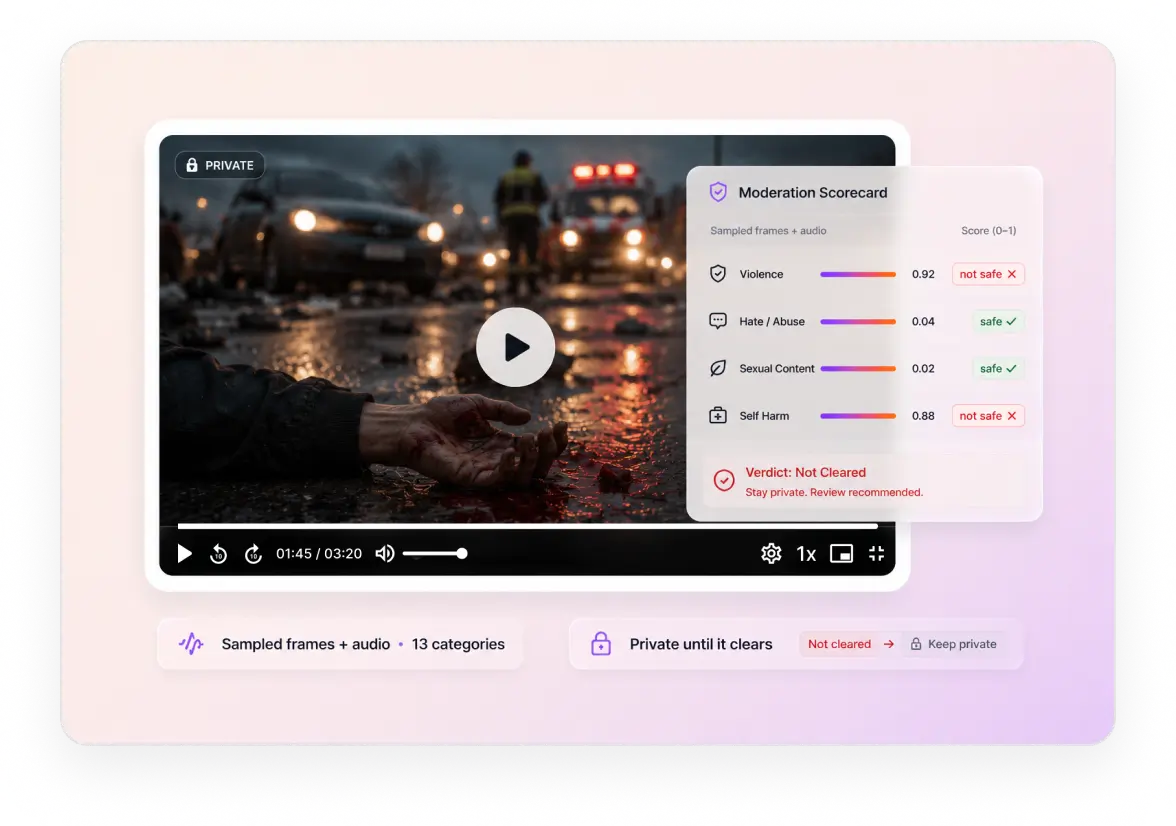
A model will occasionally return something you cannot publish, and an open prompt box is where it starts. FastPix samples frames and audio, scores the result and posts it to a webhook.
NSFW, hate speech and profanity detection across 13 categories, read from sampled frames and the audio track. Guide
Named entities pulled from speech, so a brand or person the output mentions reaches your own index. Guide
One event carries the verdict, so the review queue and the publish step read the same signal. Guide
Playback
Video player SDK for previews, shares and exports
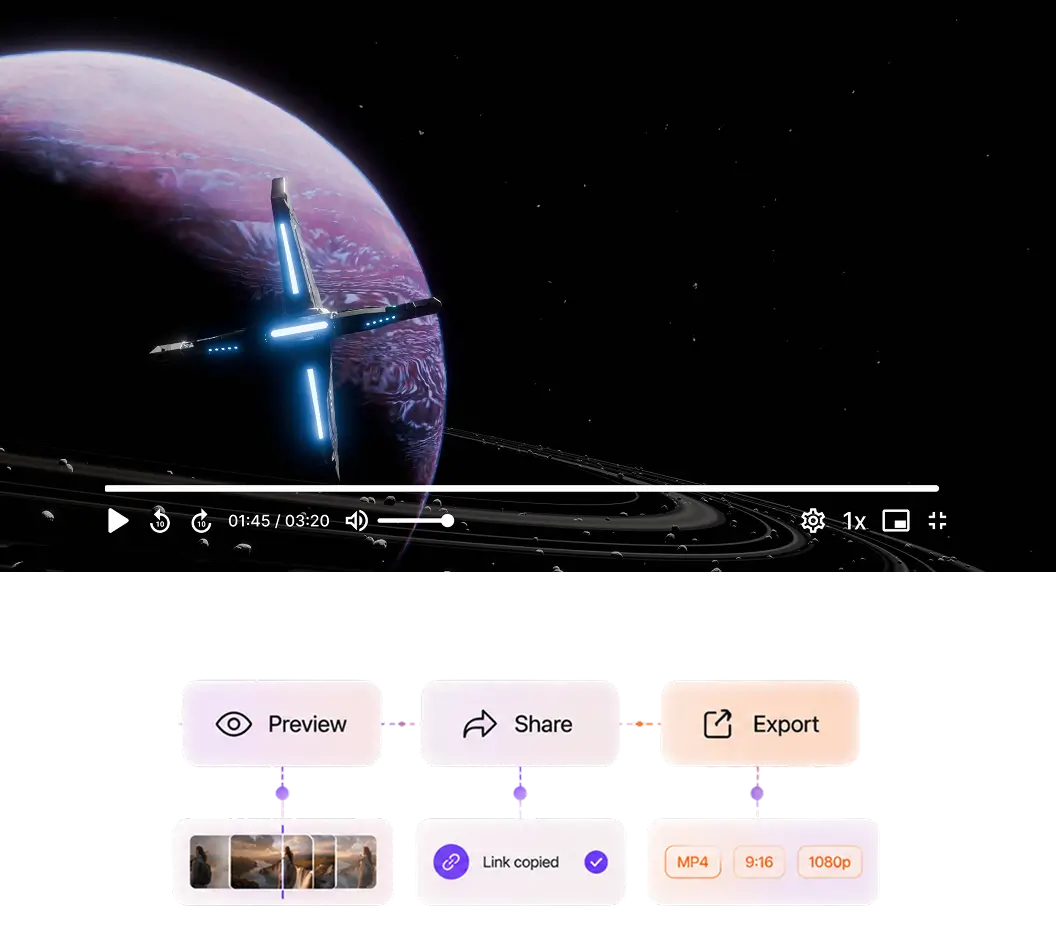
Your user already watched a queue counter, and a second spinner is where it breaks. The player mounts on a playback ID and starts on the first rendition, share link and download included.
Pipeline automation
Automate the video pipeline around your model
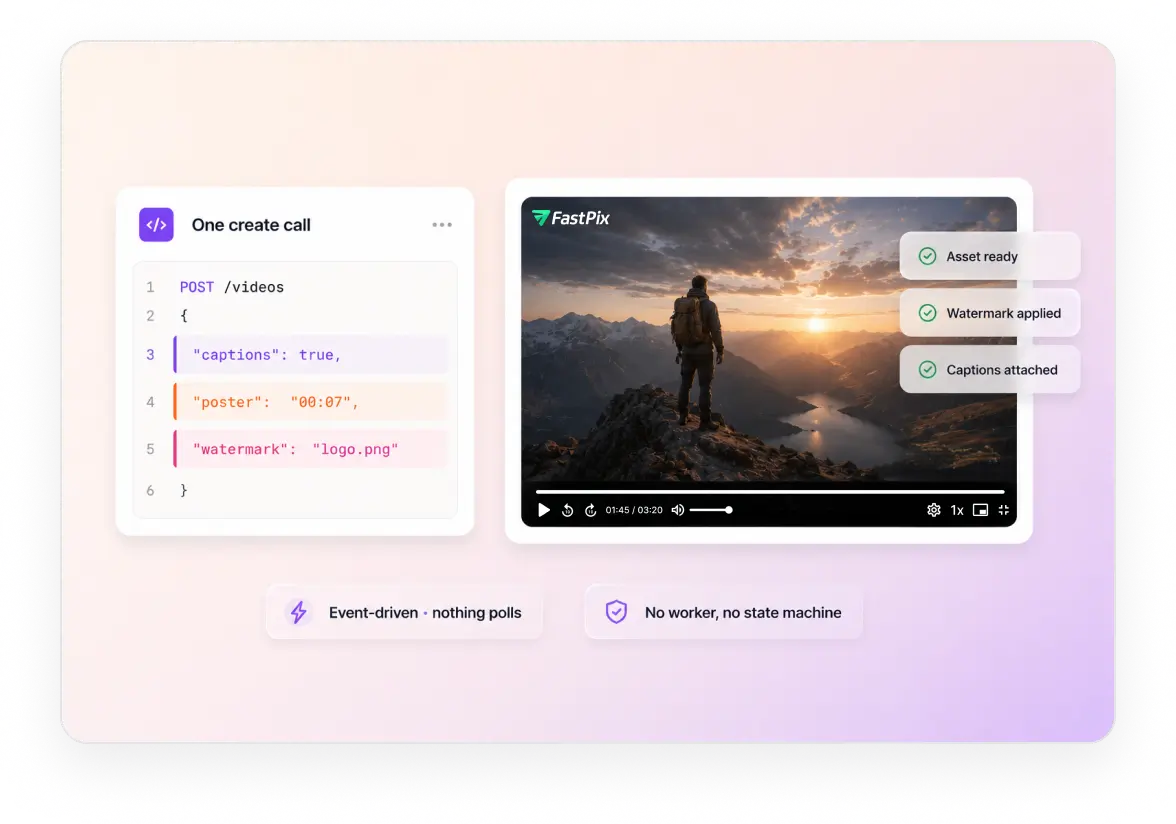
Everything after the model is a flag or a webhook. Set captions, a poster frame and a watermark on the create call. An event fires as each finishes, so nothing polls.
Captions on output headed for social, in the language spoken in the clip. Guide
Poster frame, hover loop and watermark set at create time, not as jobs you queue afterwards.
A webhook per step, so your UI flips from Creating to playing without a poll loop. Guide
Transform events tell you when a watermark or a trim finished on an asset you already published. Guide
Video data and QoE
Video analytics and QoE monitoring for every play
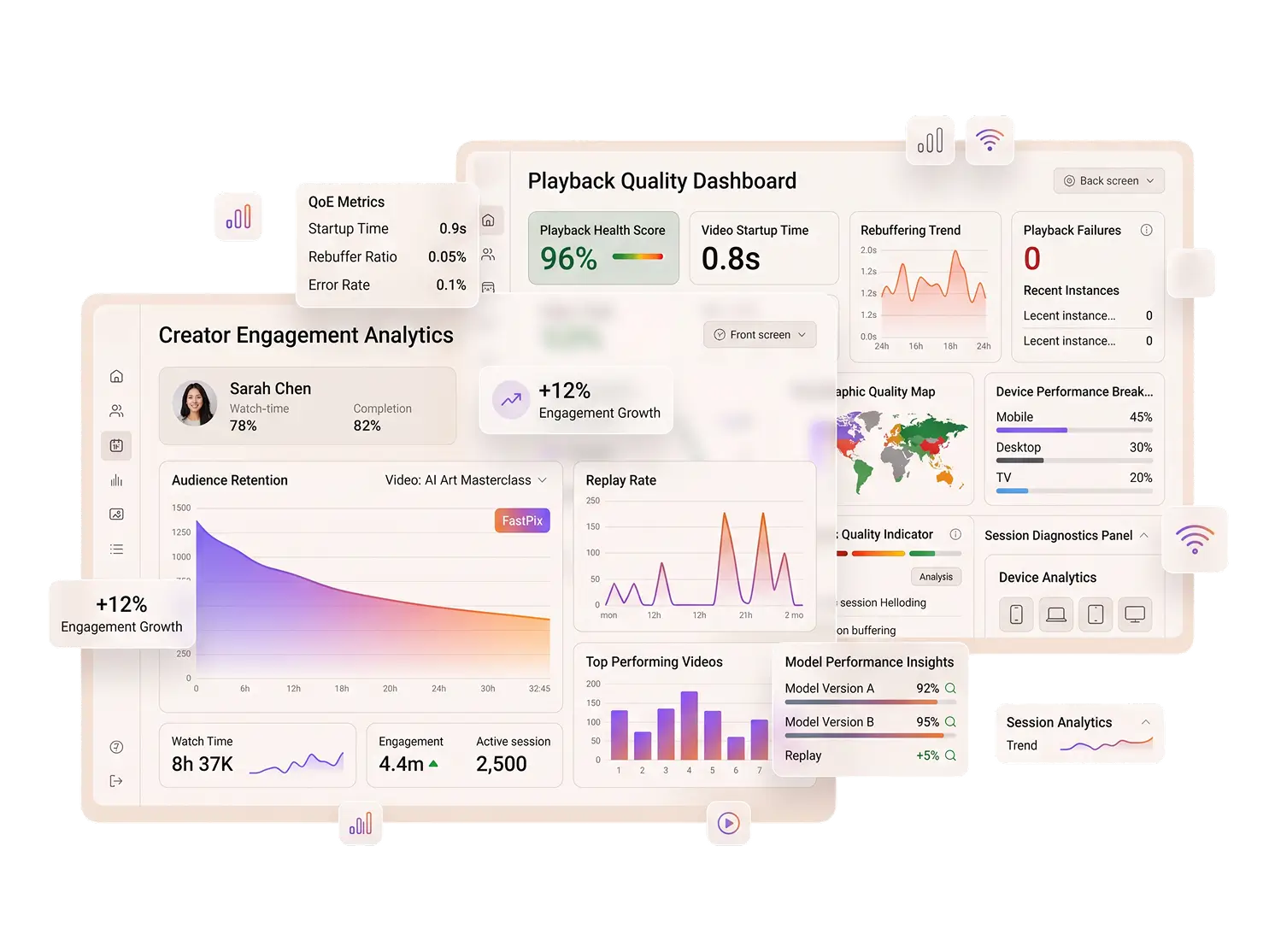
Two questions you cannot answer without playback data. Is the video reaching people cleanly. Is the output any good. Startup and rebuffering answer the first, replays against your model version answer the second.
QoE per session: startup time, rebuffer ratio and errors by device and region, across 56 dimensions.
Replays per take, read against the model version you tagged at ingest. A better signal than a rating widget.
100,000 session plays a month included, then $299 a month for a million.
API and SDKs
Video API and SDKs for a generative AI stack
Generative products are built by small teams who did not plan to become video engineers. Every step above is one call, and the SDK is in the language your pipeline already speaks.
SERVER SDKS
CLIENT SDKS
Read the API referenceBenchmarked against five platforms
Upload and startup, measured against five platforms
Generated clips are short, plentiful, and a user is already waiting. A heavy 4K file and a short clip were pushed through six platforms and measured on ingest and startup time.
3.5x faster than the average across platforms tested. Two others could not take the 4K file at all: one caps uploads at 100 MB, the other errored in processing.
1.0s, the fastest of the six and well inside the 2 second abandonment threshold. A seventh reading came back as 0ms and was excluded as invalid.
Multiples are measured against the average across platforms tested. Per-title encoding tunes the ladder to the source, which is why a phone held sideways in poor light still gets a usable rendition.
How it comes together
Build the video pipeline behind a model like Veo or Kling
Five steps between a prompt and a clip a user can watch and share.
Store the reference
Take the image or clip a user supplies and hand your model a URL to fetch it from.
GuideTake the output back
Pull the generated file in from a URL and encode it once for every screen.
GuideFix the sound and the frame
Attach the voice track, level the loudness and set the poster frame so every take matches.
GuidePlay it straight away
The player mounts on a playback ID and starts on the first rendition, no second spinner.
GuideWatch the queue
Events fire as each step finishes, so your job queue moves without polling for status.
GuideTell us where video sits in your model pipeline
Walk us through your architecture and where video has to plug in. We will map it to the API surface and tell you which parts are one call and which need real work.
Prefer to build it yourself? Start building free
Common questions
Generative AI video questions, answered.
Does FastPix generate video?
No, and it will not. FastPix is the media layer either side of the model: store, deliver, play, automate, measure. You choose your own model and keep your own weights.
How do I ingest a clip without re-uploading it?
POST the source URL to/v1/on-demand. FastPix pulls from S3, GCS, Azure Blob or any public HTTPS link, encodes, and returns a playback ID. The file never passes through your servers.Can I add captions to a generated clip automatically?
Yes. Set subtitles on the create call and FastPix generates them in the language spoken in the clip, at $0.048 per minute. A webhook fires when they are attached. FastPix does not translate them.
Can I normalize loudness on a video I already stored?
Not in place. Loudness is set on the create call and cannot be changed afterwards. To level something already stored, re-pull it withfp_mediaId://{id}andoptimizeAudioon, which creates a new media entry with a new ID. Plan for that ID change in your database.
Pricing
Rate card
Per minute, with the player and analytics already in it. No per-title fee and no per-seat fee. See full pricing.
ENCODING
Pay per minute encoded
$0.0267/min 1080p Pro
Per-title ABR encoding across H.264.
STREAMING
Pay per minute streamed
$0.00067/min 1080p Pro
Multi-CDN delivery from 300+ POPs.
STORAGE
Pay per minute stored
$0.00268/min 1080p Pro
Assets stored and CDN caching, lifecycle handled.
Support
Three ways to get unstuck
Engineering
Engineering support
Stuck on an API call, a webhook signature or a player integration? Reach the engineering team directly, and hear back in hours rather than days.
Contact engineeringDocs
Integration help
Quickstart guides, SDK examples and playback logs in your dashboard, for the integrations most teams hit first.
Browse the docsCommunity
Solution architect
A new build, a migration off another platform or a complex multi-tenant rollout. Plan it with a FastPix solution architect.
Join the Slack community