FASTPIX AI VIDEO CLIPPING AGENT
Turn long videos into ranked, ready-to-post clips.
Point the agent at a video asset. It finds the best moments, ranks them, and renders each one in every aspect ratio with your brand and captions, ready to publish.


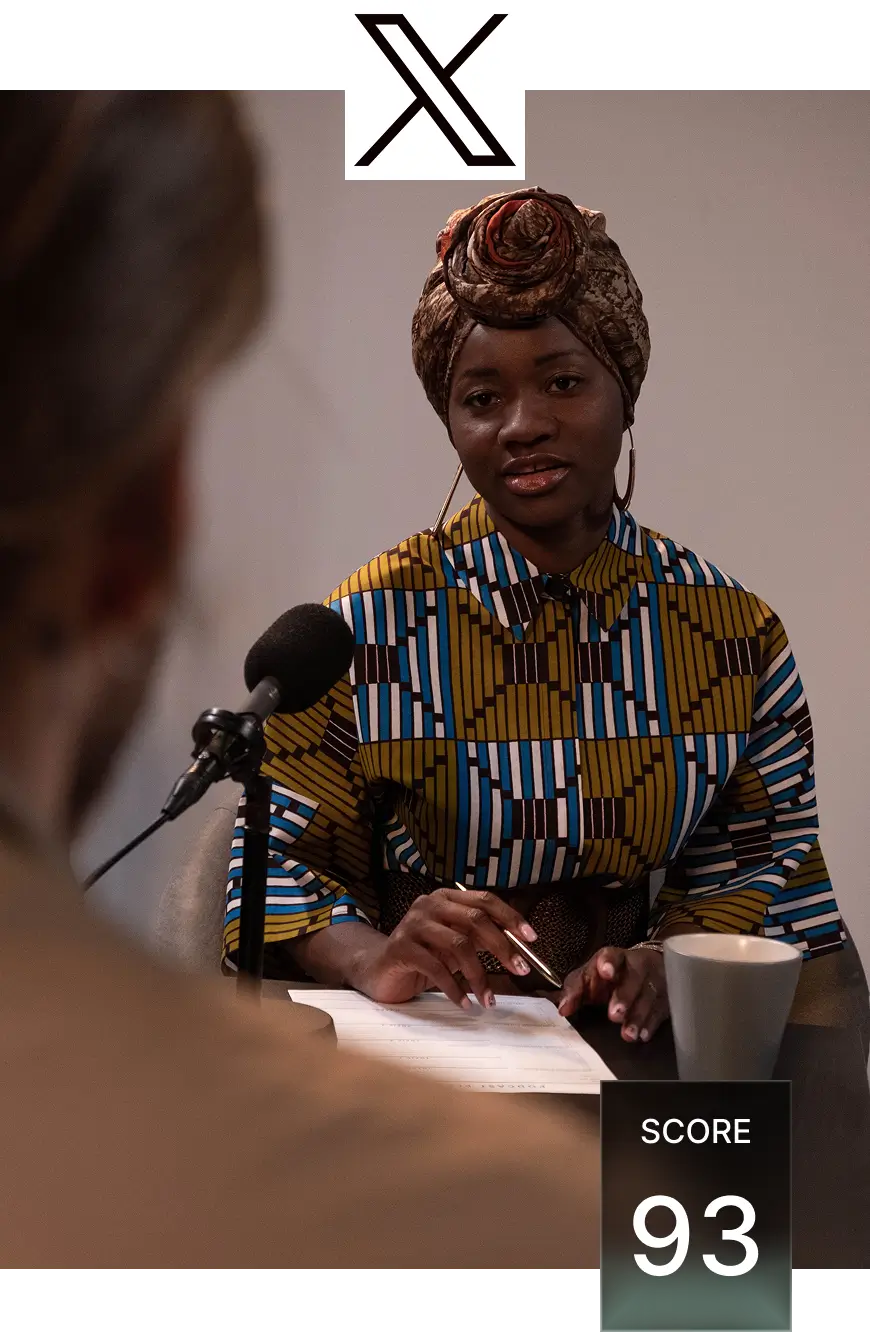
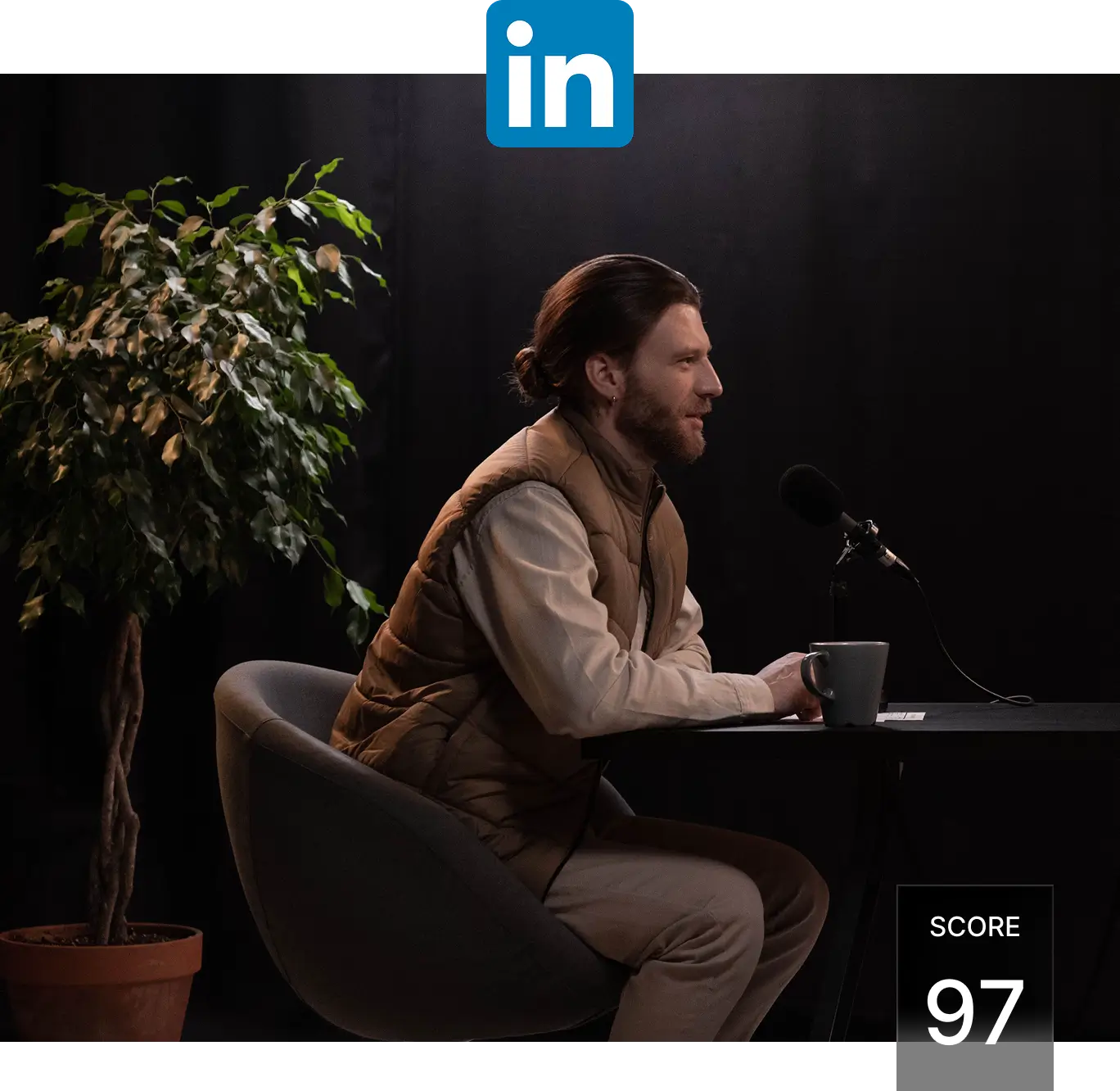
TRUSTED BY PRODUCT TEAMS SHIPPING VIDEO AT SCALE






Multimodal AI finds the moments worth cutting
Our AI generates contextual vectors across every modality: visual, audio, spoken word, sentiment, and on-screen text. Spoken word? Actually 50+ languages with transliteration
Domain specific generation
Most AI clipping tools work well only with video podcasts. Ours works across genres: podcasts, vlogs, gaming, sports, interviews, explainer videos, comedy and more. Fits with all types of publishers.
Reframe and Publishing
Get clips with confidence scores, and do full editing including auto normalization, voice-overs, captions, watermarks and B-rolls. Then reframe (9:16, 1:1, 4:5, 16:9) and publish them to all social platforms in one click via our dashboard or via API pipelines on auto pilot.
Proven scale
Operating at the same scale as the rest of our global video platform, which power millions of streams per day and reaches 99% of population within 50 ms. AI video clipping built for speed, accuracy, and creative flexibility.
HOW IT WORKS
Multimodal AI for right moments from your video
The agent watches the frames, listens to the audio, and reads the speech and on-screen text, then scores every moment on how it will perform as a clip. From upload to ranked, ready-to-post clips in about 4 minutes for a 60-minute video.
1. Analyze everything in any video
The agent reads the whole video before cutting anything: what is said, what is on screen, who appears, where scenes change, and what the audio is doing. That analysis is built once per video and powers every clip that follows, so nothing is cut blind.
2. Get ranked clips with confidence scores
Every candidate moment is scored on five signals: hook strength, action, intensity, narrative completeness, and how well it stands alone. Clips arrive as a ranked list with scores attached, best first, so you start from the top instead of scrubbing the whole video.
3. Edit on the transcript
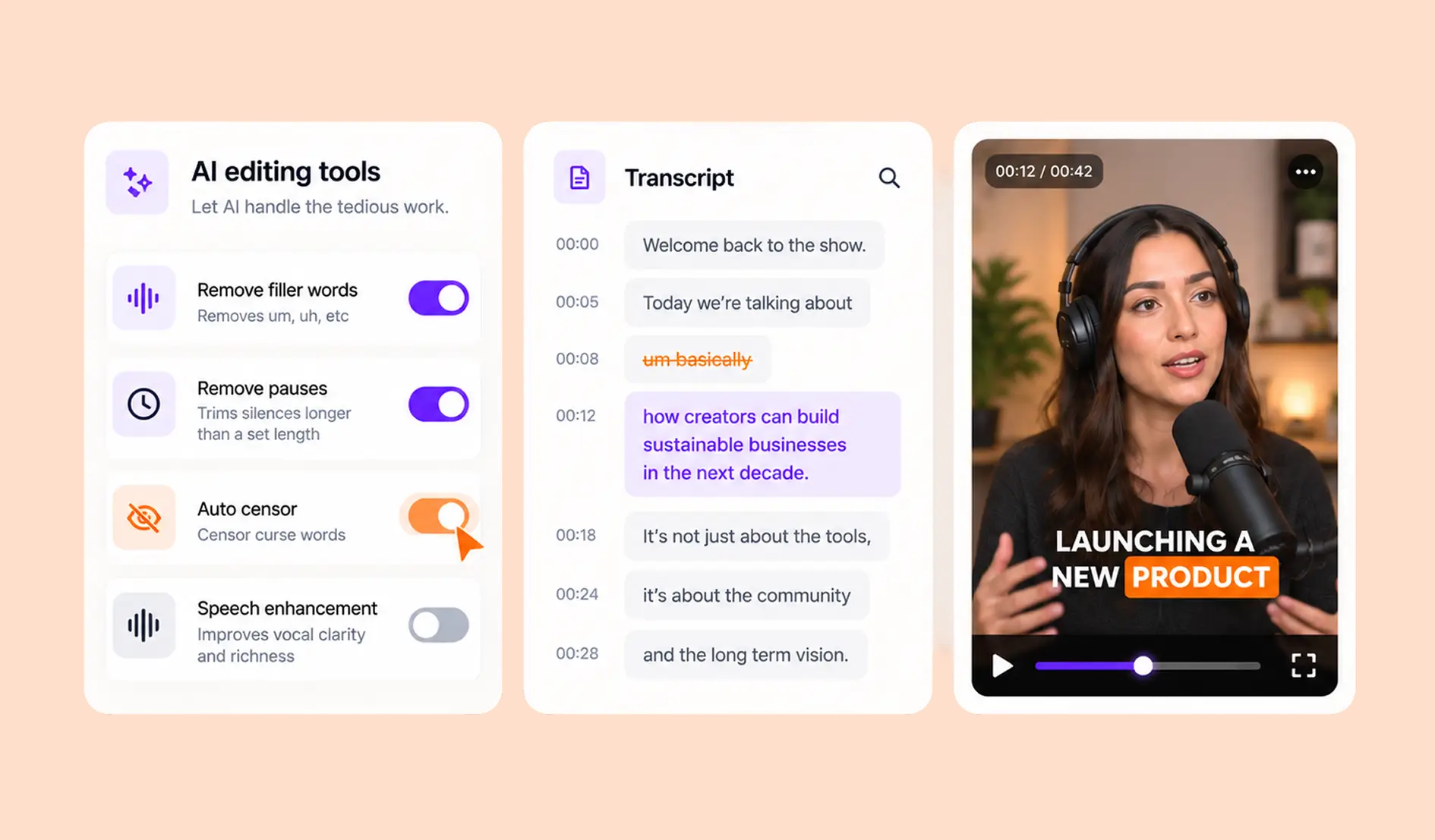
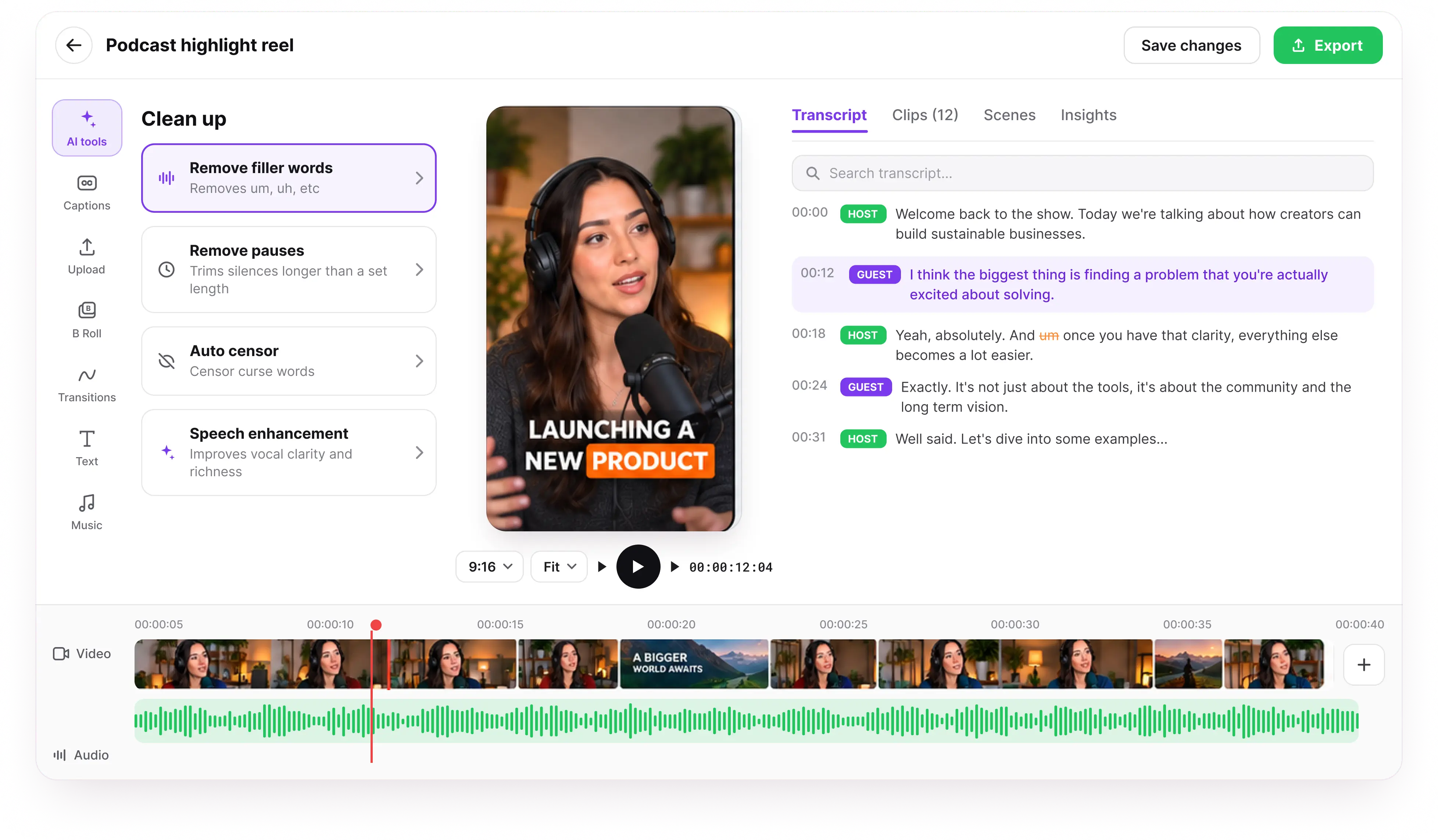
Every clip opens with its transcript, and the transcript is the edit surface. Strike a sentence and it disappears from the cut. Filler words and long pauses are already flagged when you arrive; removing them is one click each, and auto censor and speech enhancement run the same way. Nobody scrubs a timeline to fix ten seconds of audio.
4. Reframe for every platform
Each clip renders in 9:16, 1:1, 4:5, and 16:9 in parallel. The agent tracks the faces and objects that matter and keeps them in frame, so a wide shot still works as a vertical short without anyone cropping by hand.
5. Approve together, stay on brand
The agent proposes, your team approves. Clips wait in a review dashboard with their scores attached, and approving one applies your locked brand template and queues it for the platforms you picked. Running more than one creator? Each gets their own dashboard and template, which is how Superbit handles 40 and counting.
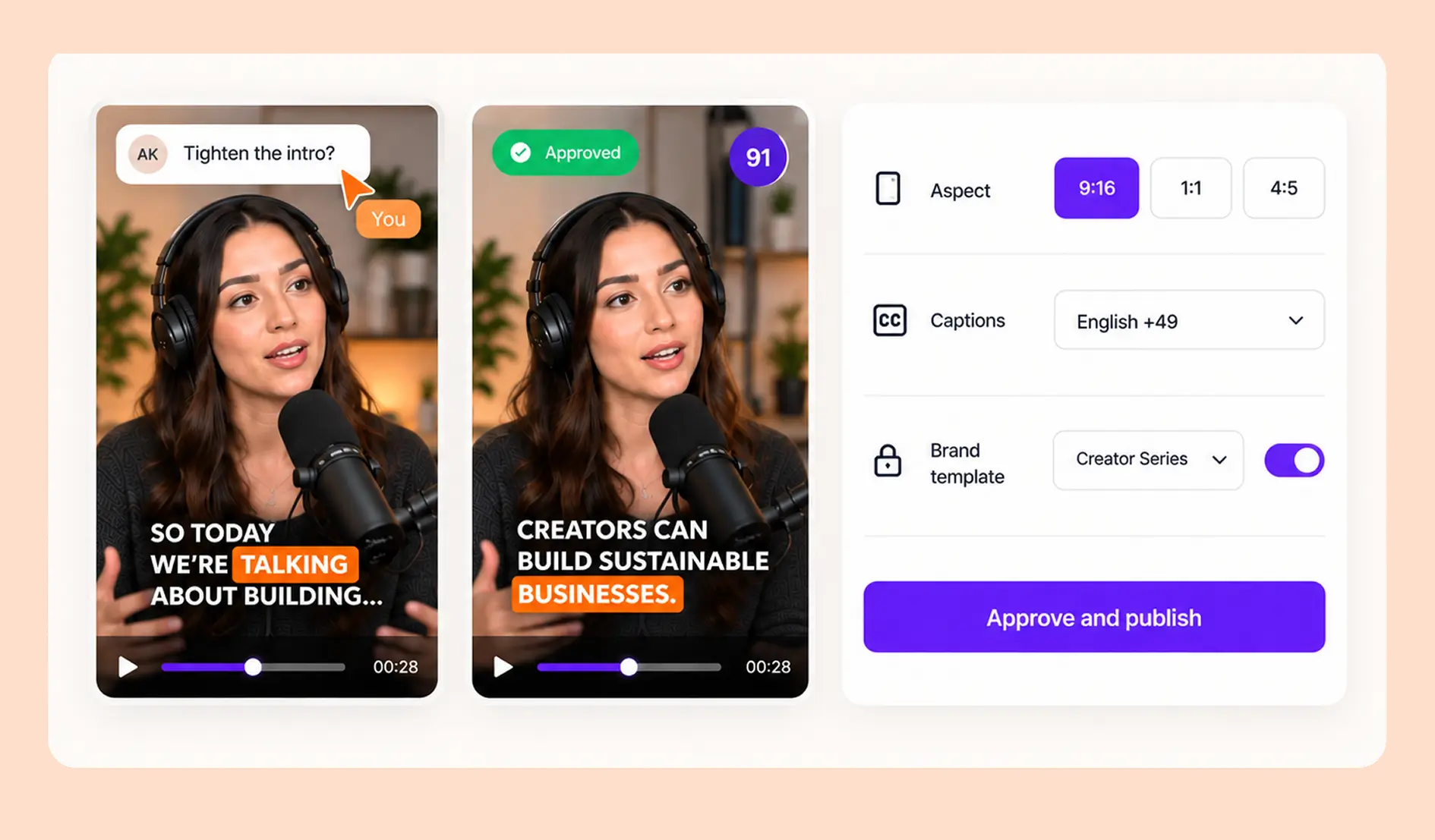
6. Edit, brand, and publish
Your brand template is applied at render: watermark, font, intro card, sponsor overlay, with captions in 50+ languages. From there, publish with one click or push clips straight to TikTok, YouTube Shorts, Reels, X, and Facebook on a per-platform schedule.
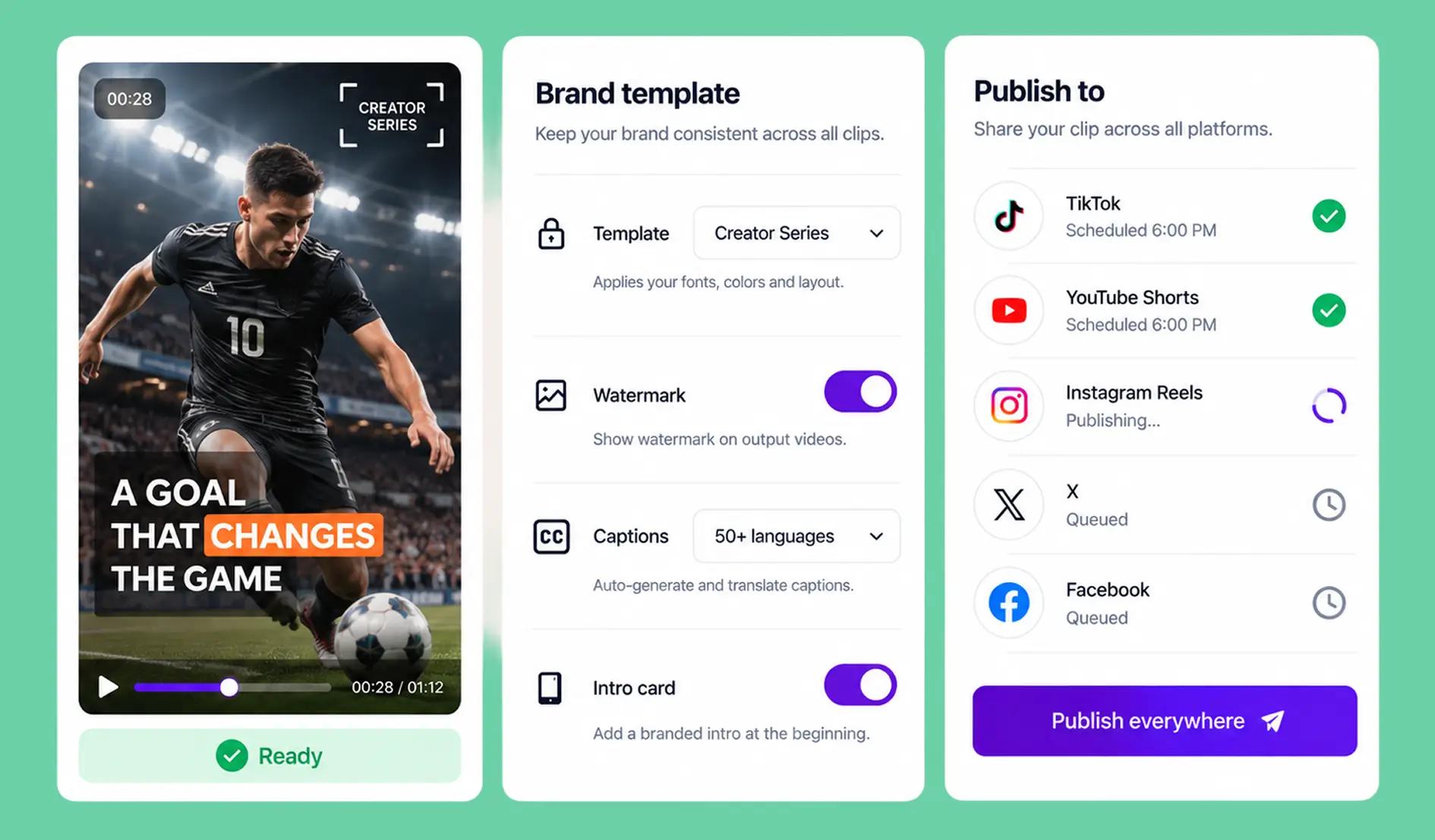
AI VIDEO EDITOR
The agent edits.
You approve.
Every clip arrives ranked, captioned, and reframed. Cut, trim, and remove filler words with text-based editing on the transcript, then hit export.
API FOR AGENTS AND DEVELOPERS
The video clipping API
Automate clipping from upload to publish everything in this diagram is an endpoint. Upload or clip mid-broadcast, let the agent analyze, rank, and cut, catch the clip.ready webhook, and schedule and publish across every platform. No dashboard in the loop unless you want one.
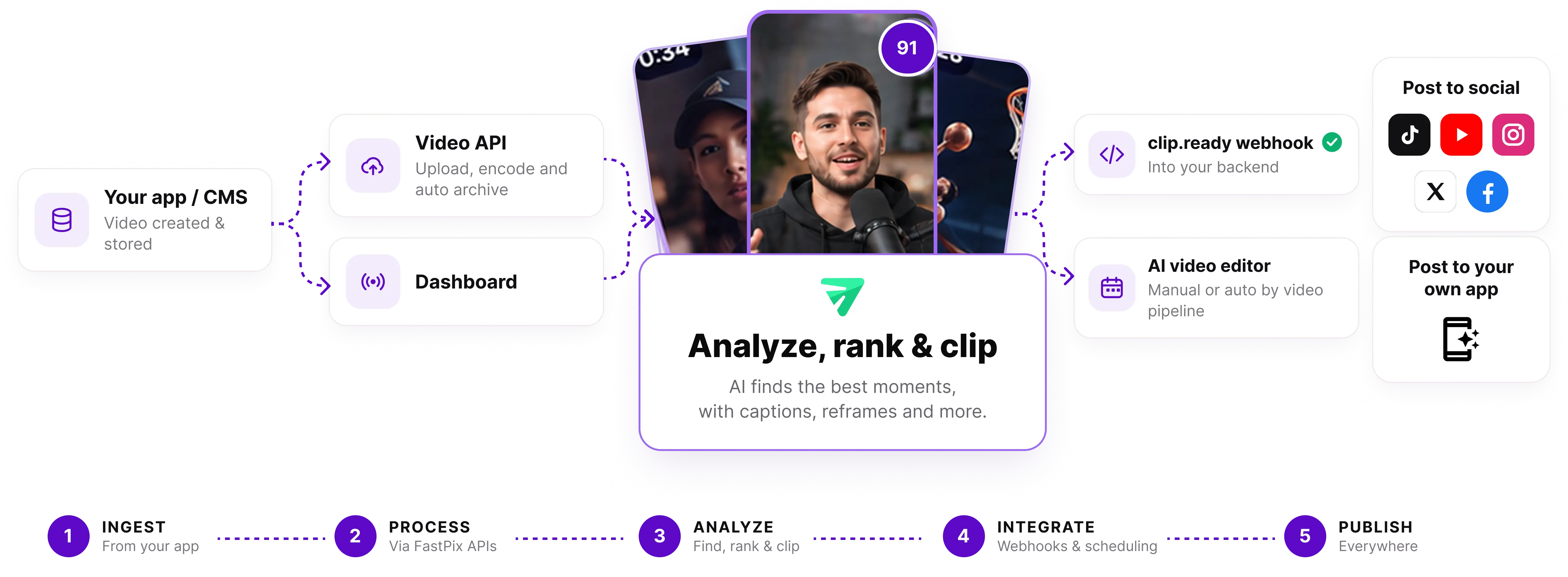
Built for creators, developers and AI agents
One POST returns reframed clips with captions and a virality score. Use it as a tool, or automate your workflow with our API and run the agent on your platform
# Submit a long-form video to create a new clipping projectcurl --request POST \ --url https://api.fastpix.com/v1/agents/clip-agent/projects \ --header 'Authorization: Basic <API_KEY>' \ --header 'Content-Type: application/json' \ --header 'Accept: application/json' \ --data '{ "enabled": true, "genre": "Auto", "subtitlePreset": "karaoke", "duration": { "start": 0, "end": 600 }, "audioSourceLanguage": "Auto", "videoURL": "https://youtu.be/6WFJCR4GKo4" }'WHAT MAKES IT POWERFUL
Clips ranked by what actually performs, per domain.
Every candidate moment is ranked by CHAIN scoring across five signals, tuned per domain (Podcasts, Educational/Webinar, Comedy, Vlogs, Gaming, Sports, News, Movies, Basketball, NFL, Travel).
C
Contextual
How well does the clip stand alone? Does it depend on context the viewer doesn't have? Filters out cliffhanger moments that need 90 seconds of setup.
H
Hook
First-second strength. Does the clip earn attention in the swipe-past world? Title-rate proxy.
A
Action
Pace of meaningful events: speech moments, visual changes, demonstrated outcomes. High for sports. Lower-and-different for lectures.
I
Intensity
Volume + energy + emotional arc. Sports: goal celebration. News: breaking moment. Lecture: clear insight. Each weighted differently per Genre.
N
Narrative
Story completeness. Does the clip have a beginning, middle, end? Top-scoring clips read as standalone stories.
AI VIDEO CLIPPING AGENT FAQ
Questions buyers ask before going to production.
What is a video clipping API?
A video clipping API turns a long video or a live stream into short, ranked, captioned clips through REST calls instead of an editor. You send a source ID and a genre, the agent scores every candidate moment, and a clip.ready webhook returns each clip already reframed for 9:16, 1:1, 4:5 and 16:9. No dashboard sits in the loop unless you want one there.
Should I use a clipping app or a clipping API?
Use a clipping app when clipping is the whole job, and a clipping API when clips are one feature inside a product you are shipping. Apps stop at export: the clip still has to be stored, encoded, delivered, played and measured somewhere else. FastPix runs clipping on the platform that already does all five, so the clip never leaves the stack and never shows up as a second vendor on the bill.
How do I clip a live stream before it ends?
You clip a live stream mid-broadcast by calling the clipping endpoint with a timecode range while the stream is still running. FastPix returns a playback-ready clip about 12 seconds after the producer's cut, so a goal, a quote or a product drop reaches social while the moment still matters. There is no waiting for the stream to finish and convert to VOD.
Can I auto-publish highlights right after a stream ends?
Highlights can publish automatically within minutes of a stream ending, with no manual step in between. The agent ranks clips as the stream closes, your brand template is applied at render, and approved clips post to TikTok, YouTube Shorts, Reels, X and Facebook on the schedule you set. Teams that want a person in the loop route clips to a review dashboard first, and approval is one click.
Does AI clipping handle mixed-language speech like Hinglish?
FastPix transcribes and captions conversations that switch between two languages mid-sentence, which most clipping tools render as nonsense. Hinglish, Spanglish, Taglish and Arabic-English speech are handled with transliteration, so the caption reads the way the sentence was actually spoken instead of being forced into one language or machine-translated into both. Clips carry captions in 50+ languages, applied at compose time.