FASTPIX × SUPABASE
Build video into your Supabase application
Bring FastPix video into your Supabase-powered application. Sync video and live stream state with your database, query it alongside your application data, and skip building the sync layer yourself.
$ npx @fastpix/supabase initSet up the integration from your terminal.
TRUSTED BY PRODUCT TEAMS SHIPPING VIDEO AT SCALE






THE GAP
The bridge between your video and your Supabase data
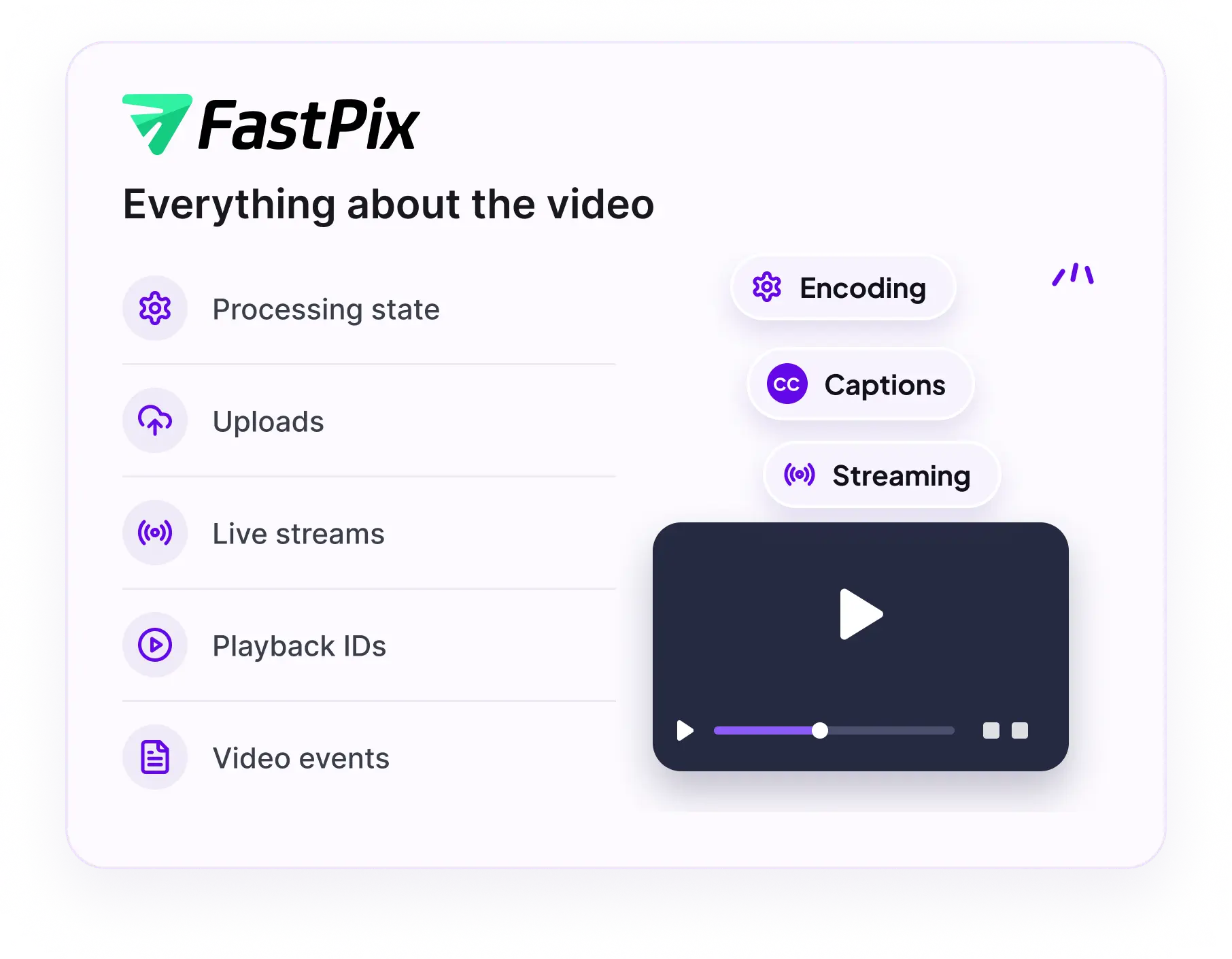
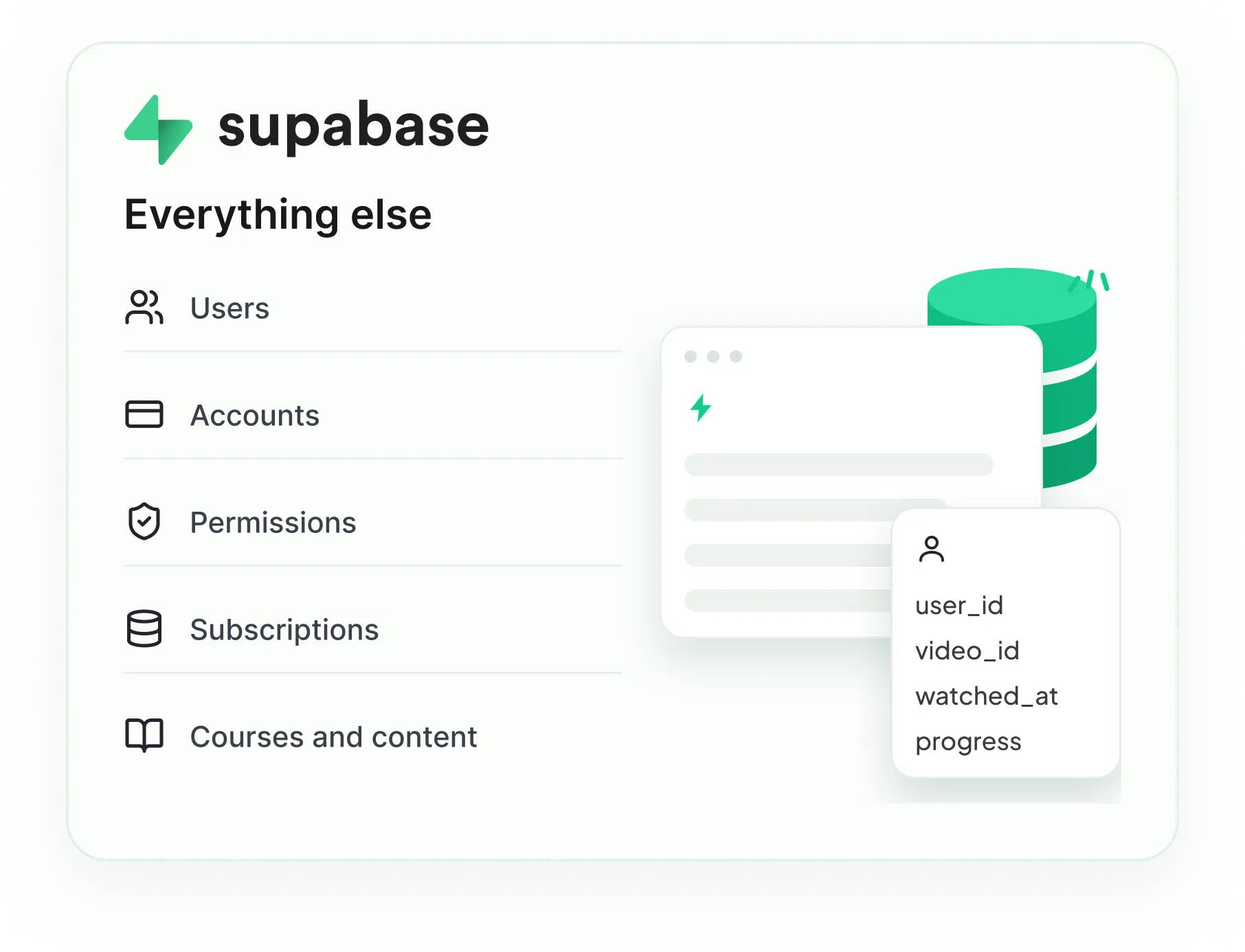
Both systems hold half the picture, and nothing joins them. Every screen that shows a video ends up calling an API and stitching the answer onto a row by hand.
The
Sync
Engine
Building that yourself is a project of its own. The Sync Engine is what closes it.
THE SOLUTION
Sync your video data into Supabase
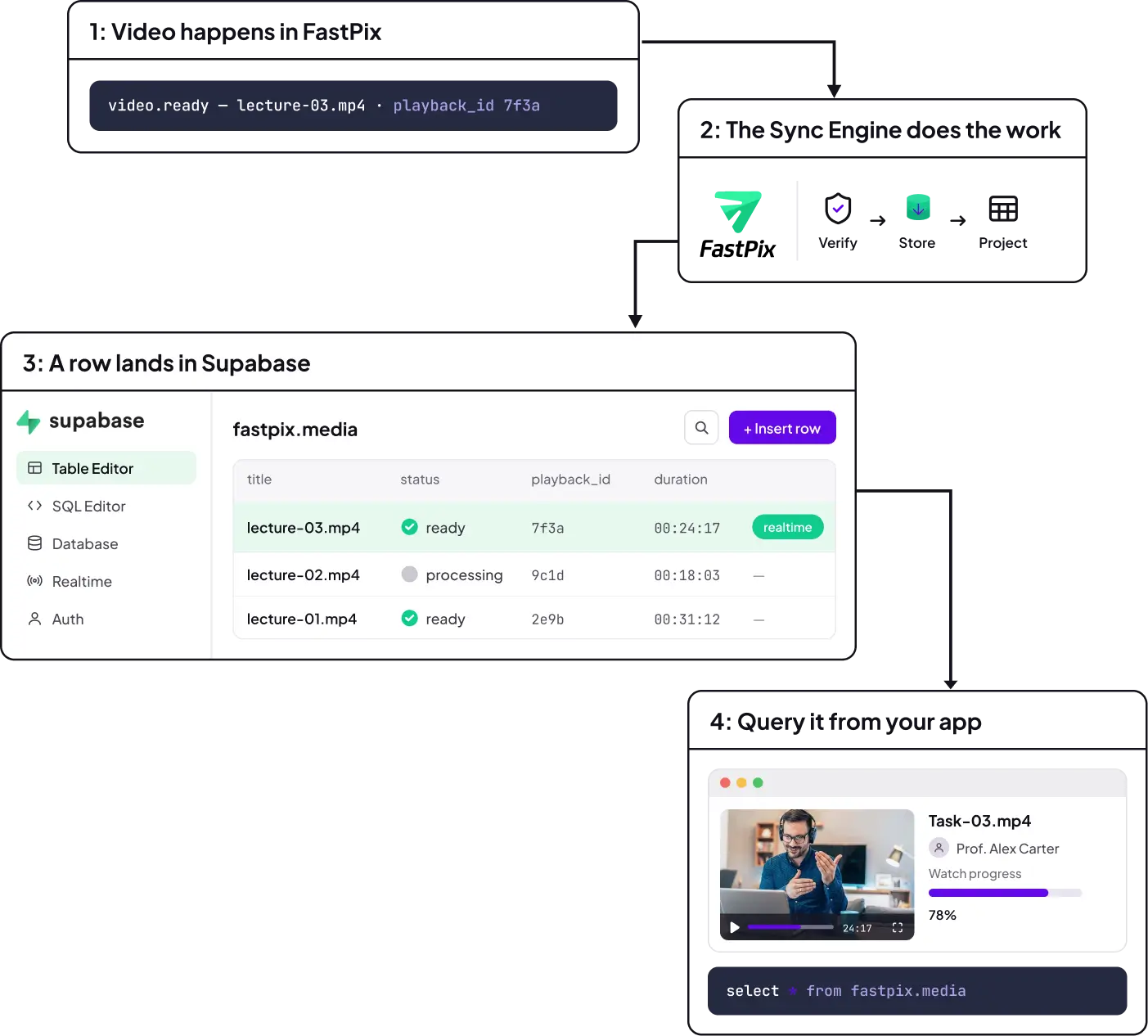
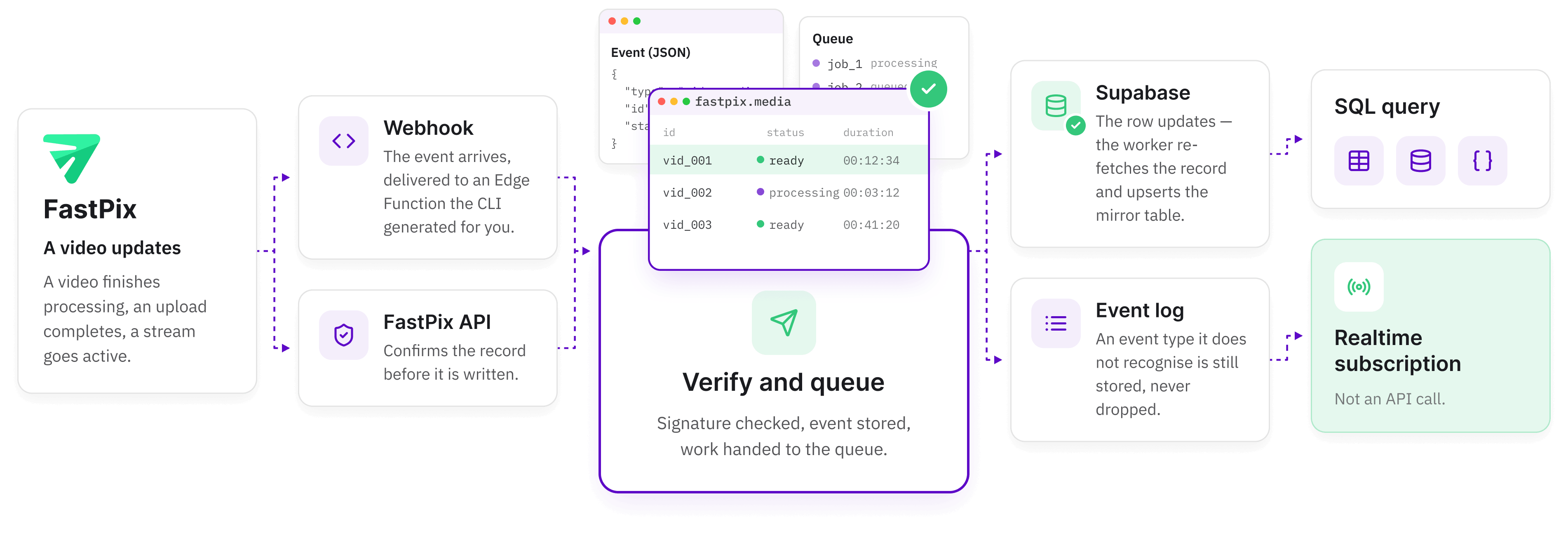
When something changes on FastPix, the change lands in your Supabase tables. The webhook triggers the work and the FastPix API confirms the record before it is written.
FASTPIX
Something changes
WEBHOOK
The event arrives
SYNC ENGINE
Verify and queue
SUPABASE
The row updates
YOUR APP
Reads it as data
A few of the events the engine handles. An event type it does not recognise is still stored, never dropped.
THE PAYOFF
Video state becomes part of your application
Once the rows are in Postgres, video stops being a service you call. It becomes data you join, subscribe to, and put behind your own access rules.
SQL
Join video to the rest of your schema
One statement returns the course, the owner and the playback ID. No API round trip, no stitching in application code.
1SELECT c.title, m."mediaId", m."status", m."duration"2FROM public.courses c3JOIN fastpix.media m ON m."mediaId" = c.media_id4WHERE m."status" = 'ready';5 6 7 REALTIME
Subscribe instead of polling
The row changes when FastPix fires, so the browser can react to processing finishing without asking FastPix anything.
1supabase2 .channel ('media')3 .on ('postgres_changes',4 { event: 'UPDATE',schema: 'fastpix', table: 'media' },5({ NEW: row }) ⇒ setStatus(row.status))6 .subscribe();7 Add the mirror tables to the supabase_realtime publication first. Column names mirror the FastPix API in camelCase, so quote them in SQL.
Upload progress in your UI
Workflows on processing
Live status badges
Access rules that include video
SETUP
Sync video to Supabase in one command
Install the package and it writes the Edge Functions, the migrations, the queue and the cron jobs into your project. You supply credentials and a webhook.
- 01
Initialize the integration
Run it against a running Supabase project.
- 02
Edge Functions are generated
Webhook, worker, reconcile and backfill.
- 03
Migrations are copied in
The fastpix schema, the queue and the cron jobs.
- 04
Config is patched
verify_jwt is set false on the webhook, because FastPix signs its own requests.
- 05
Register the webhook
Paste the signing secret and events start landing.
- 06
Query it from your app
A row appears in fastpix.media within seconds of an upload.
$ npx @fastpix/supabase init
creating fastpix schema and migrations
writing 4 edge functions
adding pgmq queue and cron jobs
done. restart supabase to load config.
$ npx @fastpix/supabase backfill
importing existing media and live streams
checkpointed. safe to re-run if interrupted.
Backfill imports what already exists in your FastPix account and checkpoints as it goes, so an interrupted run picks up from the last page rather than the beginning. Reconcile heals anything a missed webhook left behind.
RELIABILITY
The sync layer you do not have to maintain
Keeping a database in step with a video platform means verifying webhooks, deduplicating retries and healing missed events. The Sync Engine ships all of that, so it is not code your team maintains.

01
Verify

02
Store

03
Deduplicate

04
Queue

05
Project
WHAT YOU WOULD HAVE BUILT
- Signature verification and constant-time comparison
- An idempotency key and a dedupe table
- A queue, a worker and a retry policy
- A resumable importer for existing records
- A reconciler for the deliveries you missed
WHAT THE ENGINE ALREADY DOES
- Retries a failed projection, then dead-letters it
- Treats the API as the source of truth on every event
- Collapses repeated re-fetches for the same resource
- Checkpoints a backfill so it resumes where it stopped
- Runs a reconcile that heals gaps and removes deleted records
THE DATA
Video infrastructure in your data layer
The CLI creates a fastpix schema alongside your own tables. These are ordinary Postgres tables, so everything you already do with Supabase applies to them.
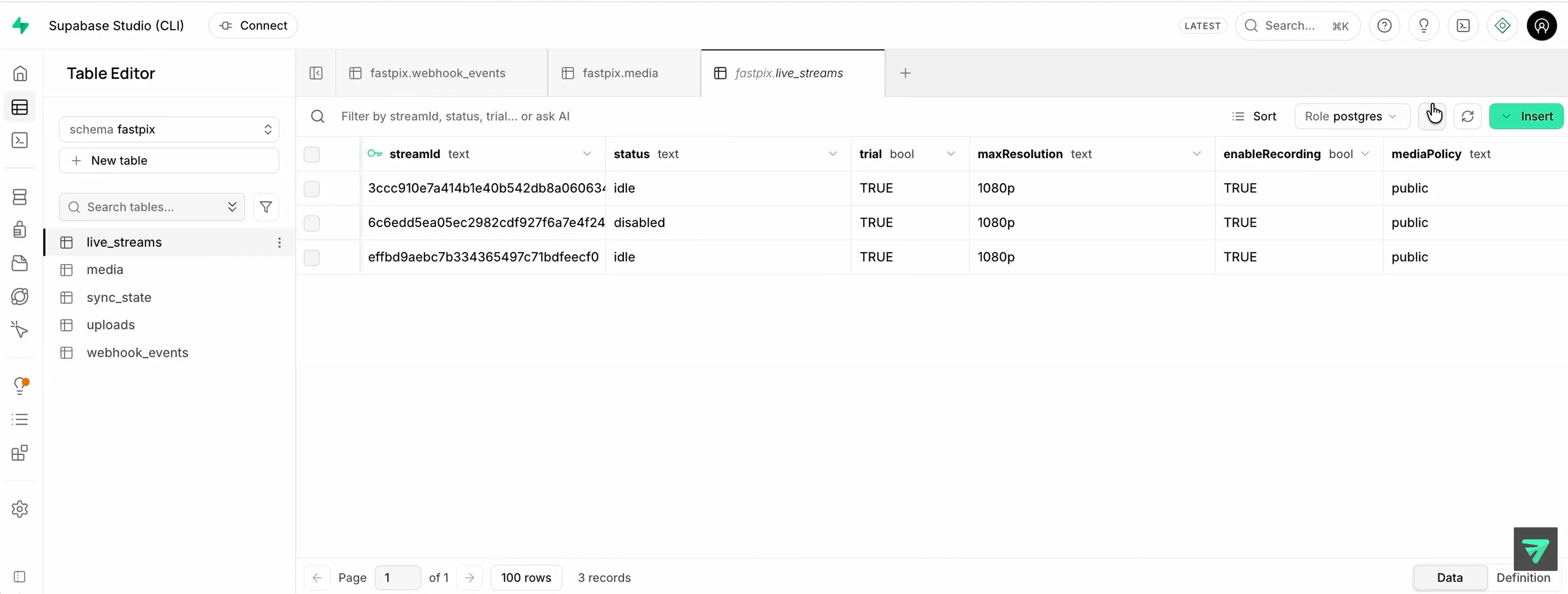
Click a table to see what it holds, then a column to see what that column stores. Sample rows are illustrative.
Playlists are not mirrored. Query them through the Playlist API when you need them.
THE ENGINE UNDERNEATH
Supabase is just the beginning.
The FastPix Sync Engine works with any Postgres database. The same sync layer can keep FastPix state connected to your own Postgres backend.
@fastpix/supabase
The Supabase setup. Edge Functions, migrations, queue and cron, from one command.
@fastpix/fp-sync-engine
The runtime underneath. Framework-free TypeScript against any Postgres, on Node.js or Deno.
SECURITY
Built for production applications
An event has to prove it came from FastPix before it touches a row. The tables it lands in need securing before anything reads them from a browser.
The security step in the setup guide covers the exact grants and policies. Read it before anything client-side touches the schema.
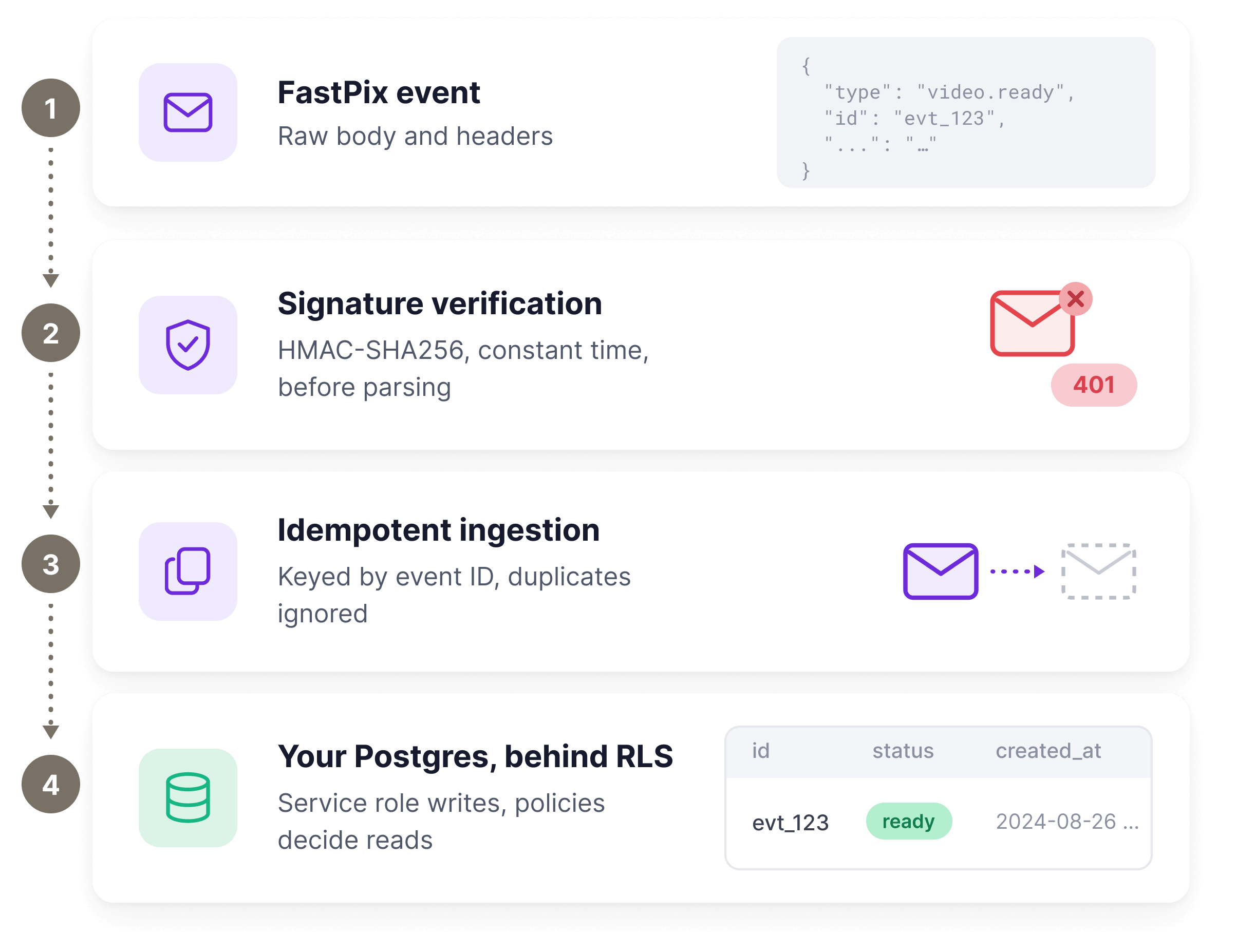
A bad signature never reaches your handler.
The engine throws before the body is parsed, and the route answers 401.
Credentials stay server side.
The token pair and signing secret live in function secrets and Vault, never in the browser.
Enable row-level security yourself.
The tables ship without it, and live_streams holds stream keys and SRT secrets.
Expose a view, not the table.
RLS with no policies denies everyone but the service role, the safe default.
FAQ
Supabase video integration questions
The ones developers ask before they run the command. Everything past these lives in the setup guides.
What does the FastPix Supabase integration do?
It keeps your Supabase database in step with FastPix. Media, live streams and upload sessions are mirrored into a fastpix schema in your own Postgres, updated from webhooks, so your application can read video state as ordinary rows instead of calling an API on every page load.
Do I need to build my own webhook handler?
No. The CLI generates the Edge Functions, the migrations, the pgmq queue and the cron jobs for you. You paste in a token pair and a webhook signing secret, and the sync runs from there. What you write is your application, not the plumbing underneath it.
Can I sync videos that already exist?
Yes, with the backfill command. It pages through your existing media and live streams and imports them, checkpointing to sync_state as it goes, so an interrupted run resumes from the last page rather than starting again. Uploads have no list endpoint, so they arrive from webhooks only.
Can I use Supabase Realtime with the synced rows?
Yes. They are ordinary Postgres tables, so adding them to the supabase_realtime publication lets you subscribe to changes the same way you would for any of your own tables. A row flipping to ready reaches the browser without your app asking FastPix anything.
GO DEEPER
The full playbook
Node.js video SDK
The client that makes the writes this sync mirrors.
Node.jsGUIDEWebhook event reference
Every event that can land in webhook_events.
Read the guideGITHUBSource on GitHub
The CLI, the functions and the migrations.
GithubGUIDETrack and grade completion
How watch coverage becomes an automatic grade in Moodle.
Read the guide