WORDPRESS VIDEO PLUGIN
Video hosting for WordPress
Add video to your WordPress site with FastPix. Beyond upload and playback: AI captions, chapters, DRM, plus video and course analytics in wp-admin.
WordPress 6.8+, PHP 8.3+·Gutenberg block and shortcode·HTTPS required
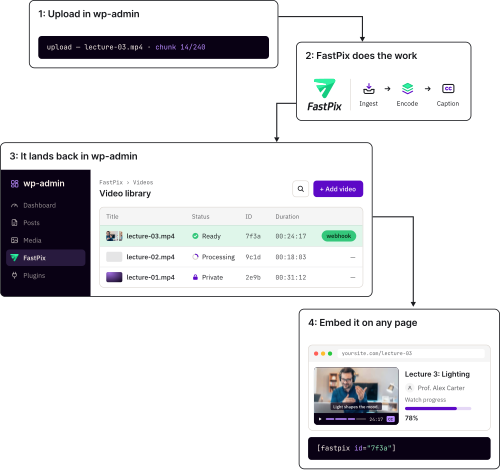
TRUSTED BY PRODUCT TEAMS SHIPPING VIDEO AT SCALE






BUILT FOR
Integrate video into any WordPress site
One plugin covers every kind of WordPress site. Video hosting for WordPress means something different on a course site and a newsroom, and the difference is a setting you turn on.
Teach with video your students cannot skip
Give your students lessons they can navigate, with automatic captions, chapter markers and playback that resumes where they left off.
- Captions generated for you. Automatic subtitles in your site language, on by default.
- Protected lessons. Signed playback or DRM, so paid course video does not travel.
- Chapters in the timeline. Students jump to the part they need instead of scrubbing for it.
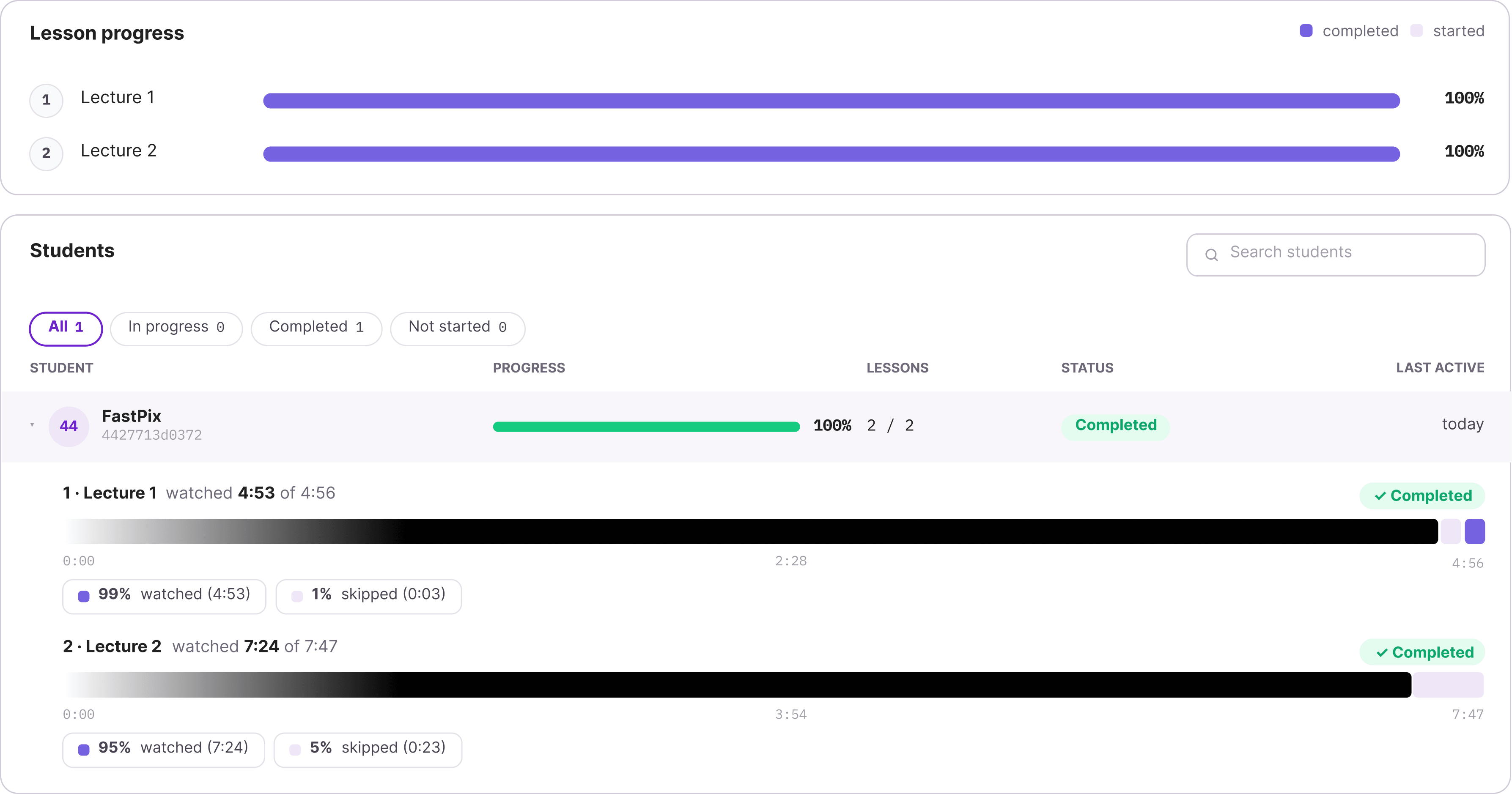
- Per-course progress. Student progress by course under the LMS tab, and drop-off per video.
Add video without slowing the site down
Add video to your pages without the load-time penalty, with lazy loading, adaptive streaming and view counts back in wp-admin.
- Lazy loaded by default. The player is fetched when it scrolls into view, not before.
- Structured data for search. The plugin emits VideoObject JSON-LD and hands it to your SEO plugin.
- Readable text on the page. An optional transcript panel search engines can crawl.
- Your brand on the video. Add a watermark at upload and choose where it sits on the frame.
Paid video only your members can play
Sell access to your video, with playback signed on every render, links that expire on your timer, and DRM when you need it.
- Signed at render. A short-lived token authorizes the stream, poster and previews.
- Tied to the post. A private video plays only where the visitor is allowed to read.
- Expiry you set. Anywhere from 2 minutes to 24 hours. The default is 15.
- DRM when signing is not enough. A license exchange before the first frame.
Run a large library without running servers
Move your Media Library across without editing a post, then search generated transcripts and chapters for any moment.
- Migrate your old files. Scan the Media Library, then move it in batches you can pause.
- Search inside the video. One box searches titles, transcripts and chapters together.
- Captions and transcripts generated. Named entities are pulled out too, with no manual pass.
- Bulk work in the background. Re-run AI or regenerate posters and leave the page.
Anyone putting video on a WordPress website
Run video on any WordPress site, with per-site Multisite activation, roles that hide credentials from authors, and WP-CLI for bulk work.
MEASUREMENT
WordPress video analytics beyond the play count
See how far people get through every video and whether it played cleanly, with retention curves and drop-off by device. WordPress video analytics stops at a play count.
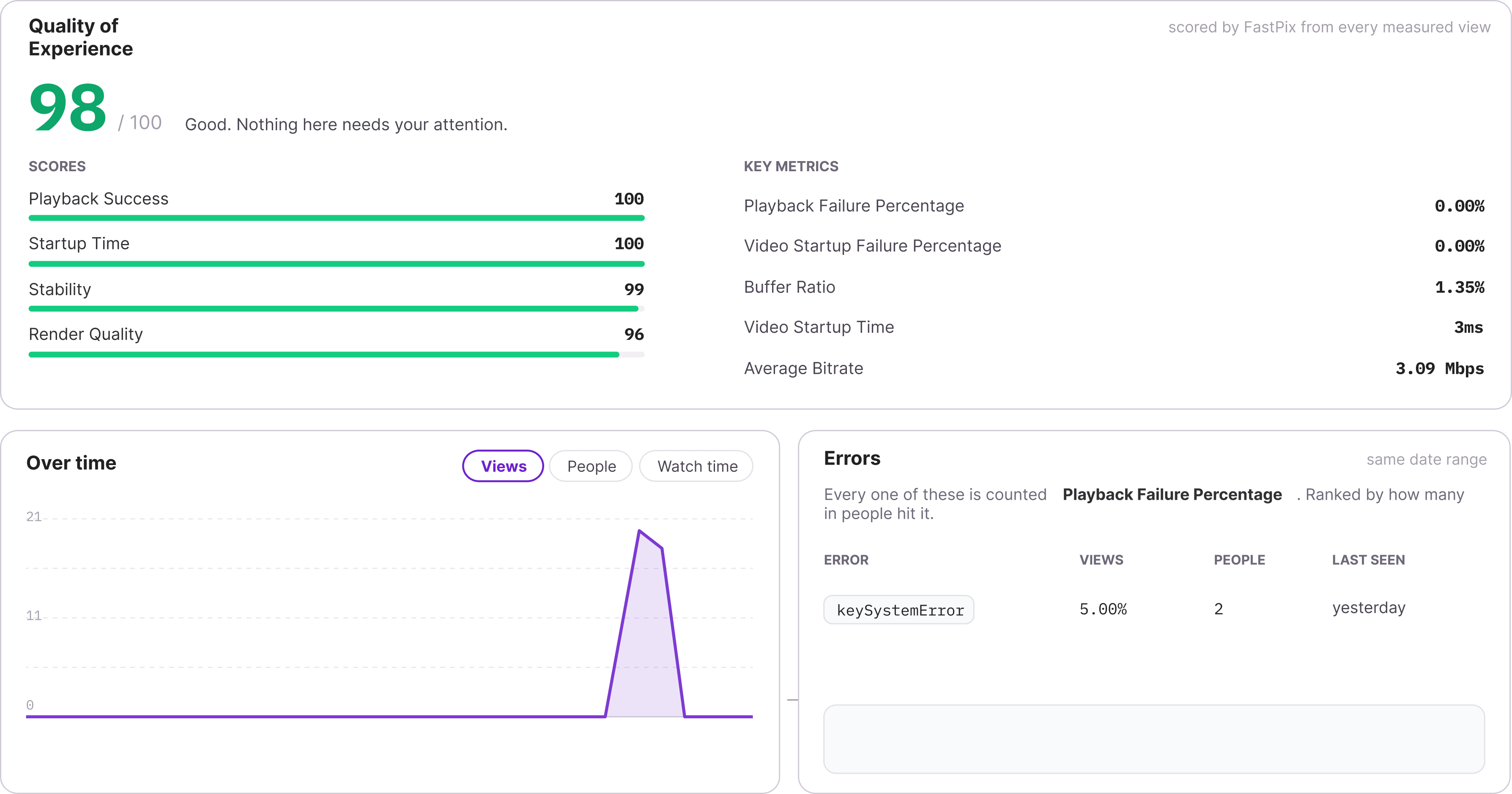
Where people stop watching. A retention curve for every video, so you can see which minute loses them.
Who actually turned up. Views and unique people side by side, so replays do not read as reach.
Whether it played cleanly. Playback scores and error rates by device, so you can tell buffering from boredom.
How each student is doing. Per-course progress under the LMS tab, credited only when the watch clears your threshold.
Numbers you can take away. Any range from an hour to a month, exported to CSV in the background.
Works with LMS plugins, editors and the tools already on your site
Course features appear once a supported LMS is detected, then you turn them on in Settings. Everything else on this list is something the plugin defers to rather than replaces.








COMPARE
Video plugin for WordPress, compared
Three ways to put video on a WordPress site. Only one gives every viewer the right quality for their connection, keeps the player yours, and reports what happened.
| What you get | Media Library | YouTube embed | FastPixTHIS PLUGIN |
|---|---|---|---|
| Direct upload | To your server | Embed only | ✓ |
| One library, searchable | Files, not video | ✕ | ✓ |
| Adaptive bitrate streaming | ✕ | ✓ | ✓ |
| Video not on your server | ✕ | ✓ | ✓ |
| No ads or end screens | ✓ | ✕ | ✓ |
| Unbranded player | ✓ | ✕ | ✓ |
| Your logo on the video | ✕ | Bottom right only | ✓ |
| Signed or DRM playback | ✕ | ✕ | ✓ |
| Plays only on your site | ✕ | ✕ | ✓ |
| AI captions and chapters | ✕ | ✓ | ✓ |
| Live streaming | ✕ | ✓ | ✓ |
| Retention analytics in wp-admin | ✕ | ✕ | ✓ |
| Proof a lesson was watched | ✕ | ✕ | Server-checked |
| Structured data on your page | You write it | ✕ | ✓ |
Compared on what a WordPress site owner has to decide. Media Library means WordPress serving the file itself, one file at one bitrate to every viewer, however they are connected. Longer versions of this argument: the full option-by-option comparison, and adding video without YouTube.
INSTALL
Install the WordPress video plugin
Two routes, one plugin. Install it from the WordPress directory without leaving your admin, or upload the ZIP from GitHub.
$25 free credit
On every new account, with no card required.
10 videos, 100K streaming minutes
Free every month. Standard encoding is free too.
$10 a month after that
Growth unlocks Pro and Premium quality. See pricing.
SETUP
Configure video on your WordPress site in three steps
Everything happens inside wp-admin. No developer, and no work on your server.



Set the player up
Set who can watch and the quality at upload, then tune chapters, captions and color per embed.
Turn on webhooks and a new video reaches your library the moment it is ready. Without them the plugin polls FastPix instead.
WHAT YOU GET
Inside the WordPress video plugin
One plugin does four jobs from a single wp-admin menu: hosting, playback, watch data and AI. Each one works the moment you connect a workspace.
Uploads, URL imports and Media Library migration
Files from the browser, a public URL, or the archive already in WordPress.
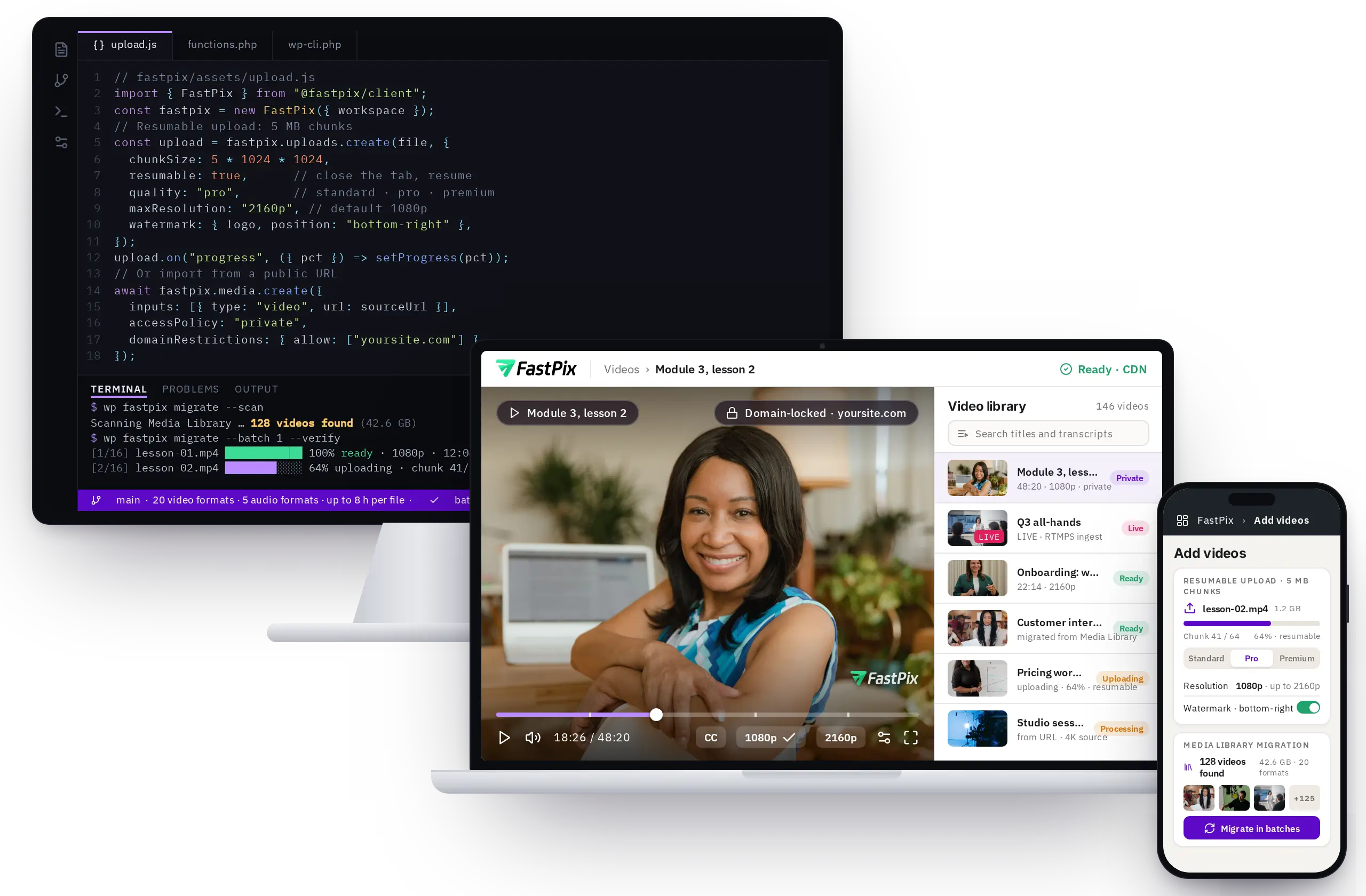
Resumable upload
5 MB chunks, in the browser. Close the tab and resume.
Upload from a URL
FastPix fetches a public file directly.
Media Library migration
Scan, batch, pause, resume, verify, then clean up.
Quality tiers
Pick Standard, Pro or Premium before you upload.
Watermark
Add your logo at upload and choose where it sits on the frame.
Top resolution
Up to 2160p, defaulting to 1080p.
Domain lock
Restrict playback to your site, with an allow or block list.
Live streaming
Ingest over RTMPS or SRT. The recording is kept for you.
The Gutenberg block and the WordPress shortcode
Both run the same player and share all 19 parameters.

Adaptive bitrate
Every viewer gets the quality their connection can carry.
Captions on by default
One attribute turns subtitles on for an embed.
Transcript panel
Show the full transcript under the player.
Lazy loading
On by default. The player loads when it is seen.
Accent color
Match the player to the site, per embed.
Poster control
Your own image, or a frame picked by timestamp.
Playback options
Autoplay, muted, loop, start time, aspect ratio, keyboard.
One embed for live
Waiting, live, then the recording, from one tag.
Watch data, per video and per course
Read from a local rollup, so no wp-admin screen waits on an API.
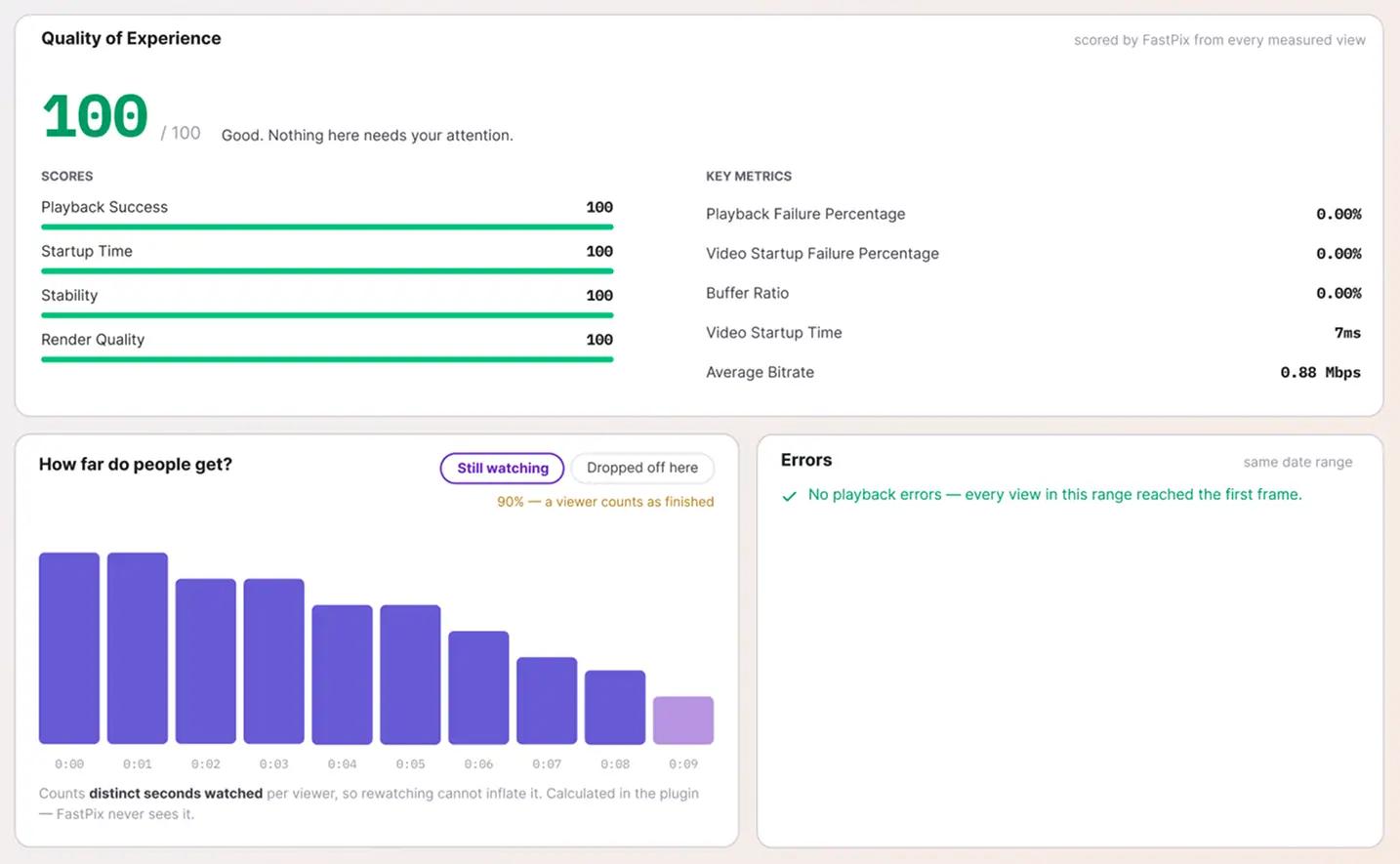
Views and viewers
Total plays and unique viewers, over any range you choose.
Watch time
How long, and how far into each video people get.
Drop-off
Where viewers leave a specific video.
Device filter
Mobile, desktop or tablet.
Resume where they stopped
Watch progress, gated by your consent platform.
Captions, chapters and named entities, generated
Enrichment runs after processing, so publishing in WordPress never waits on it.
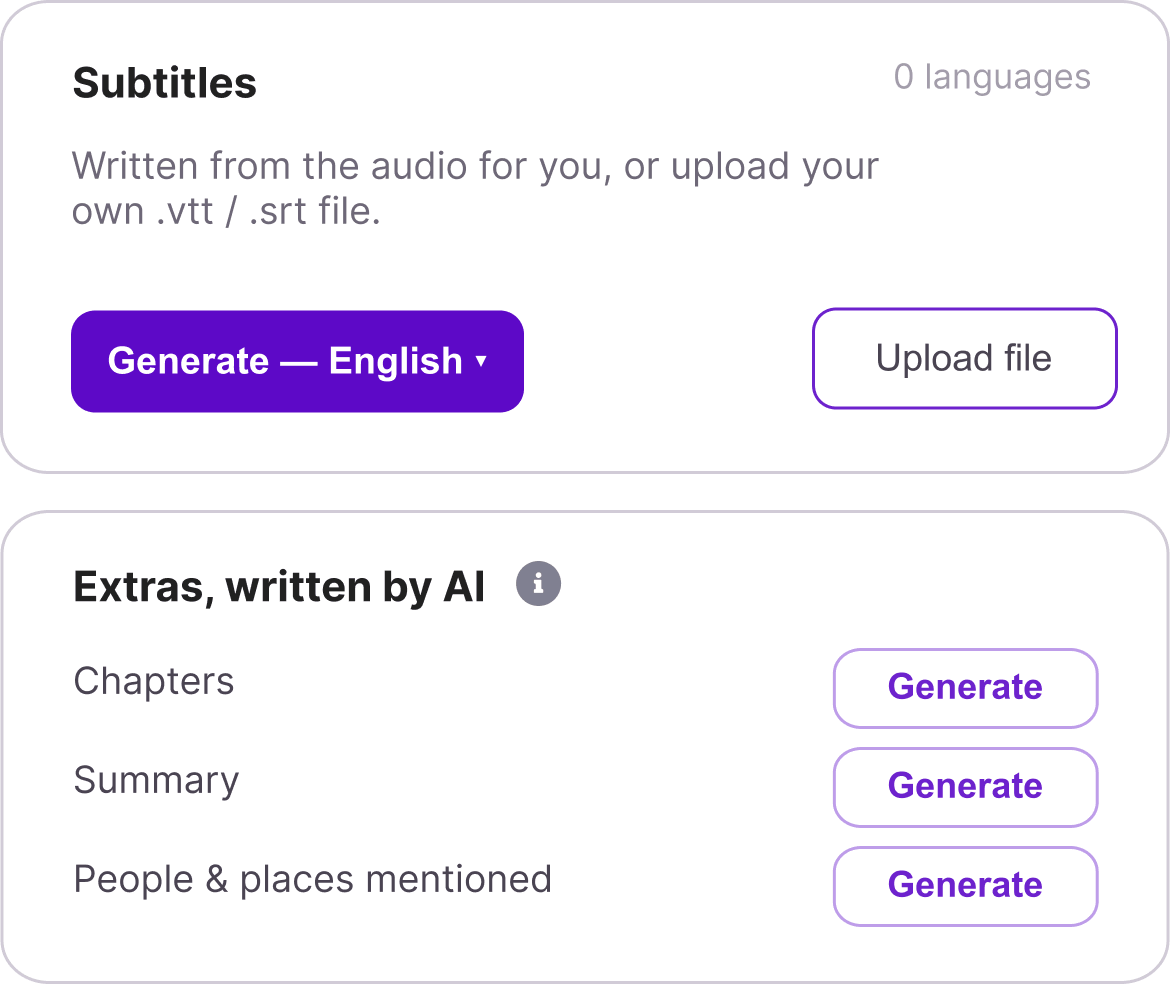
Automatic subtitles
On by default in your site language.
Custom subtitle tracks
Add, replace or remove your own.
Generated chapters
They load straight into the player timeline.
People, places and products
Extracted from what is said in the video.
Transcript search
Find a video by something said inside it.
Re-runnable
Regenerate enrichment for one video or in bulk.
Questions
WordPress video plugin questions
The ones asked before install. Setup detail lives in the integration guide.
What is the best video hosting for WordPress?
It comes down to whether you need to prove anything. If video is decoration, a public embed will do. If you sell it, gate it, teach with it, or answer to someone about whether it was watched, you need hosting that signs playback and reports retention where the video is managed. The option-by-option breakdown runs them side by side.Why is my WordPress video upload too large?
The ceiling is set in your server configuration rather than in WordPress, which is why raising it means editing php.ini or asking your host. The plugin sidesteps it entirely: files go from the browser to FastPix in 5 MB resumable chunks, so the WordPress upload limit never applies to them.
Can I prove a student actually watched a lesson?
Completion is checked against a percentage threshold the server reads from the lesson's own markup, and progress beats from a video not embedded in that lesson are ignored. Dragging the scrubber to the end does not credit the lesson. Your LMS still grants the credit through its own completion function.
Does it work on WordPress Multisite?
Yes, but per site rather than across the network. Activate it on each site individually. Network-wide activation is deliberately refused, because every site keeps its own connection, its own library and its own capability map. The multisite walkthrough covers running it across a network.Can authors upload without seeing the credentials?
Yes. The plugin defines its own capabilities and maps them to roles on activation. Only a role holding the settings capability can view or change the access token and secret. Authors and editors upload, embed and manage video without the credentials ever reaching their screen.