

Generate JWTs for secure media
See also: Secure media access with JWTs — once you’ve generated a token using this guide, learn how to pass it to the FastPix Player and use it with playback, thumbnail, and spritesheet URLs.
JSON Web Tokens (JWTs) are a standardized method for securely transmitting authentication and authorization data between systems. FastPix APIs use JWTs to authenticate requests, ensuring secure access to resources. The following guide shows how to create and validate JWTs for your integration.
Use our JWT Signer: https://jwt.fastpix.co/
What is a JWT?
JSON Web Token (JWT) is an open standard (RFC 7519) for securely transmitting information between parties as a JSON object. It is compact, self-contained, and cryptographically signed, making it ideal for authentication and authorization workflows.
Structure of a JWT
A JWT consists of three components:
- Header: Defines the algorithm (for example, HS256, RS256) and token type (JWT).
- Payload: Contains claims — statements about the user or resource, such as:
- Standard claims: Issuer (iss), expiration time (exp).
- Custom claims: Playback restrictions, user permissions, or resource-specific data.
- Signature: Generated by combining the encoded header, payload, and a secret key. This ensures the token’s integrity and prevents tampering.
How FastPix uses JWT
JWTs authorize access to protected resources, such as video streams. For example:
- A user requests playback of a private video using a playbackId.
- FastPix validates the JWT’s signature to ensure it was signed with the correct Signing Key and has not been altered.
- Claims (for example, expiration time, permissions) are verified to confirm the token is valid and grants the required access.
This process ensures secure, efficient resource delivery while adhering to security standards.
How to generate JWT for secured playback Id
Create a Signing Key
Signing keys are used to generate JWT signatures. To create one navigate to the Signing Keys section of your FastPix Dashboard or use our APIs.
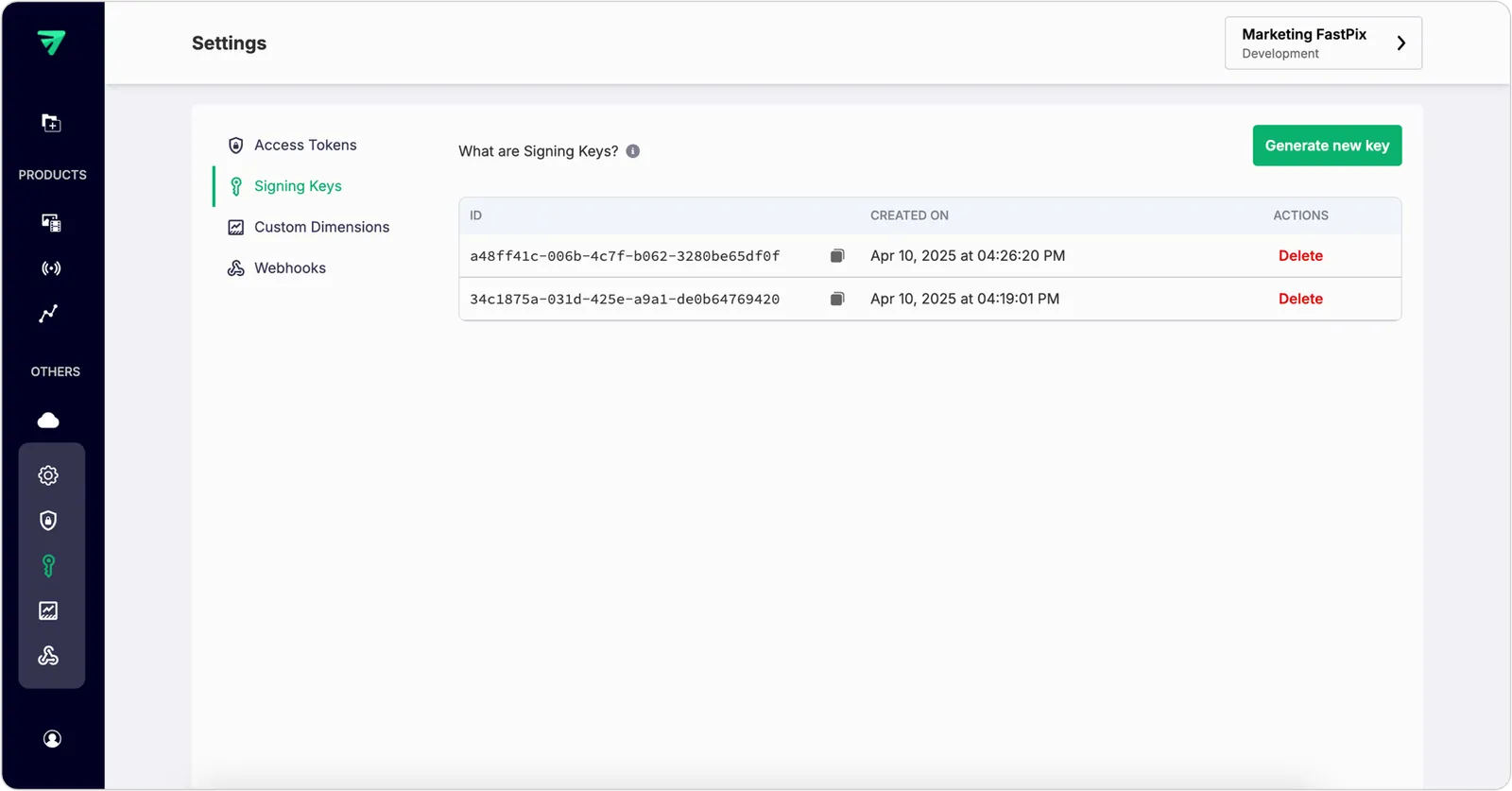
FastPix generates a new key pair (public/private keys) and a signing key Id.
- Store the generated private key and signing key Id securely — never expose it in client-side code or public repositories.
- The public key is stored in FastPix and used to verify playback tokens.
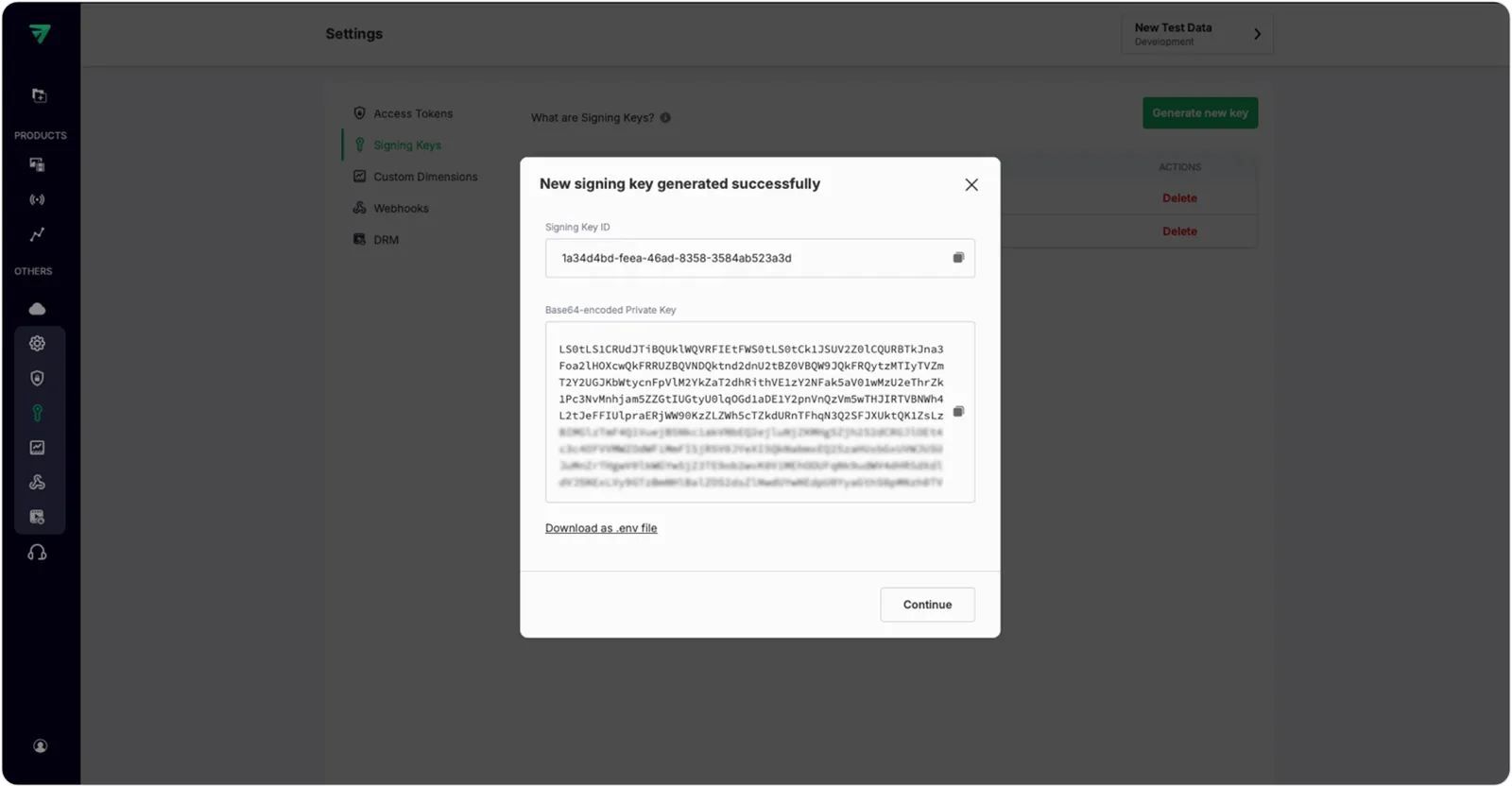
Using APIs to create signing keys
Refer to the Create a signing key API reference.
You can create a new signing key pair for FastPix. When you call this endpoint, the API generates a 2048-bit RSA key pair. The privateKey is returned in the response in Base64-encoded format, along with a unique key ID that you can use to reference it in future operations.
Response example:
Generate JWT with claims
Construct the JWT payload with claims required by FastPix. Common claims include:
kid: The key ID of the signing key.aud: Audience (who or what the token is intended for).iss(Issuer): The issuer of the token (for example, “yourcompany.com”). (optional field)iat: Issued at (seconds since Unix epoch). (optional field)exp(Expiration): Token expiry time (for example, 1 hour from now).
Example payload:
Signing JWT with generated signing key
Use a JWT library to encode and sign the token. The following example is language-agnostic:
-
Encode header:
Base64UrlEncode('{"alg":"HS256","typ":"JWT"}')
-
Encode payload:
Base64UrlEncode('{"kid":"26338ada-fcf4-4434-b5b0-2ba77dde5d98","aud":"media:16af5b33-cf4d-4717-9b90-ce429a124455","iss":"fastpix.io","iat":1744780459,"exp":1744866859}')
-
Generate signature:
HMACSHA256(base64UrlHeader + "." + base64UrlPayload, YOUR_SIGNING_KEY)
-
Combine all parts:
token = base64UrlHeader + "." + base64UrlPayload + "." + base64UrlSignature
Example:
Testing JWTs during development
To streamline JWT creation and validation, FastPix provides a user-friendly web based JWT Signer tool where you can input parameters, generate tokens, and validate them.
Access the tool: https://jwt.fastpix.co/
You can create JWTs by inputting your:
- Signing Key ID
- Playback ID
- Base64-encoded Private Key / Secret
The system generates a secure JWT based on these parameters. Save this token for playback or validation workflows.
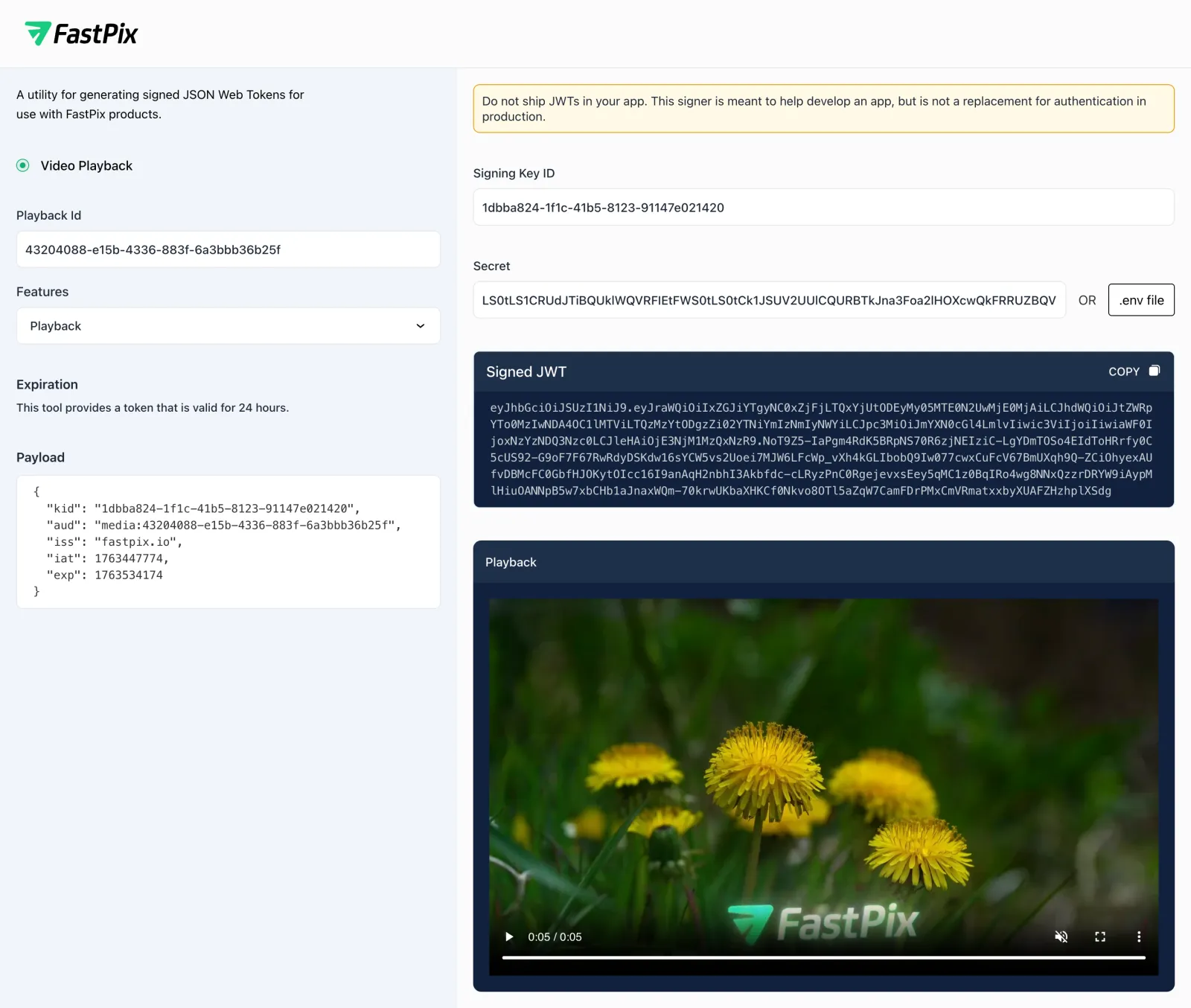
NOTE
Do not ship JWTs in your application. This signer is meant to help develop an app, but is not a replacement for authentication in production.
Secured video playback with JWTs
Include the JSON Web Token (JWT) in your media stream URL using the token query parameter. FastPix inspects and validates the JWT to make sure the playback request is allowed.
Example:
For full details on using these tokens in the FastPix Player, see Secure media access with JWTs.
Validate your token integrity (optional)
Before deploying tokens in production, use the JWT Decoder to:
- Paste your generated token.
- Verify its structure, claims (for example, expiration time), and cryptographic signature.
- Ensure compliance with FastPix’s security requirements.
This step lets you crosscheck your tokens are correctly formatted, unexpired, and properly signed — preventing playback errors in live environments.
SECURITY NOTES
- Always sign tokens on a secure server.
- Rotate signing keys immediately if a private key is compromised.
- Use short-lived tokens to minimize risks from token leakage.