VIDEO FOR MOODLE
Moodle video plugin for courses
Add managed video to your Moodle courses. Students watch inside the lesson, and the activity completes on real watch coverage instead of a play button.
The FastPix free tier covers 10 videos and 100K streaming minutes, with no credit card.
TRUSTED BY PRODUCT TEAMS SHIPPING VIDEO AT SCALE






POSITIONING
Moodle manages learning. FastPix manages video.
Moodle already runs the courses, the enrolments and the gradebook. Video is the one part that needs encoding, delivery and protection, and that part moves to FastPix.
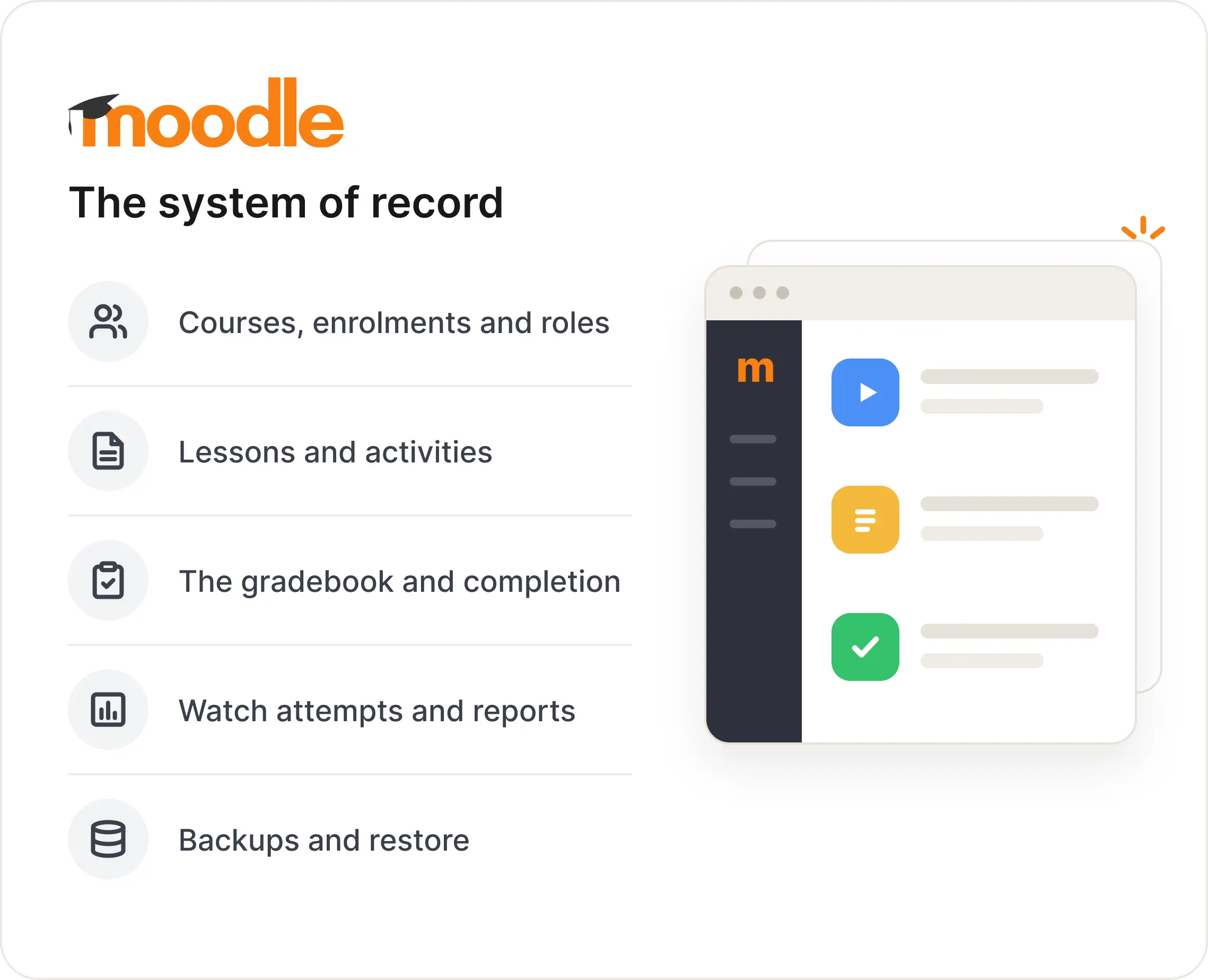
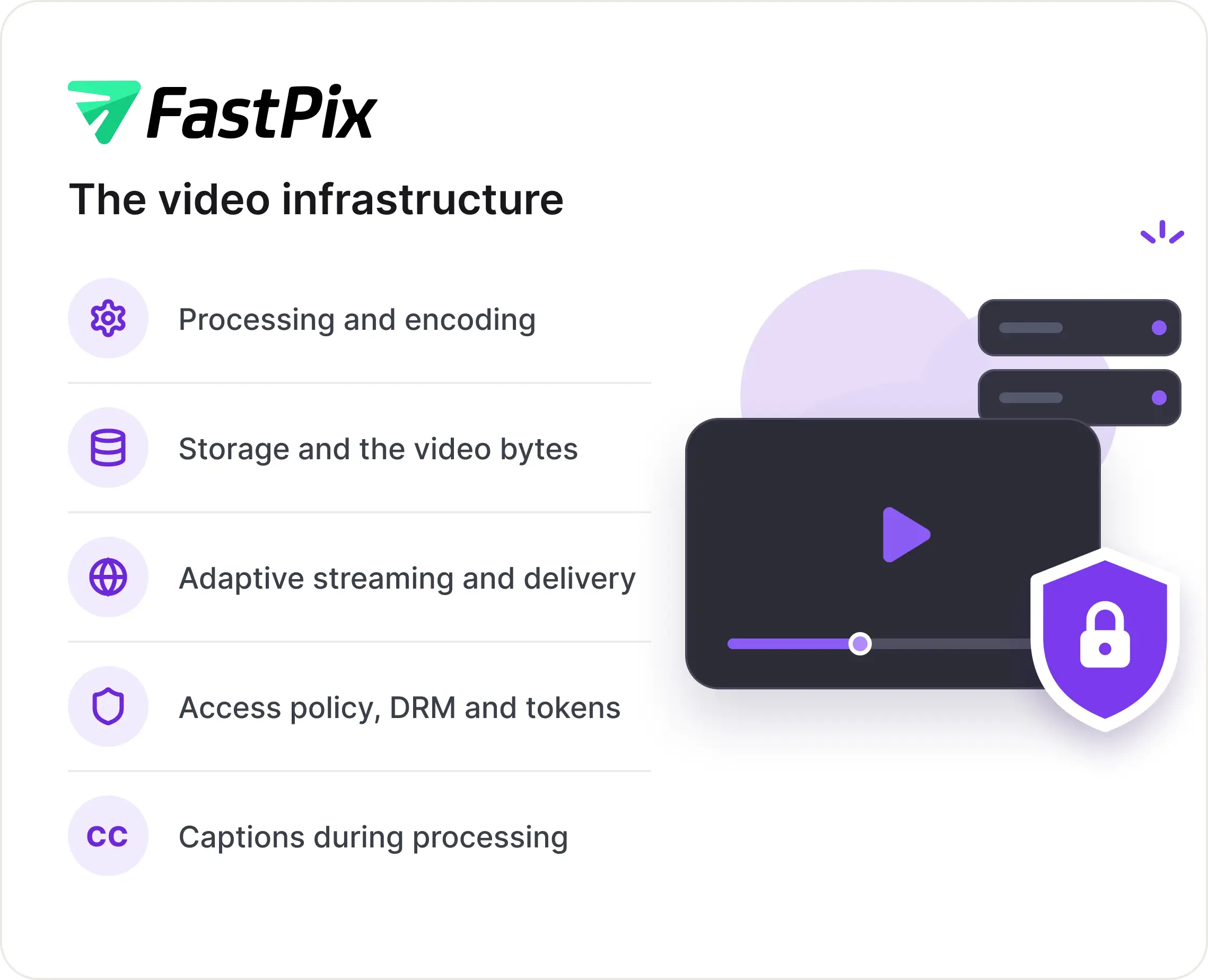
Keep Moodle focused on learning. Let FastPix run the video.
OPEN SOURCE
Moodle plugins, available on GitHub
Every plugin is GPL v3 and public. Read the code before it goes anywhere near your site, open an issue, or fork it and run your own build.
local_fastpix
Foundation
mod_fastpix
Activity
filter_fastpix
Embeds
tiny_fastpix
Editor
PRODUCT EXPERIENCE
Course video from both sides
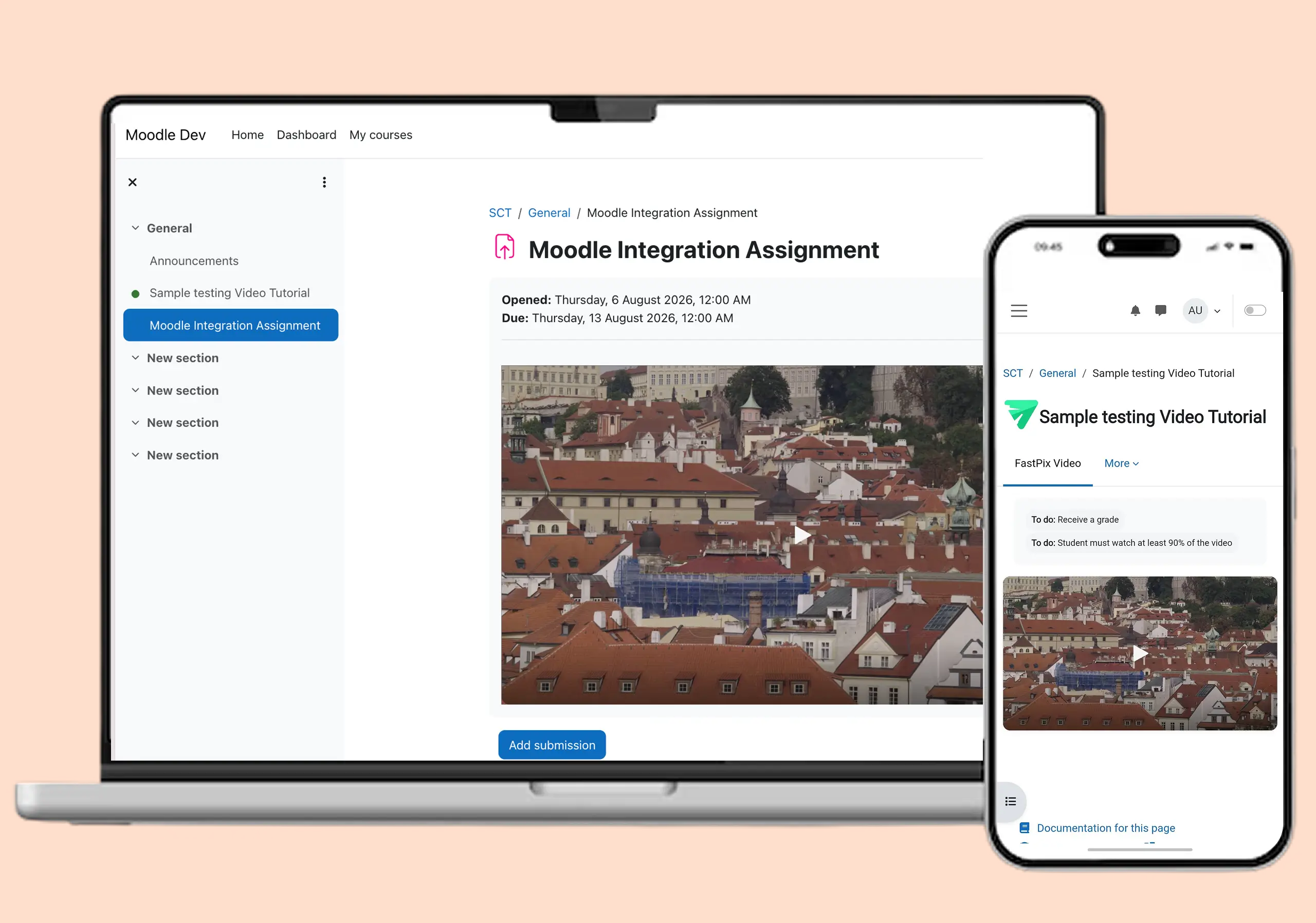
A teacher sets the activity up once, and a student just watches. Neither side handles a playback token or a file, because the plugins do that in between.
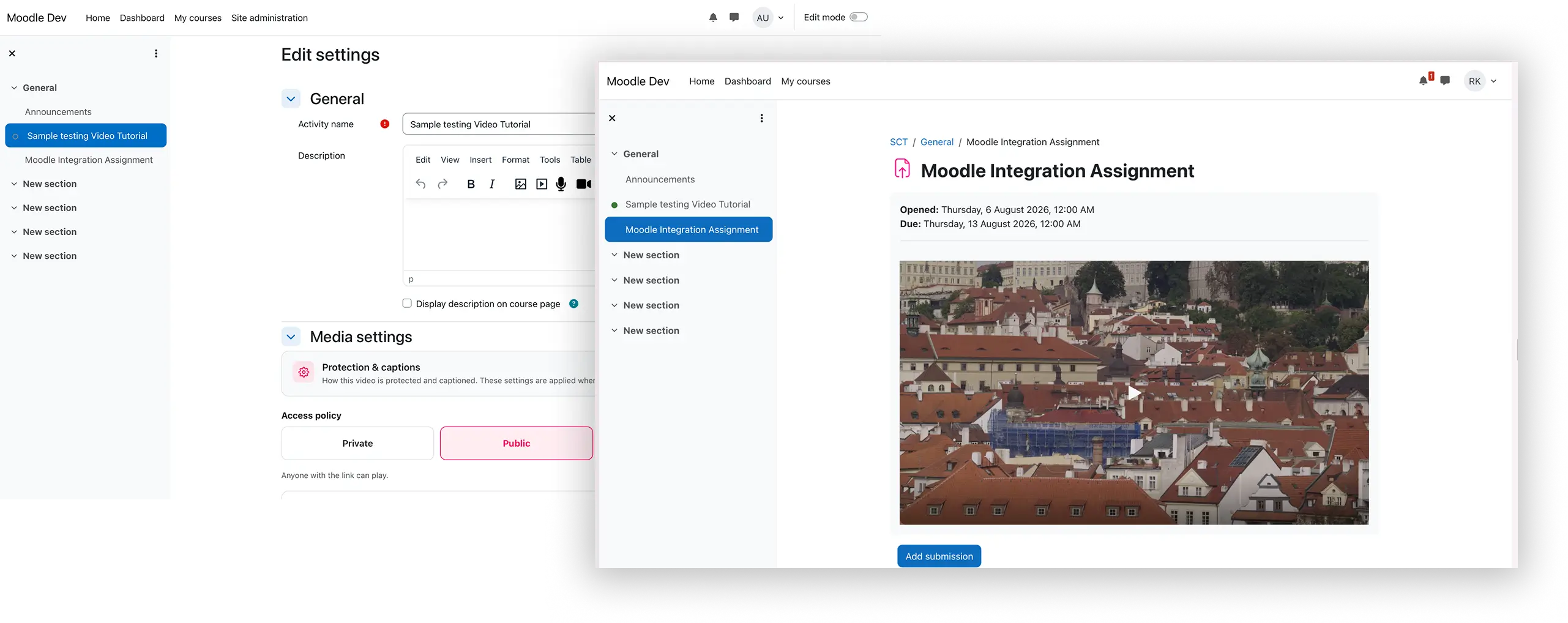
Walking a site admin through it? Read install, use and grade video with the Moodle plugin.
Start freeCORE BENEFITS
Course video that does more than play
Video has to arrive well, teach well, and stay yours. Your course team is not responsible for any of these three tasks.
Deliver better video
Give learners a consistent viewing experience across devices. Quality follows the connection they have, and progress is saved as they watch rather than at the end.
- Adaptive streaming, so a lecture plays on campus wifi, and on a phone
- Save data every 10 seconds and right before the learners leave.
- Students resume from their last position, on any device
Make lessons easier to learn
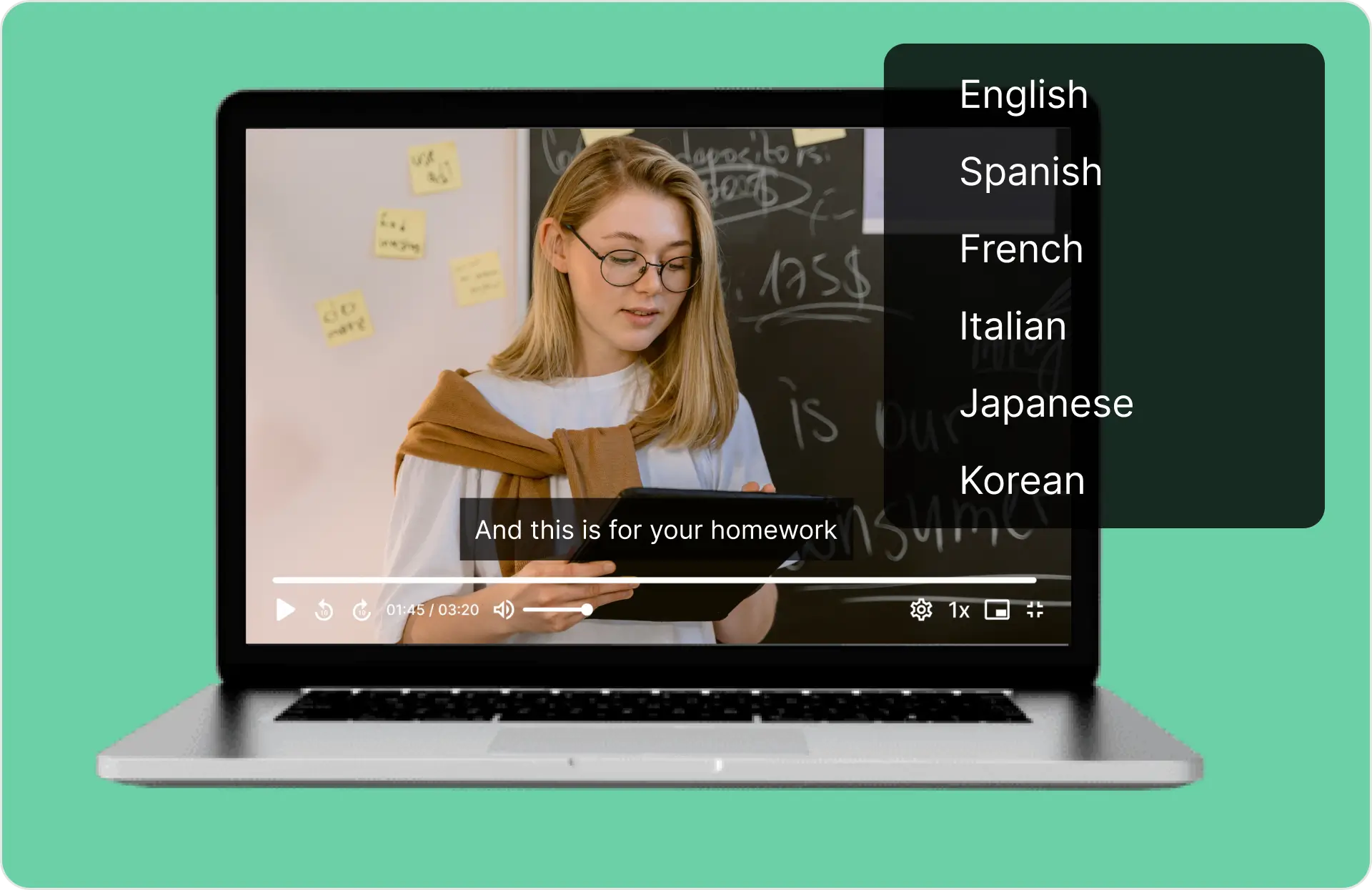
Captions generate from the audio while the video processes, in the language the lesson was taught in. Chapters let a student jump to the part they actually need.
- 22 languages offered, six of them fully supported
- Or upload your own WebVTT file for a video
- Chapters appear on the timeline when a video carries them
Keep course content protected
Keep course videos private and control how they are accessed. Pick the policy when you create the activity, and nobody on your team ever handles a playback token.
- Private is the default, so only signed-in learners can play
- DRM adds encrypted playback on licensed devices for premium courses
- Your Moodle enrolment rules still decide who is allowed in

MEASURE
Watch coverage and video analytics
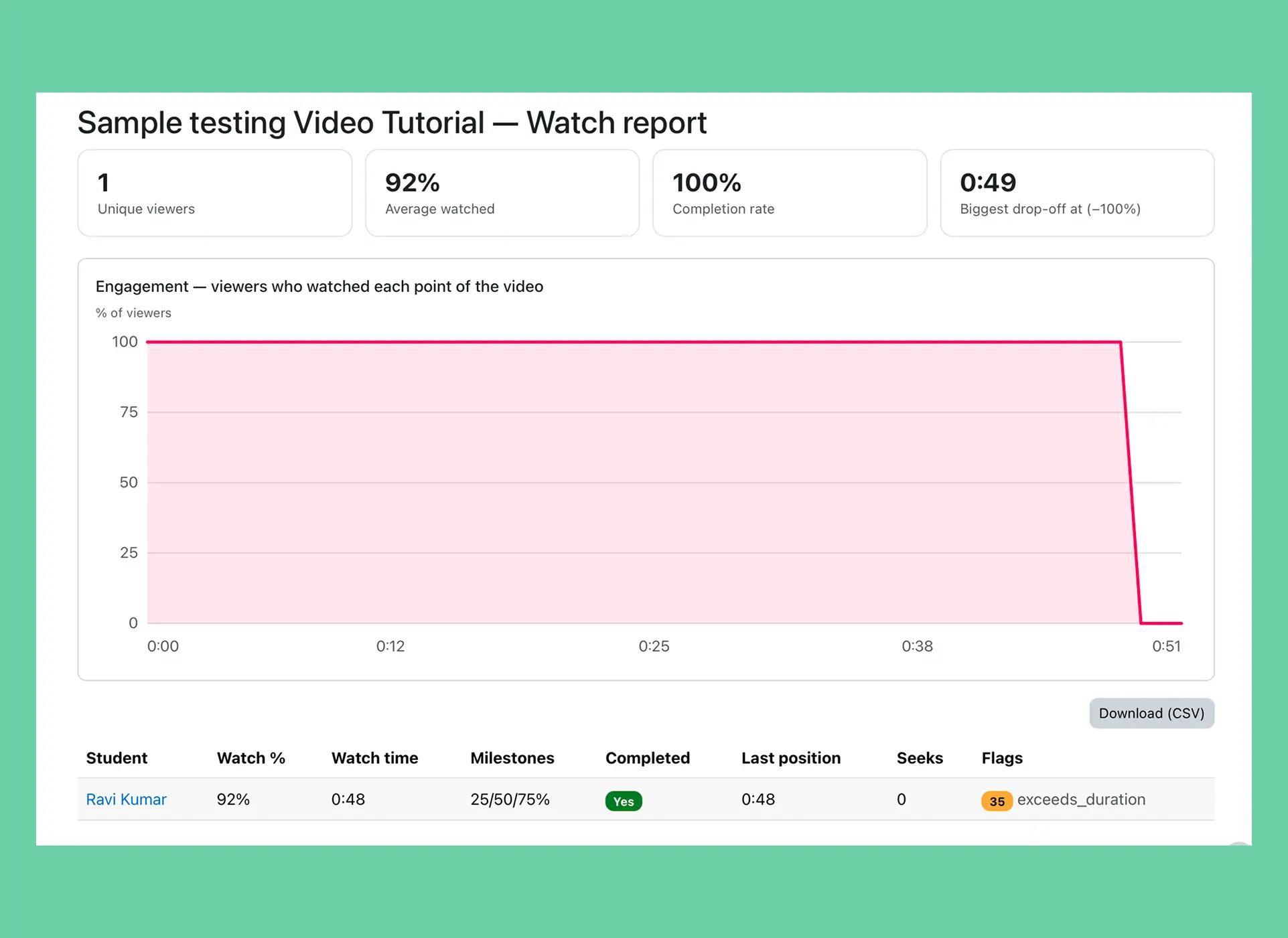
Understand how students engage with your content. Completion counts the seconds a student actually watched, so pressing play and walking away proves nothing.
- Watch reports per video and per student, exportable to CSV
- Unique viewers, average watched, completion rate and biggest drop-off
- Milestones at 25, 50, 75 and 100 percent coverage
- Six server-side checks run on every progress update
WHY FASTPIX
Moodle video hosting on FastPix
Moodle can store and play a video file. What it was never built to do is encode one, deliver it well everywhere, or tell you whether anyone watched.
Video uploaded straight to Moodle
- Files sit on your LMS storage
- Your host serves every stream
- One file for every connection
- No captions unless someone writes them
- Completion on a play event
Moodle plus FastPix
- Video never touches Moodle storage
- Adaptive delivery to any device
- Signed playback, and DRM when needed
- Captions generated during processing
- Completion on real watch coverage
The three ways to add video to Moodle, and why two of them fail at scale: read the comparison. Costing it out across an institution? See education video at scale.
WORKFLOW
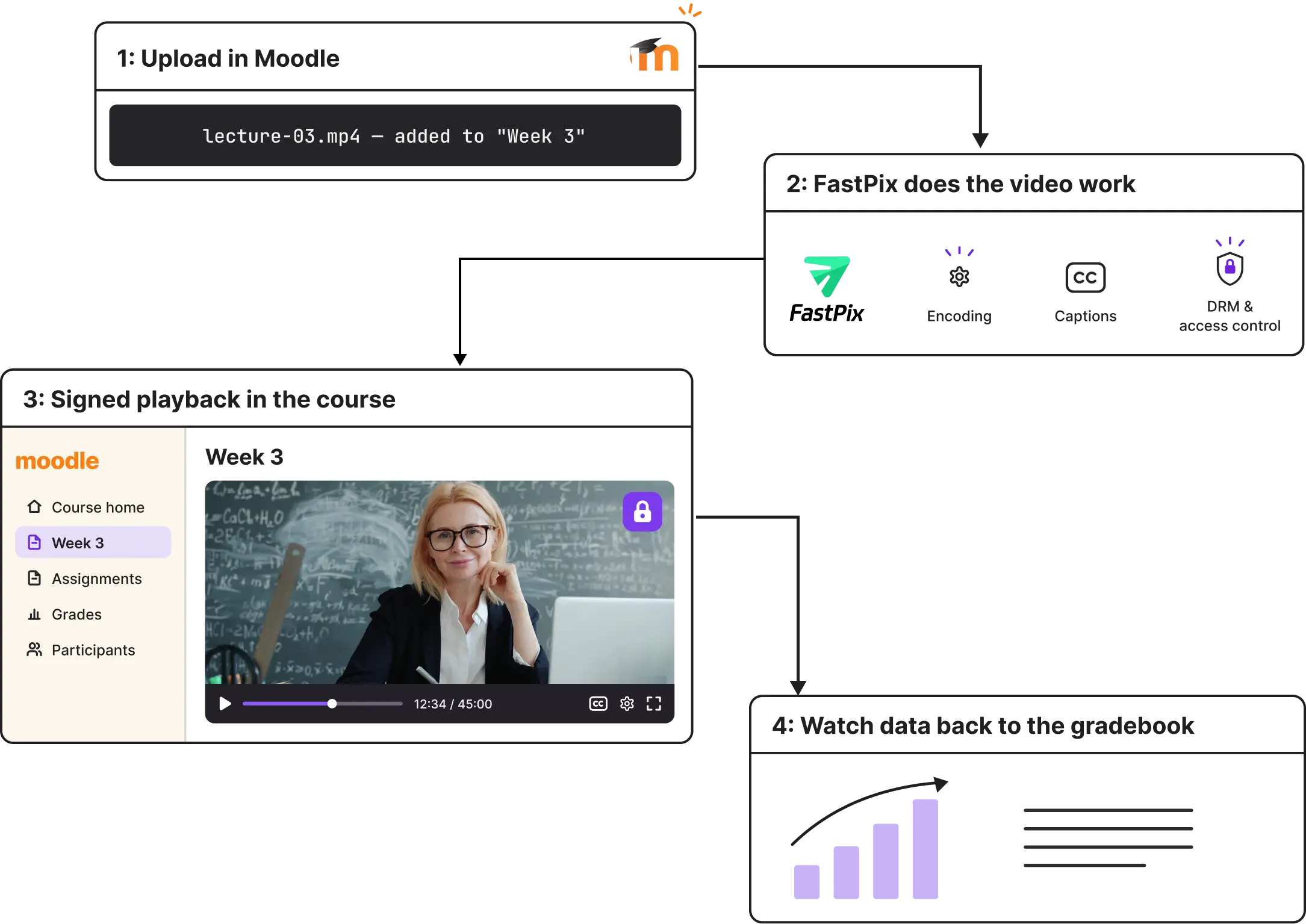
Instructor upload to student completion
One journey, from the moment a teacher adds the activity to the moment a grade appears. Nothing here needs an administrator once the site is connected.
INSTRUCTOR
Adds the activity
Drag a file in, or paste a URL.
FASTPIX
Processes and captions
Preparing your video swaps to the player on its own.
MOODLE
Publishes in the lesson
Or a short code places it in a forum or page.
STUDENT
Watches the lesson
Coverage is recorded as they go.
GRADEBOOK
Written automatically
Once, at the maximum, by Moodle.
FAQ
Moodle video questions
The eight asked most often before a department commits. Everything past these lives in the setup guides.
Can I embed FastPix videos in Moodle lessons?
Yes, two ways. The FastPix Video activity puts a tracked, gradable video in a course. A short code puts a player anywhere Moodle renders rich text, including forum posts, Pages, Book chapters and course summaries. The activity is the one that tracks watching and writes grades. The short code is display only.
Where are my course videos stored?
On FastPix, not on your Moodle server. Uploads go directly from the browser to FastPix and Moodle never stores the video bytes. Your host keeps serving the course and the database. Encoding, storage and delivery bandwidth all move off your Moodle infrastructure and its backup windows.
How does completion tracking actually work?
It uses Moodle's own completion condition, fed by player events from the activity. Completion is based on coverage, the unique seconds a student watched, merged and deduplicated. When coverage passes the percentage you set.
Can students skip ahead to complete a video?
No. Because completion is coverage-based, dragging the timeline to the end does nothing and rewatching a section counts once. You can also disable forward seeking on any activity, and six server-side checks run on every progress update to catch the rest.
GO DEEPER
The full playbook
Install, use, and grade
The complete walkthrough, from the Moodle directory to a graded lesson.
Read the guideTUTORIALHow to add video to Moodle
The three ways to add video, and the right one for real courses.
Read the tutorialGUIDEAuto-caption course videos
Captions on upload, and what the 2026 accessibility rules require.
Read the guideGUIDETrack and grade completion
How watch coverage becomes an automatic grade in Moodle.
Read the guide