FastPix for online learning
Video APIs for online learning
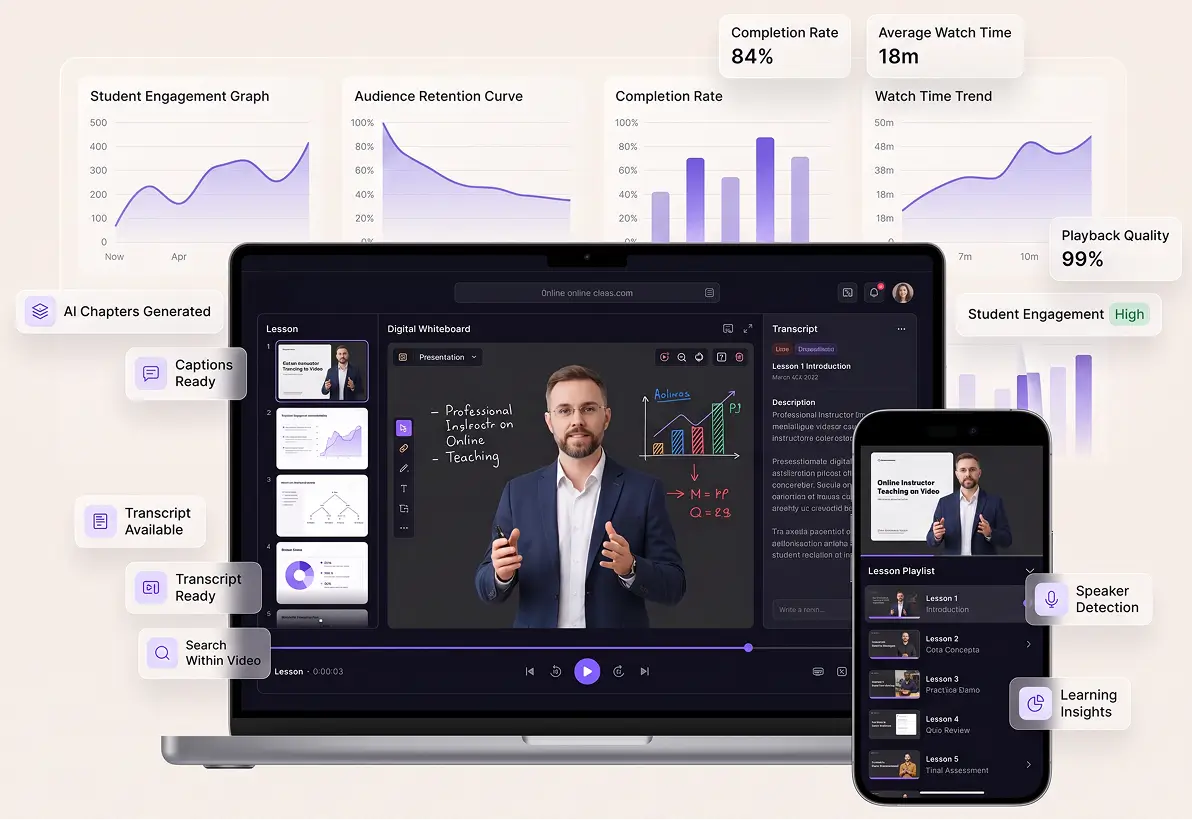
FastPix Video API is the entire video stack a course platform needs, from managing the library to protecting paid lessons and playing them back on every device a student owns.
Per-minute pricing, no seat count. $25 in signup credits, no credit card for the free tier.
TRUSTED BY PRODUCT TEAMS SHIPPING VIDEO AT SCALE





One API, whole stack
Upload, transcode, playback, DRM, AI and data all come from the same API key.
Built for scale
Multi-CDN delivery scales with the audience, so a traffic spike runs on the same setup as everyday load.
Analytics built in
Every session reports QoE and playback quality, with no separate analytics product to buy.
AI on every video
Captions, chapters and summaries generate on the asset itself, with no second AI vendor to wire up.
Developer reference
Every endpoint a course platform uses
Everything on this page maps to a documented call, grouped the way a learning platform gets built.
Ingest and encode
Access and DRM
Captions and tracks
Players and SDKs
In-video AI
Customer story
“It is the difference between renting an app and owning a workflow. One vendor handles the video and the AI, so our team stays on the platform, not on a video pipeline.”
Ajay Sakhamuri
Founder and CEO, MyClassBoard
Course video organization
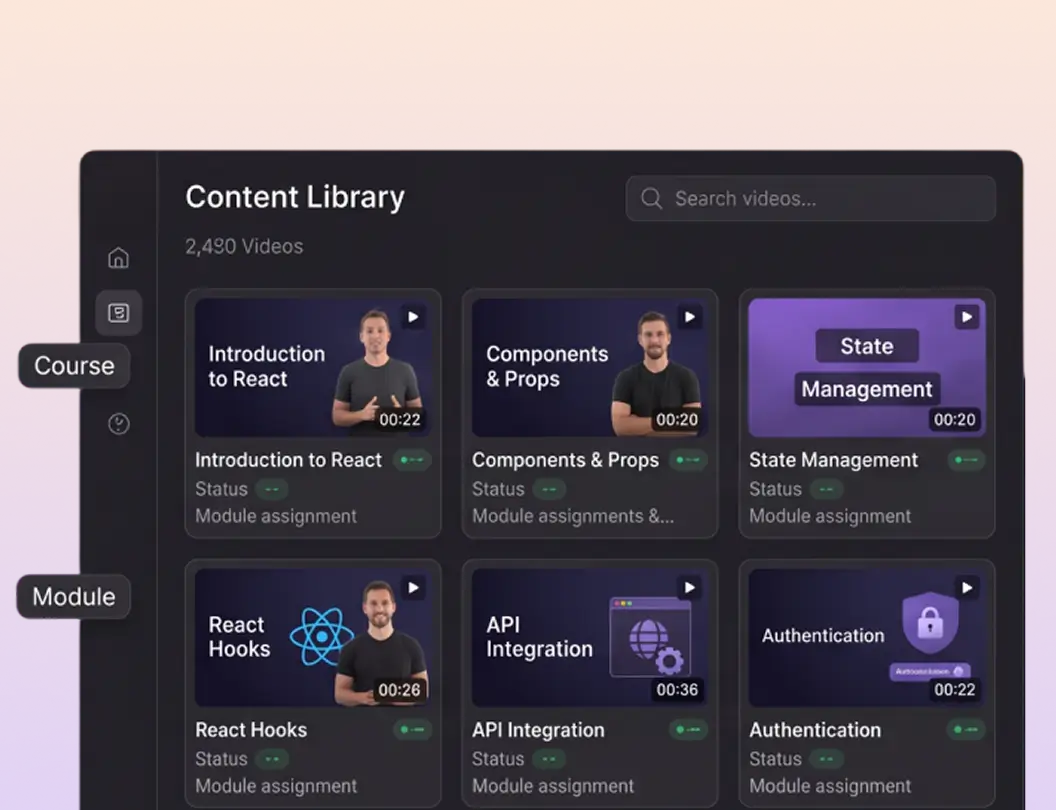
Course video upload, playlists and metadata
Uploads run resumably from a file or a URL, so a term of recordings goes up in one pass. Then group them into playlists and name every field yourself.
Direct and resumable uploads, or pull straight from a URL, including 4K masters. Explore
Playlists for a course or a module, built by hand or by rule, up to 1,000 videos each. Explore
Ten metadata fields you define: course ID, module, instructor, level, etc. Returned on every read. Explore
List the whole library page by page, then fetch any lesson by its media ID. Explore
Protection and access control
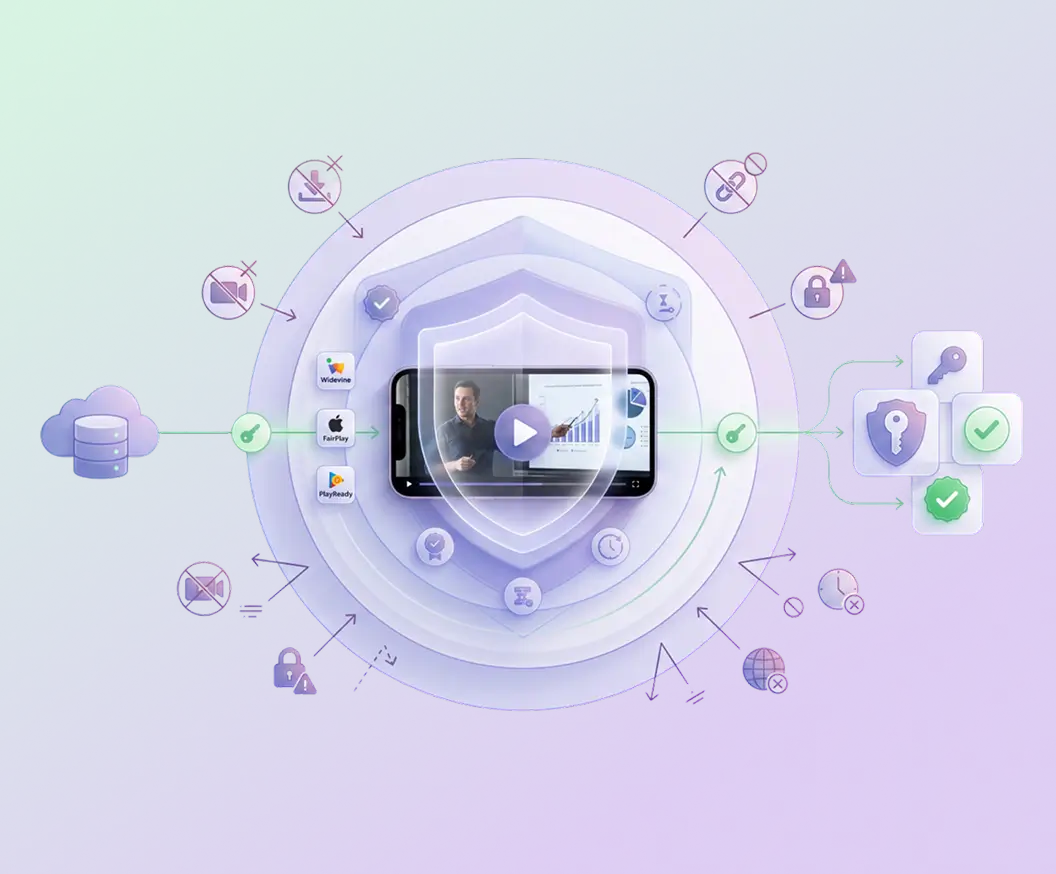
Signed playback and DRM for paid course video
Paid course video should only open for enrolled students. Playback is gated by default: your application decides who is entitled, then mints a short-lived token. Studio DRM sits on top.
Player
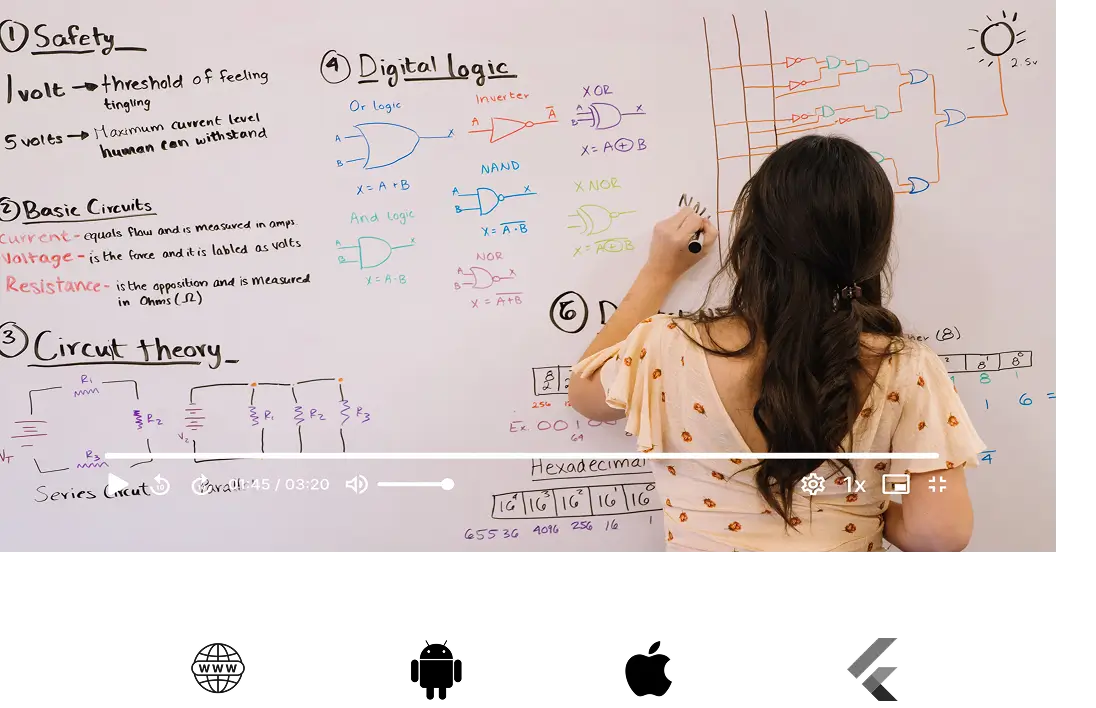
Video player SDKs for web, iOS, Android and Flutter
The only part of the stack a student ever sees. One player across web and mobile, adapting down to a weak connection instead of stalling on it.
Cross-platform support across web, iOS, Android, Flutter and React Native, all from one playback ID. Explore
Playback controls for adaptive bitrate, resolution, speed and subtitle switching. Explore
Customizable UI themed with CSS variables, so the player carries your brand with no forking and no vendor watermark. Explore
Offline downloads through MP4 support, so a lesson plays where there is no signal. Explore
Learning-specific AI video features
Chapters, captions, transcripts and playback speed
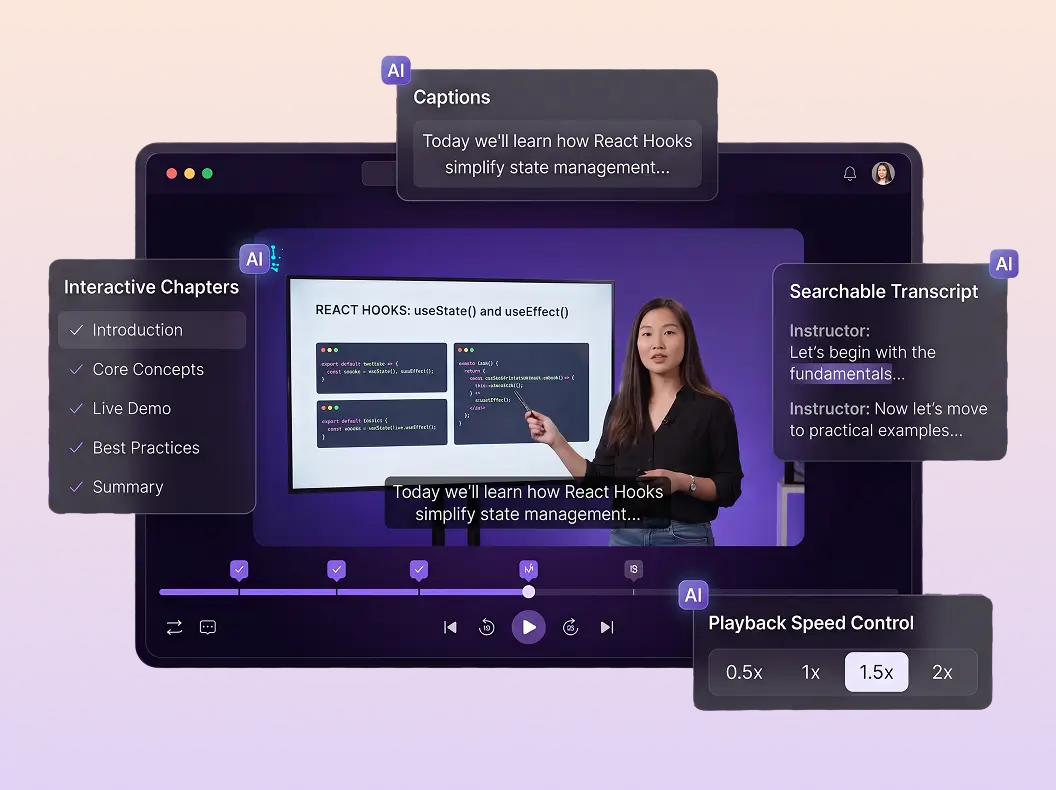
The four controls that turn a recording into something studyable. Jump to a section, read along, search what was said, and slow the lecturer down.
Video chapters generated on the asset and rendered on the player timeline. Explore
Captions in the language spoken, as editable WebVTT you can correct before publishing. Explore
Speaker-attributed transcripts to store, search and show beside the player. Explore
Playback rates you define, so 0.5x suits a dense proof and 2x suits a recap. Explore
Analytics
Student, video and playback analytics for learning outcome
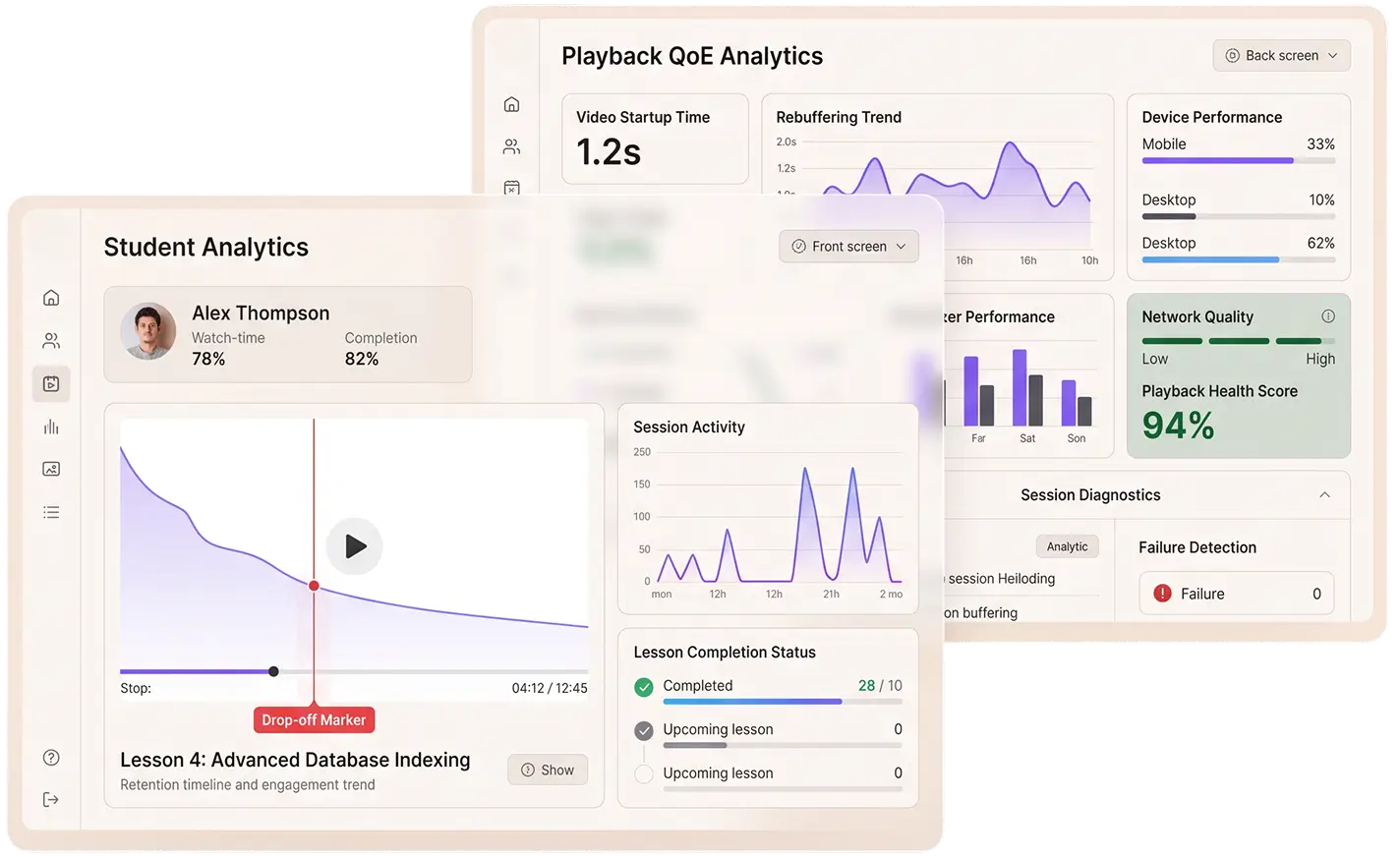
Every session reports three things at once: what one learner did, how the lesson performed across everyone, and whether playback got in the way.
Student level data
Every session reports three things at once: what one learner did, how the lesson performed across everyone, and whether playback got in the way.
Watch time. How many minutes a learner actually watched, not how many you assigned.
Completion percentage. Who finished the lesson and who gave up on it.
Drop-off point. The timestamp they left, so you know which part lost them.
Playback QoE
Measured on every session, so you can tell a boring lesson from a broken stream.
Video startup time. How long until the first frame. Past two seconds, students leave.
Rebuffering ratio. The share of a session spent waiting, which nobody files a ticket about.
Failures by device, browser and network. Whether the problem is your app or their connection.
Built API first
Video API and SDKs for education
Every capability on this page is reachable from your backend. Create an asset, mint a signed playback token, subscribe to lifecycle events and read session analytics without opening a dashboard.
SERVER SDKS
CLIENT SDKS
Read the API reference# Video Upload APIPOST /v1/on-demand{ "inputs": [{ "url": "…/lecture-week-7.mp4" }], "playback_policy": "signed", "in_video_ai": { "captions", "chapters", "notes" }}WHAT COMES BACK
Integrations
Which LMS platforms does FastPix work with?
Moodle has dedicated open-source plugins. Every other LMS connects through the same REST API and webhooks those plugins are built on, so LMS video hosting works wherever your stack already is.



Moodle, in detail
Four open-source plugins, watch-based completion, grades in the gradebook
A FastPix Video activity inside Moodle, with completion written through Moodle's own completion condition. Coverage counts unique seconds watched, so seeking ahead earns nothing, and a grade lands in the gradebook automatically. Moodle 4.4 to 5.2, PHP 8.1+, free from the Moodle Plugins Directory.
local_fastpix → mod_fastpix → filter_fastpix → tiny_fastpix
Compliance tracking
SCORM and xAPI support for course video
Video completion reaches your LMS the way it already expects it. FastPix supports SCORM and xAPI, so watch time and completion land in the systems your institution already runs.
Three routes, same signal. Moodle takes it through the plugins and writes a grade to the gradebook, SCORM and xAPI carry it to an LMS or an LRS, and every other stack reads it off a webhook.
AI agents for learning
AI notetaker for online classes on Google Meet, Zoom and Teams
Notes Agent joins a scheduled class as a participant, records it, and returns the recording, an AI summary and a speaker-attributed transcript.
Record a class without recording it
Add [email protected] to the calendar invite. The agent turns up on time, so nobody has to remember to press record.
Lecture notes students revise from
An AI summary and a VTT transcript with every speaker named, delivered to your webhook the moment the class ends.
Every other meeting a school runs
Student onboarding calls, parent-teacher meetings, admissions interviews and staff reviews, on the same one-time setup.
The agent records live meetings. For a lecture you already have as a file, use Advanced Summary instead. Audio and transcript URLs are signed and expire 24 hours after delivery, so store both when the webhook arrives. Notes Agent in the docs
How it comes together
What it takes to build a course platform like Coursera or Unacademy
Five steps between a raw recording and a lesson a student finishes.
Get the video into your platform
Upload recordings and encode them into versions that work across devices and networks.
GuideBuild the course structure
Organize lessons into courses and modules, with your own metadata and ordering.
GuideDeliver lessons securely
Control who can watch paid content with signed playback and DRM where required.
GuideTurn recordings into learning material
Add chapters, captions, transcripts and playback controls so students can actually study from them.
GuideSee what students experience
Track completion, watch time, startup time, and rebuffering to identify content or playback issues.
GuideRunning internal employee training? See corporate L&D. Building short, streak-based lessons? See microlearning.
Go deeper
Go deeper on video for online learning
Tutorials and deep dives on wiring video into a learning product, from upload to gated playback to completion.
How to build an e-learning platform
Course video from upload to gated playback, walked through end to end.
TutorialVideo hosting for online courses
What the video layer has to do before the course experience can work.
BlogHow to secure paid course videos
Signed URLs, DRM and what each one does and does not stop.
BlogHow to add captions and transcripts to courses
Generating caption tracks automatically, and correcting them before publishing.
BlogHow to track video completion and engagement
Turning playback events into a completion number you can report on.
BlogHow to improve video playback quality for online learning
The playback failures that lose a class, and how to catch them in the data.
BlogTest your course video with FastPix
Bring us a real course recording. We will show you how FastPix handles ingest, encoding, playback, captions, AI and analytics, from one API.
Prefer to try it yourself? Start free with $25 in credits
Questions developers ask
Online learning video questions, answered
Is FastPix a video host, a player, an API or an analytics tool?
All of them, on one platform. Upload and per-title encoding, storage and multi-CDN delivery, player SDKs for web and mobile, signed playback and DRM, session analytics, and AI processing set directly on the media asset. You can use the dashboard, the REST API, or both.
Is the player a separate purchase?
No. The web and mobile players are included. Video Data analytics is also on the same platform, with the first 100,000 sessions free rather than a separate product with its own retention tier.
Which LMSs do you integrate with?
Moodle has four dedicated open-source plugins covering upload, playback, watch-based completion and gradebook writeback. Canvas, Open edX, Blackboard, Brightspace, Google Classroom and in-house systems connect through the REST API and webhooks. There is no purpose-built plugin for those today.
How do I stop students sharing paid course video?
Signed playback URLs are the default: short-lived JWTs your application mints only for entitled users, revocable by rotating the key. Studio DRM with Widevine, FairPlay and PlayReady is available on top. Neither stops a phone pointed at a screen. Forensic watermarking is the tool for that, and FastPix offers visible overlay watermarking rather than forensic today.
Pricing
Per minute encoded, delivered, and stored
No platform fee, no per-seat charge, no separate invoice for each surface. See full pricing.
ENCODING
Pay per minute encoded
$0.0267/min 1080p
Per-title ABR encoding across H.264.
STREAMING
Pay per minute streamed
$0.00067/min 1080p
Multi-CDN delivery from 300+ POPs.
STORAGE
Pay per minute stored
$0.00268/min 1080p
Assets stored and CDN caching, lifecycle handled.
Three ways to get unstuck
Whatever kind of help you need, there is a path.
Engineering support
Talk to a video engineer.
Stuck on an API call, a webhook signature, or a player integration? Reach the engineering team directly. Response within hours, not days.
Contact engineeringIntegration help
Docs, code samples, video tutorials.
Self-serve resources for the most common integrations. Quickstart guides, SDK examples, recorded walkthroughs on YouTube, and detailed playback logs in your dashboard.
Browse the docsSolution architect
Plan the rollout with a human.
New integration, migration off another platform, or a complex multi-tenant build. Book a session with a FastPix solution architect or join the Slack community to compare notes with other teams.
Join the Slack community