

Extract named entities from a video
Extract named entities such as people, organizations, and locations from video or audio with FastPix in-video AI, then use them for semantic tagging, search, and content discovery.
Video libraries become unsearchable when the only metadata is a filename and upload date, viewers cannot find content by topic, speaker, or location. FastPix solves this by extracting named entities (people, organizations, locations, dates, and key terms) from video and audio transcripts using Named Entity Recognition (NER), part of in-video AI multimodal indexing. You can extract named entities from the FastPix dashboard or with the In-Video AI API.
Note: You can generate AI features only for existing media. Upload and process your video first, then extract named entities from the ready media.
Prerequisites
- A FastPix account with an active workspace (Activate your account)
- A ready video asset in your workspace
Key concepts
Named Entity Recognition is a natural language processing technique that turns unstructured transcript text into structured tags. In the sentence “Apple announced its latest product in California,” NER identifies Apple as an Organization, not a fruit, and California as a Location. FastPix attaches a category to every extracted entity so you can filter and index by type.
Entity categories FastPix extracts
FastPix groups entities into categories that cover the common NER taxonomy:
- People - for example,
John Smith - Organizations - for example,
UNICEF,FastPix - Locations - for example,
Mount Everest - Dates and times - for example,
July 4, 1776 - Concepts and actions - abstract nouns and verbs drawn from the transcript
- Miscellaneous entities - product names such as
iPhone 14or monetary values such as$1,000
Read more background in our blog on named entity recognition.
Extract named entities from the dashboard
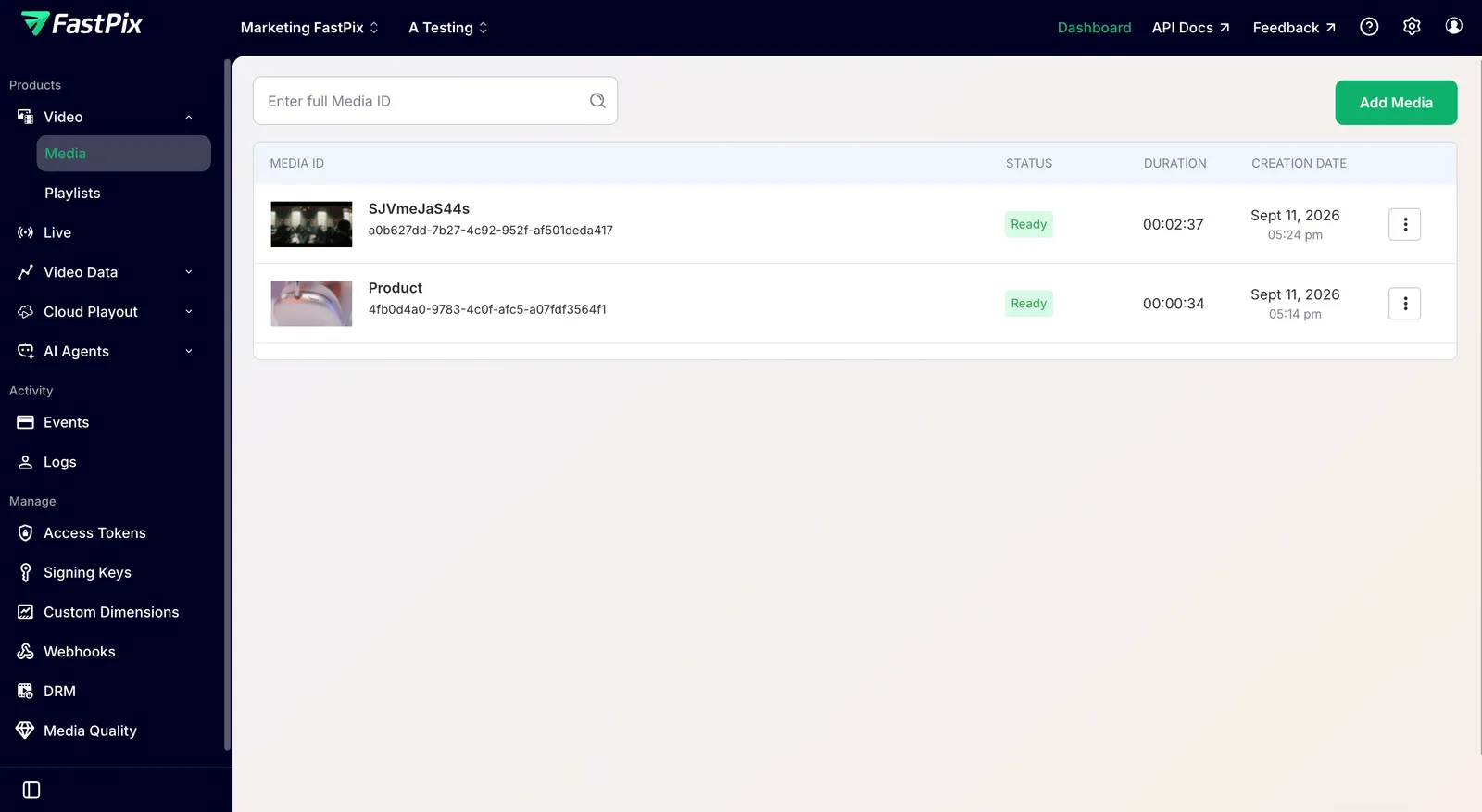
- In the FastPix dashboard, open Video > Media and select the video you want to process.
- On the Media Details page, under In-Video AI, click Named Entity Recognition.
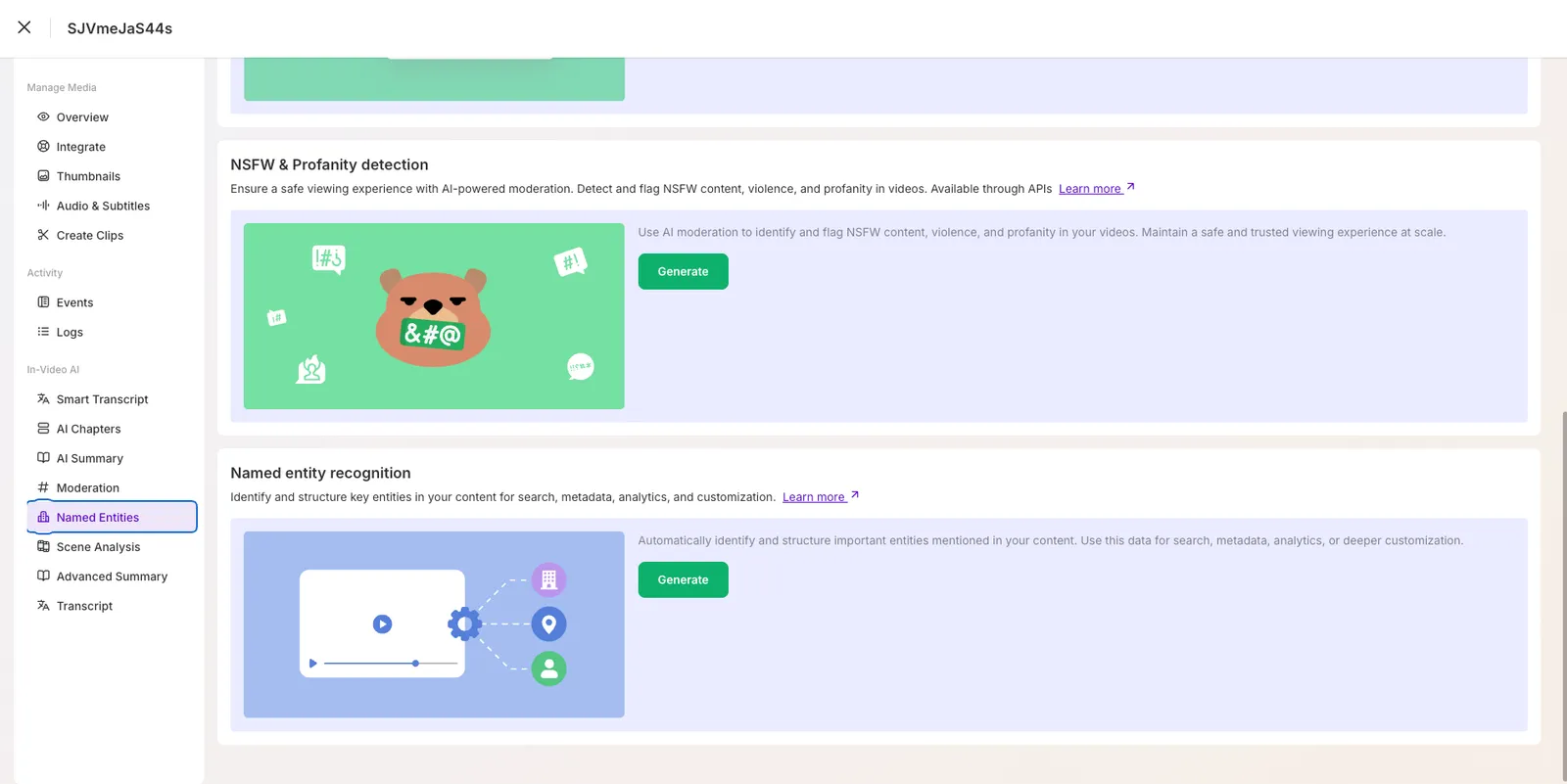
- Click Generate to start the analysis.
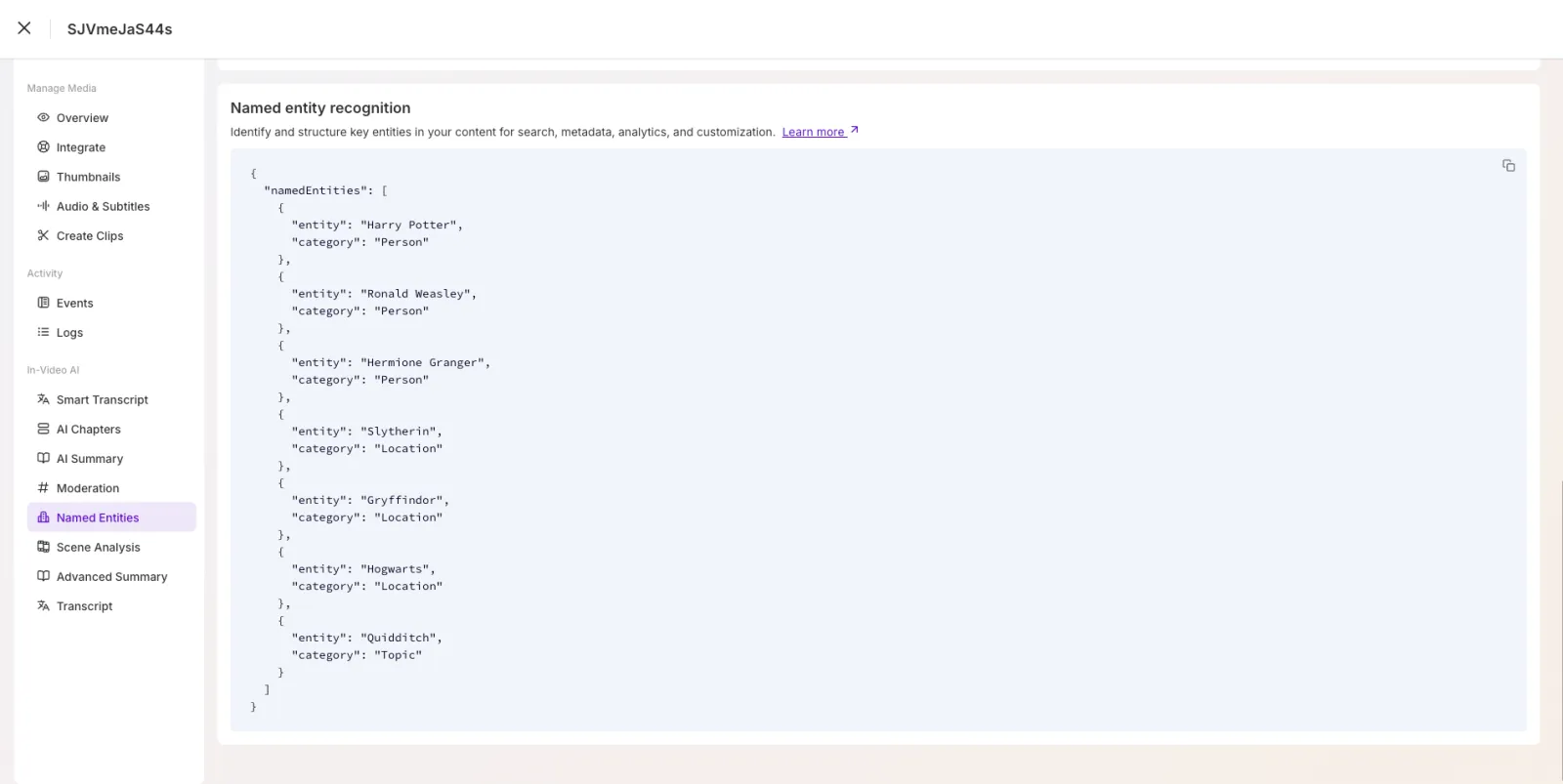
FastPix analyzes the transcript and extracts named entities such as people, organizations, locations, dates, and other key terms.
Extract named entities with the API
You can also extract named entities and fetch the results programmatically with the In-Video AI API. For the endpoints, request and response schemas, and the video.media.ai.named_entities.ready webhook, see the API reference: Extract named entities from video and Get named entities.
Limits and considerations
- NER runs on the transcript FastPix generates, so speech clarity and language affect results. If a video has no speech, entity counts drop to zero.
- Entity ranking reflects transcript frequency and topical weight, not a confidence score. Treat the ordering as a relevance signal, not an accuracy guarantee.
- Named entity extraction is part of FastPix in-video AI multimodal indexing. See Generate video chapters and Add auto-generated subtitles for related AI workflows.
Frequently asked questions
What is the difference between NER and POS tagging?
Part-of-speech (POS) tagging labels every word in a sentence with a grammatical role, such as noun, verb, or adjective. NER operates at a higher level: it finds spans of text that refer to real-world entities: people, organizations, locations and assigns each span a category. FastPix uses NER, not POS tagging, so you receive entity-level metadata rather than per-token grammar tags.
How are NER models trained?
NER models are trained on large corpora of text where human annotators have marked entity spans and categories. The model learns contextual patterns, for example, that a capitalized token following “Mr.” is likely a person and generalizes to new text. FastPix applies pretrained models to the transcript generated for your video, so you do not need to train or host a model yourself.
Can I build a custom NER model with FastPix?
FastPix does not expose a custom NER training endpoint. The in-video AI pipeline uses managed models optimized for transcripts across common domains. If you need domain-specific entities beyond the default categories, post-process the returned entities with your own classifier.
Why does my result show zero named entities?
Entity counts depend on the transcript. If the source file has no intelligible speech, contains silent sections only, or uses a language the transcription model does not support, the extractor returns an empty namedEntities array. Verify the transcript was generated and that the media contains spoken content.