FastPix for SaaS products
Video API for SaaS products
FastPix Video API has everything you need to build video into a SaaS product. Uploads, playback, recordings, transcripts and the analytics behind them, all from one API.
Per-minute pricing, no per-seat fee and no per-tenant fee. $25 in signup credits, no credit card.
Trusted by teams shipping video at scale






Why FastPix
Complete video infrastructure for SaaS products
One API, whole stack
Upload, encoding, playback, recordings, AI and data all come from the same API key.
Ship in a sprint
Documented endpoints, SDKs in seven languages and webhooks, so video stays a feature and not a project.
Built for scale
Multi-CDN delivery scales with your customers, so a busy period runs on the same setup as a quiet one.
Analytics built in
Every session reports watch time and playback quality, with no separate analytics product to buy.
Developer reference
Video API reference for a SaaS company
Everything on this page maps to a documented call, grouped the way you would wire it into an existing codebase.
Upload and ingest
Encode and deliver
Player and embeds
Access and security
Transcripts and AI
Customer story
We evaluated many vendors, and what was hard to do was find everything we wanted in one place. What stood out with FastPix was the team's video expertise, vision alignment and end-to-end capability. Not just encoding to delivery, but also the analytics capabilities.
Rahul Sridhar
Product Marketing Manager, Rocketlane

Build versus buy
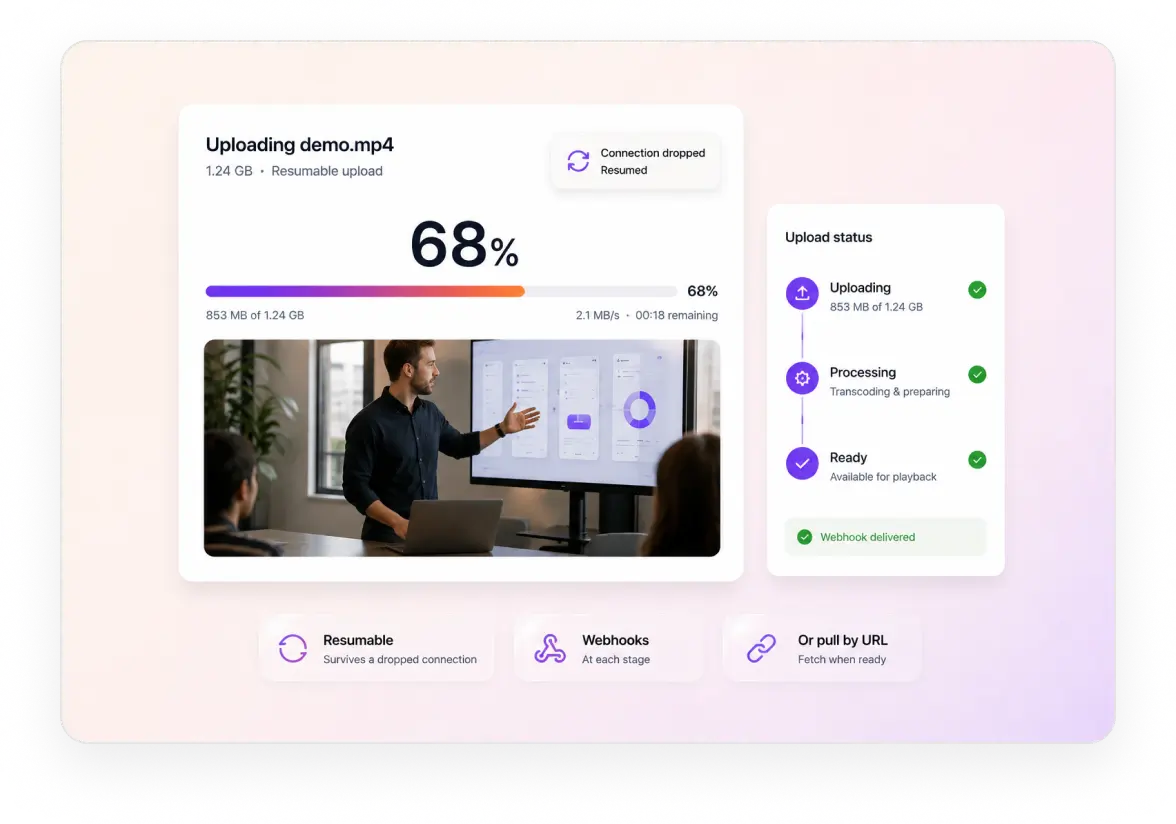
Video upload API with resumable uploads and webhooks
The FastPix upload API gives your team the pieces to build uploading the way your product needs it. Resumable and chunked transfers from the browser or a server, with webhooks at each stage.
Player
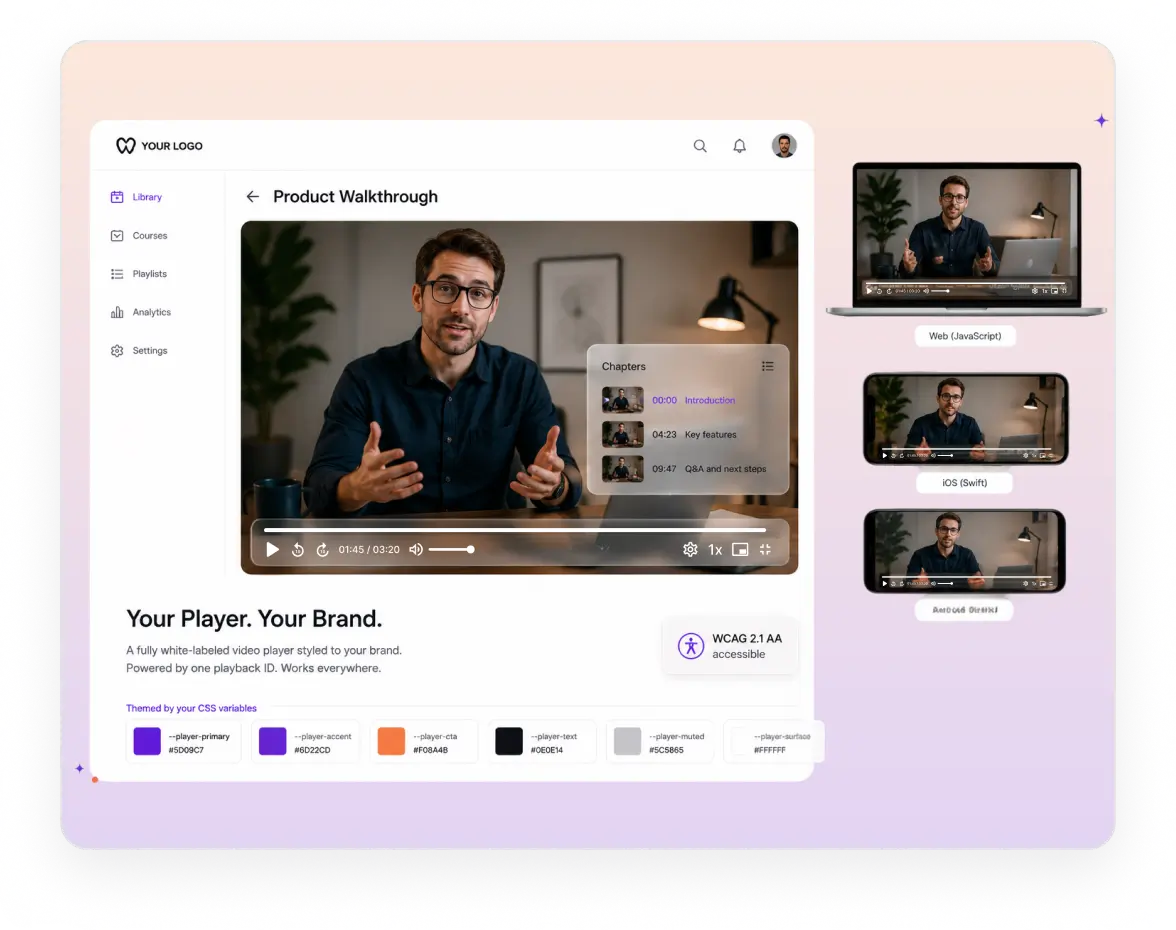
Video player SDKs with full UI customization
The player is the only part of the stack your customers ever touch. Theme it with CSS variables, choose which controls appear, and ship the same one across web and mobile.
Your colours, your logo and your controls, set through CSS variables rather than a fork of the player. Guide
Playback controls built in: play, pause, volume, speed and fullscreen, all in your own branding. Guide
Five native SDKs for web, iOS, Android, Flutter and React Native, all driven by one playback ID. Guide
Or keep the player you already ship: every asset serves standard HLS, so Video.js, hls.js and Shaka keep working. Guide
Website and webinars
Webinar hosting and marketing video on a custom domain
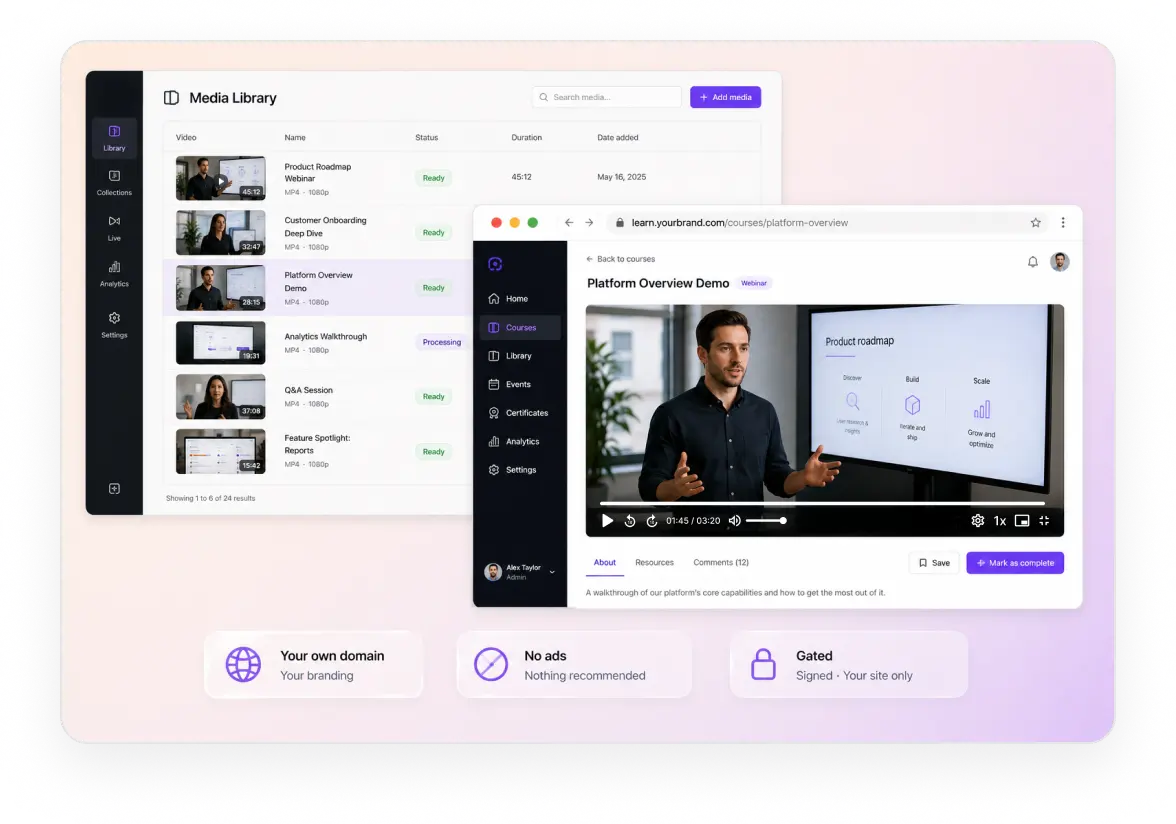
Your product demo and your webinar recordings live on your own domain instead of a YouTube channel. Same player, same branding, and no competitor suggested when the video ends.
Embed or share a URL with no vendor logo, no ads and no recommended videos after it. Guide
Domain restriction so a gated webinar recording plays on your site and nowhere else. Guide
Signed links for gated content, which is how a recording stays behind a form. Guide
Stream the webinar live, and the recording lands in the library afterwards as an on-demand asset. Guide
Teams and workspaces
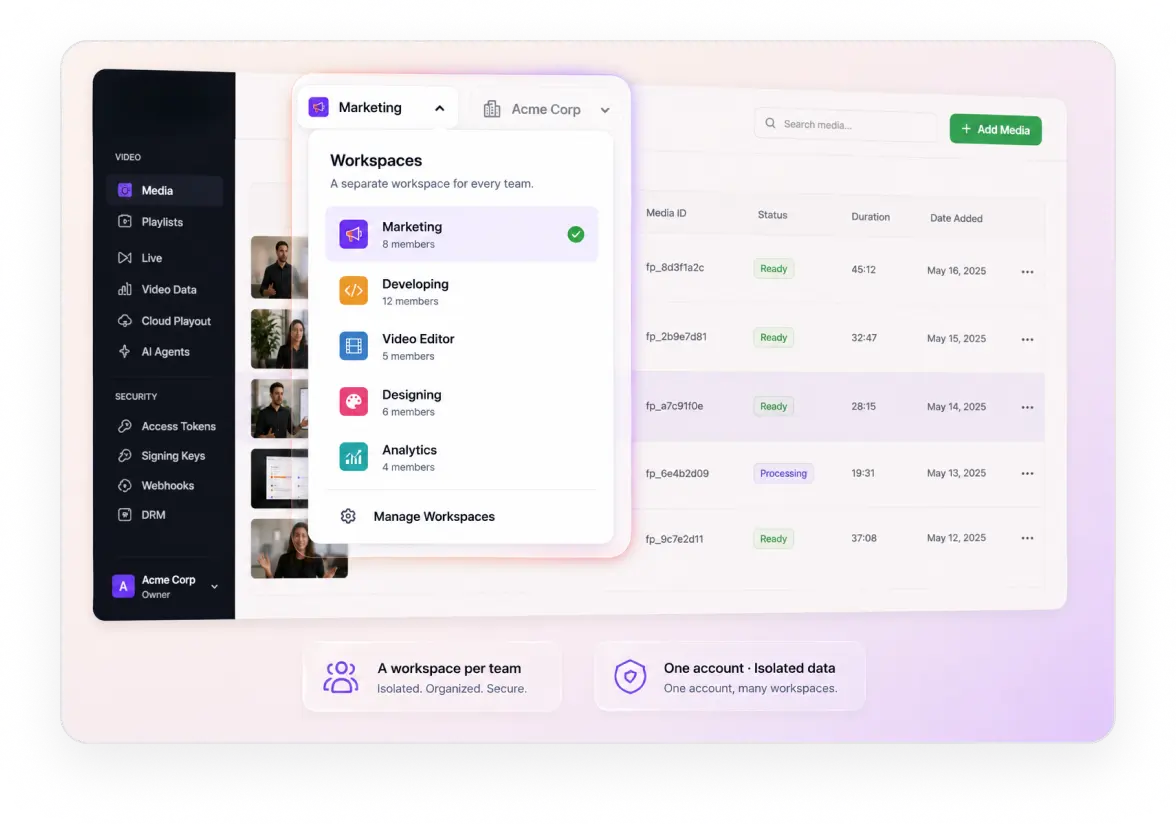
Separate workspaces for each team on one account
Marketing, sales and product all want their own video library without touching each other's. Each team gets a workspace with its own key, and people only see the workspaces you put them in.
A workspace per team, each with its own key, so one team's uploads never appear in another's list. Guide
Invite people by email and pick a role. Admins see every workspace, members only the ones you assign. Guide
Development and production workspaces by default, plus staging and testing when you want them. Guide
Analytics land in the right workspace, because the workspace key is what the Video Data SDK sends. Guide
Signed playback for the videos your customers watch, minted by your product after it checks who they are. Guide
In-video AI
Video transcription, summaries and chapters
Every recording comes back with text under it. A transcript naming who spoke, a summary short enough for a list view, and chapters marking where each part of the call begins.
Transcripts with speakers
An attributed transcript naming who said what, which is the piece a summary or a search index is built on.
GuideSummaries and chapters
A short summary for a list view, an advanced summary for a long recording, and chapters that mark the sections.
GuideSearch you already run
Push the transcript into the Elastic, Algolia or Postgres index your product already has, rather than adding a search vendor.
GuideVideo data
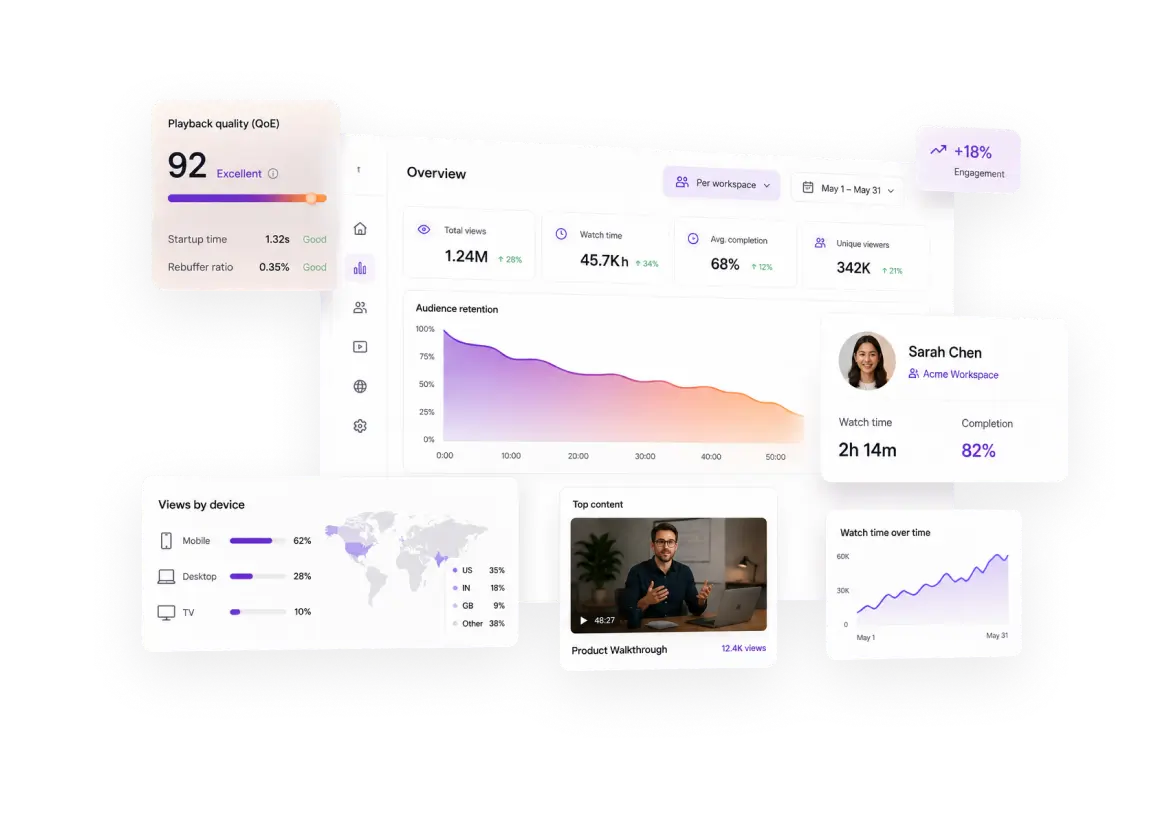
Video analytics for QoE and product engagement
Every play sends data back without you adding an analytics vendor. What one viewer did, how a video performed across everyone, and whether playback quality got in the way of either.
Viewer-level data
What one user did with a video, which is the part that belongs next to their record in your product.
Completion per session, so onboarding video reports who finished rather than who opened it. Guide
Where they stopped, pointing at the step in a walkthrough that loses people.
Repeat views, usually someone checking a detail rather than watching again.
Video-level data
How a video performs across every account, so the content team knows what to make more of.
Views and watch time per video, across the whole library rather than one account. Guide
Top performing content, which is what to surface in onboarding first.
Ten custom dimensions, so tenant, plan and surface become filters.
Playback quality
Whether your product got in the way, kept separate from whether the video was any good.
Startup time and rebuffering, because a stalling video reads as your product being slow. Guide
Playback failures by device, so you find the broken browser before a ticket does.
Network and region breakdowns, showing which customers sit furthest from good delivery.
56 dimensions on every session, first 100,000 session plays a month included. Analytics SDKs cover 11 third-party players, so keeping your own player does not cost you the data.
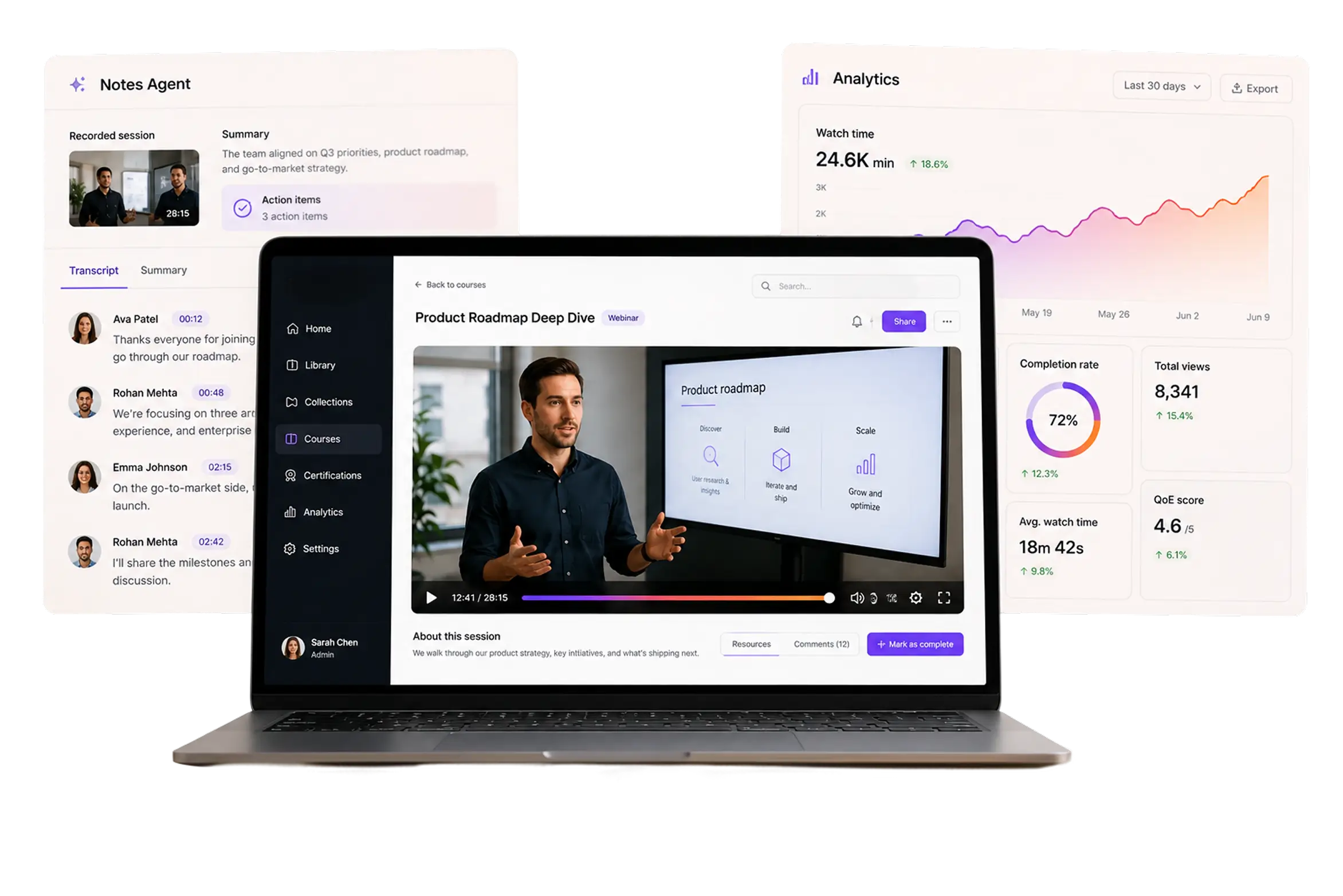
Notes Agent
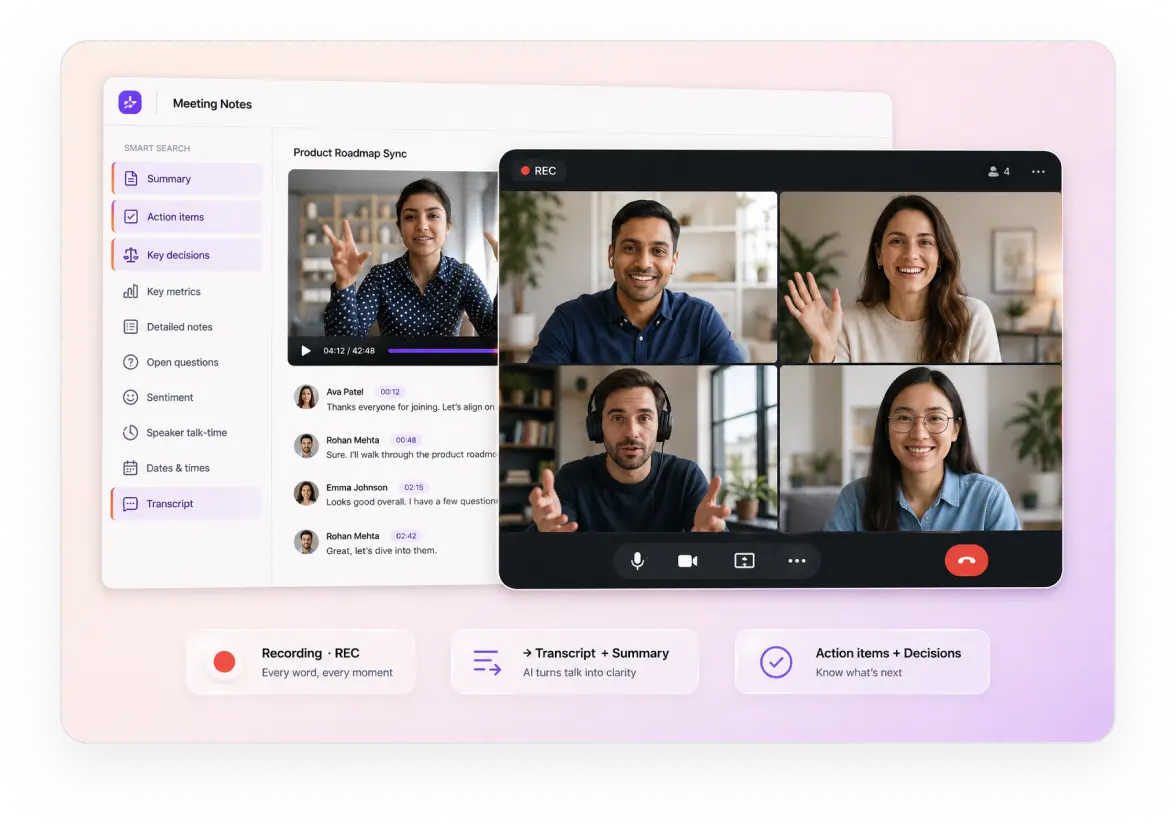
Meeting recording API with transcripts and summaries
Nobody needs to take notes on a sales call. Add the bot to the calendar invite and it joins, records, and returns a diarized transcript plus a summary naming the actions and owners.
One calendar connection covers a whole domain, so every address on it is authorised after the first.
Nothing to install and nothing for participants to do. It appears in the list as FastPix Notestaker.
Works on Google Meet, Teams and Zoom, with any account pausable without disconnecting it. Guide
The recording becomes a FastPix asset with a playback URL, so the call plays back inside your product.
API and SDKs
Video API and SDKs for a SaaS company
Video is one feature among many on your roadmap. The integration should read like any other API you already depend on, in the language your backend is written in.
SERVER SDKS
CLIENT SDKS
Read the API referenceBenchmarked against five platforms
Upload and startup, measured against five platforms
A customer uploading inside your product judges your product, not your vendor. Both a heavy 4K file and a short clip were pushed through six platforms and measured on ingest and startup.
3.5x faster than the average across platforms tested. Two others could not take the 4K file at all: one caps uploads at 100 MB, the other errored in processing.
1.0s, the fastest of the six and well inside the 2 second abandonment threshold. A seventh reading came back as 0ms and was excluded as invalid.
Multiples are measured against the average across platforms tested. Per-title encoding tunes the ladder to the source, which is why a phone held sideways in poor light still gets a usable rendition.
How it comes together
What it takes to add video to a SaaS product
Five steps between a customer pressing upload and your product showing them something useful.
Take the upload
Resumable upload straight from your product, so a large file survives a dropped connection.
GuideStamp the tenant
Write the tenant and user into custom fields, and keep the media ID beside them in your database.
GuideLet the webhook drive the UI
Events fire as encoding finishes, so the video appears in the product without polling.
GuideGate the playback
Your product checks entitlement, then mints a short-lived token for that asset and that viewer.
GuideRead what it did
Watch time and playback quality per video, and per customer if you set the tenant field.
GuideKeep reading
Go deeper on video for SaaS
Build guides, cost and adoption, for teams shipping video inside a product.
How to embed video in a B2B SaaS product
Where the video layer sits, and what it has to do first.
BlogBuild versus buy for video infrastructure
What it actually costs to run the pipeline yourself.
BlogBest video infrastructure for SaaS
Seven platforms compared for teams building video into a product.
BlogVideo is replacing onboarding flows
How SaaS teams are using video in place of a click-through tour.
BlogMeeting insights and Recall alternatives
Options for adding call recording and notes to a product.
BlogUsing video across the B2B customer journey
Where video earns its place from first touch to renewal.
BlogBring the ticket you have not started
The video feature sitting in your backlog with an estimate nobody believes. In 30 minutes we will wire an upload, render it in your existing player and show usage by account.
Prefer to build it yourself? Start building free
Common questions
SaaS video hosting questions, answered.
Where do I get your security documentation?
The FastPix Trust Center holds the current posture, policies and subprocessor list, which is what a customer security review usually asks for. Check it for what is in force today rather than taking a figure from a marketing page.How do I add video uploads to my SaaS without building infrastructure?
Four calls. POST the upload or the source URL, receive a webhook when the asset is ready, render the returned playback ID in your player, and delete when the customer does. FastPix runs the upload handling, transcoding, storage, signing, delivery and playback analytics behind those calls.
Which video API supports multi-tenant SaaS architectures?
Tag every asset with your account ID, plan and workspace as custom metadata at creation. FastPix returns those fields on every read and every playback event, and signed tokens are minted per viewer by your own service, so the tenant boundary stays inside your authorisation model. There are no sub-accounts to create and no per-tenant fee, unlike vendors that make you open an account per customer.
Can I use my own player instead of a proprietary one?
Yes. Every asset serves a standard HLS manifest, so Video.js, hls.js, Shaka or whatever you already ship keeps working with no migration. Analytics SDKs cover 11 third-party players, so keeping your player does not cost you the playback data. A FastPix player is available if you would rather not maintain one.
Pricing
Rate card
Per minute, with the player and analytics already in it. No per-seat fee and no per-tenant fee. See full pricing.
ENCODING
Pay per minute encoded
$0.0267/min 1080p Pro
Per-title ABR encoding across H.264.
STREAMING
Pay per minute streamed
$0.00067/min 1080p Pro
Multi-CDN delivery from 300+ POPs.
STORAGE
Pay per minute stored
$0.00268/min 1080p Pro
Assets stored and CDN caching, lifecycle handled.
Support
Three ways to get unstuck
Engineering
Engineering support
Stuck on an API call, a webhook signature or a player integration? Reach the engineering team directly, and hear back in hours rather than days.
Contact engineeringDocs
Integration help
Quickstart guides, SDK examples and playback logs in your dashboard, for the integrations most teams hit first.
Browse the docsCommunity
Solution architect
A new build, a migration off another platform or a complex multi-tenant rollout. Plan it with a FastPix solution architect.
Join the Slack community