

Generate advanced spritesheets for hover previews
Generate a dense, interval-based thumbnail spritesheet for a ready on-demand video, with a matching WebVTT track and JSON manifest, so your player can show frame-accurate hover previews on the seek bar.
Add frame-accurate hover previews to a long video by generating a dense thumbnail spritesheet at the interval you choose, with a matching WebVTT track and JSON manifest your player can read. Advanced spritesheets work on ready on-demand video.
What an advanced spritesheet is
An advanced spritesheet is a single JPEG grid of video thumbnails captured at a fixed interval you choose, from 1 to 10 seconds, with a matching WebVTT file and JSON manifest so a player can show hover previews on the seek bar. FastPix generates it on demand, one sheet per interval, and a media can hold up to ten of them.
The standard spritesheet, which every video gets automatically, stays unchanged. The difference is density and control.
A two-hour film with the standard sheet gets one thumbnail every 72 seconds, which makes seek-bar previews coarse. With an advanced sheet at two seconds, the same film gets 3,600 thumbnails, so scrubbing is accurate to within two seconds. Shorter intervals mean more tiles, so the longest video an interval can cover shrinks as the interval shrinks. See Pick an interval.
Each thumbnail is 256 x 160 px for landscape video or 160 x 256 px for portrait. Tiles are laid out in playback order, left to right then top to bottom.
Choose by use case
Every approach produces the same three files. Start from what you are building.
Before you start
- A FastPix account with an active workspace (Activate your account).
- A ready on-demand video. Upload it from a URL or directly from a device and wait for its status to reach
ready. - The media’s playback ID.
- A signing key if the media is private or DRM-protected (Generate JWTs for secure media).
Generate an advanced spritesheet
You can generate a sheet from the dashboard or straight from a delivery URL. A programmatic list-and-request API is coming to the API reference. Generation usually takes 30 seconds to 2 minutes, longer for a 1 or 2 second interval on a long video.
From the dashboard
-
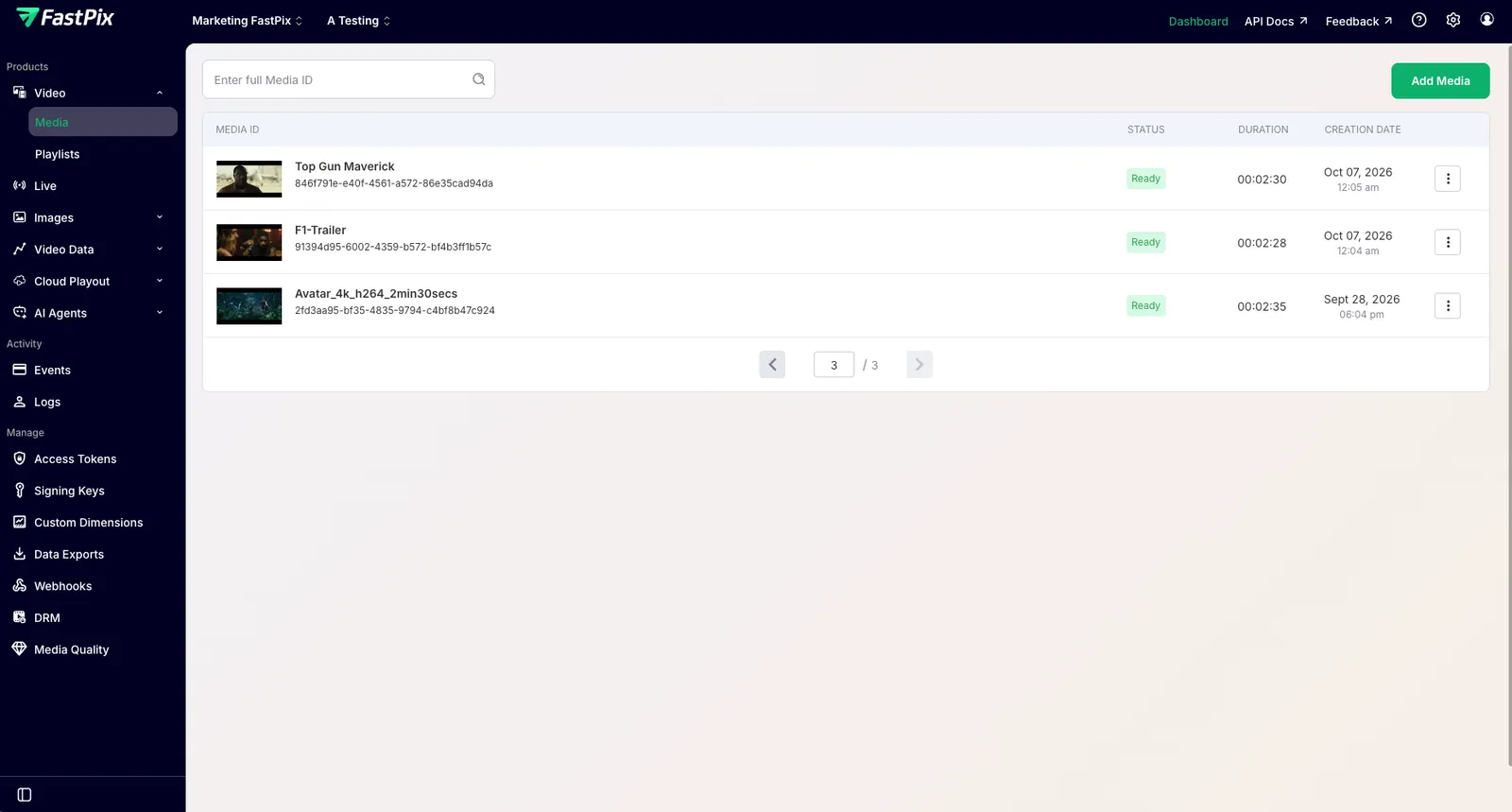
Open the media’s detail page and go to Thumbnails. On the dashboard, find your video in the Media library and open it.
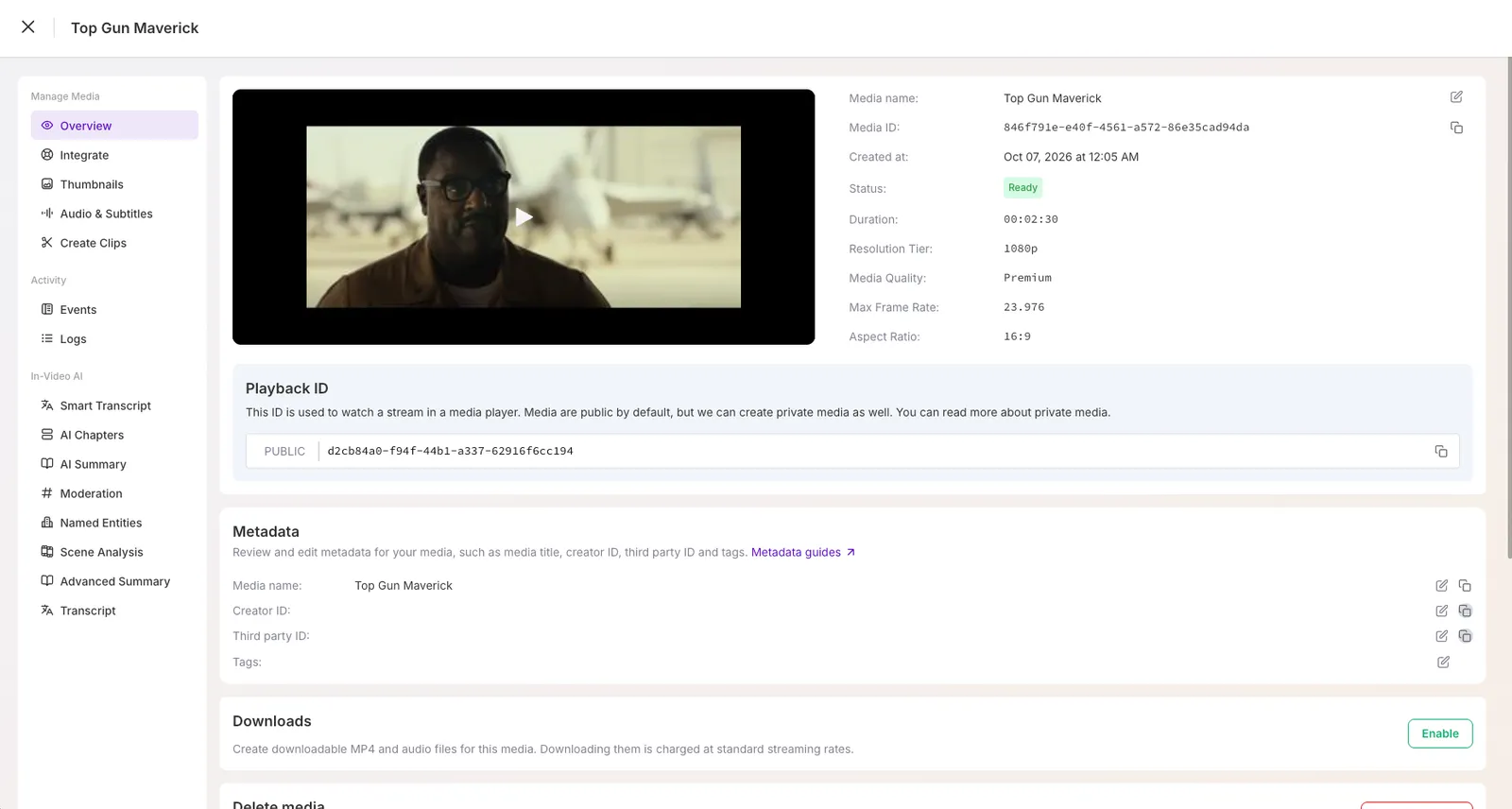
The media’s Overview opens with its details and playback ID.
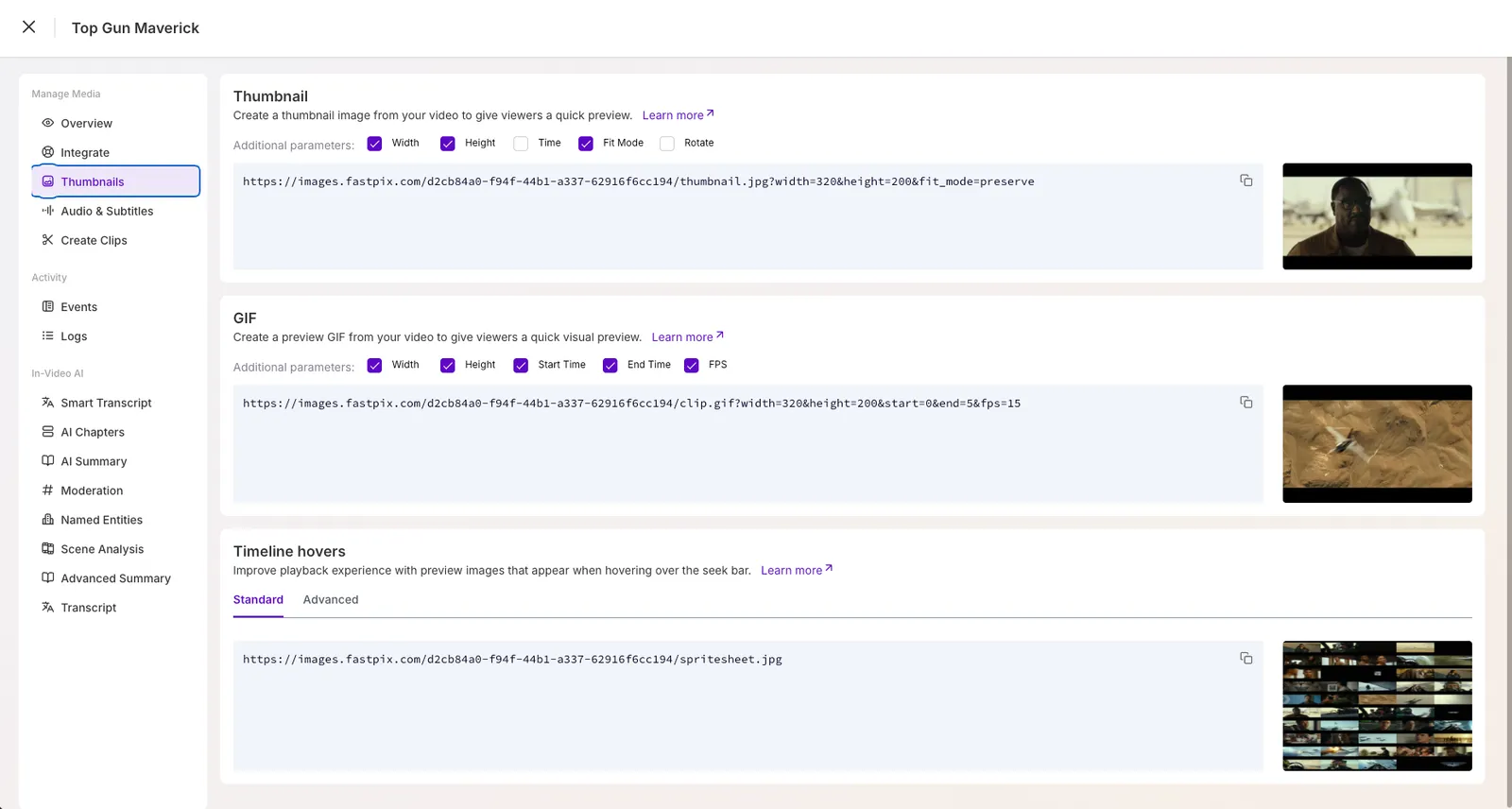
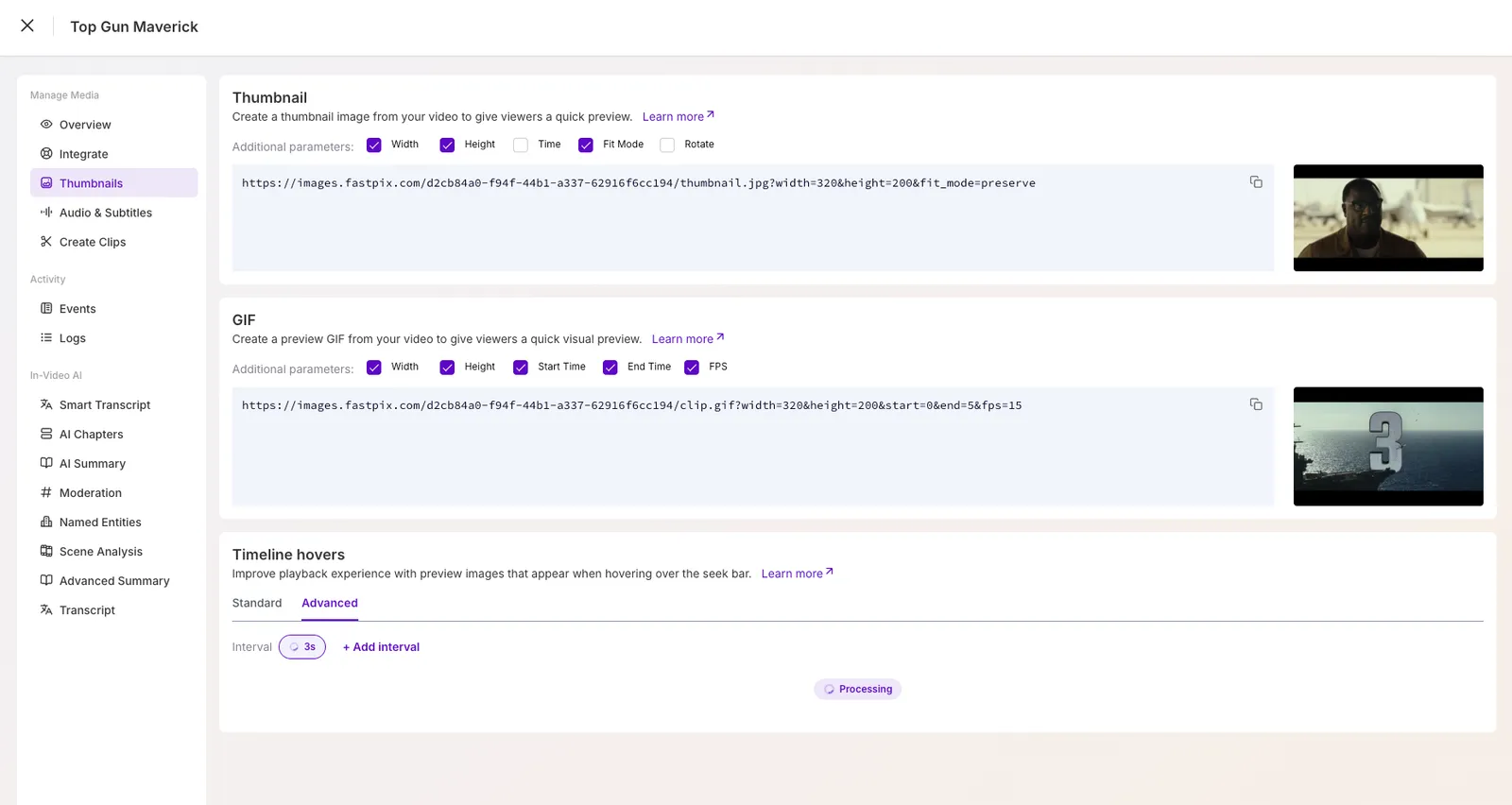
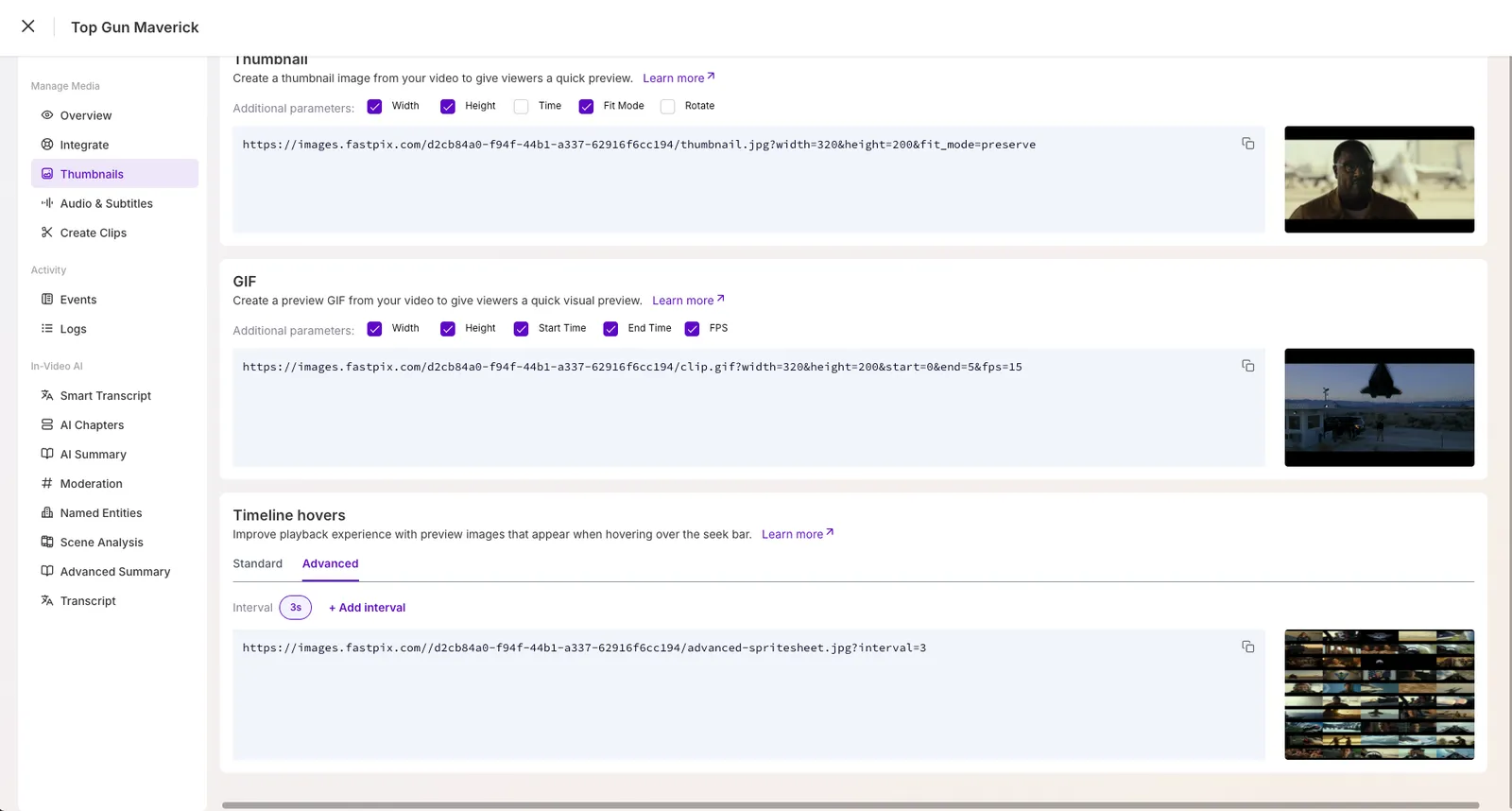
Open the Thumbnails section from the left menu to see the Thumbnail, GIF, and Timeline hovers cards.
-
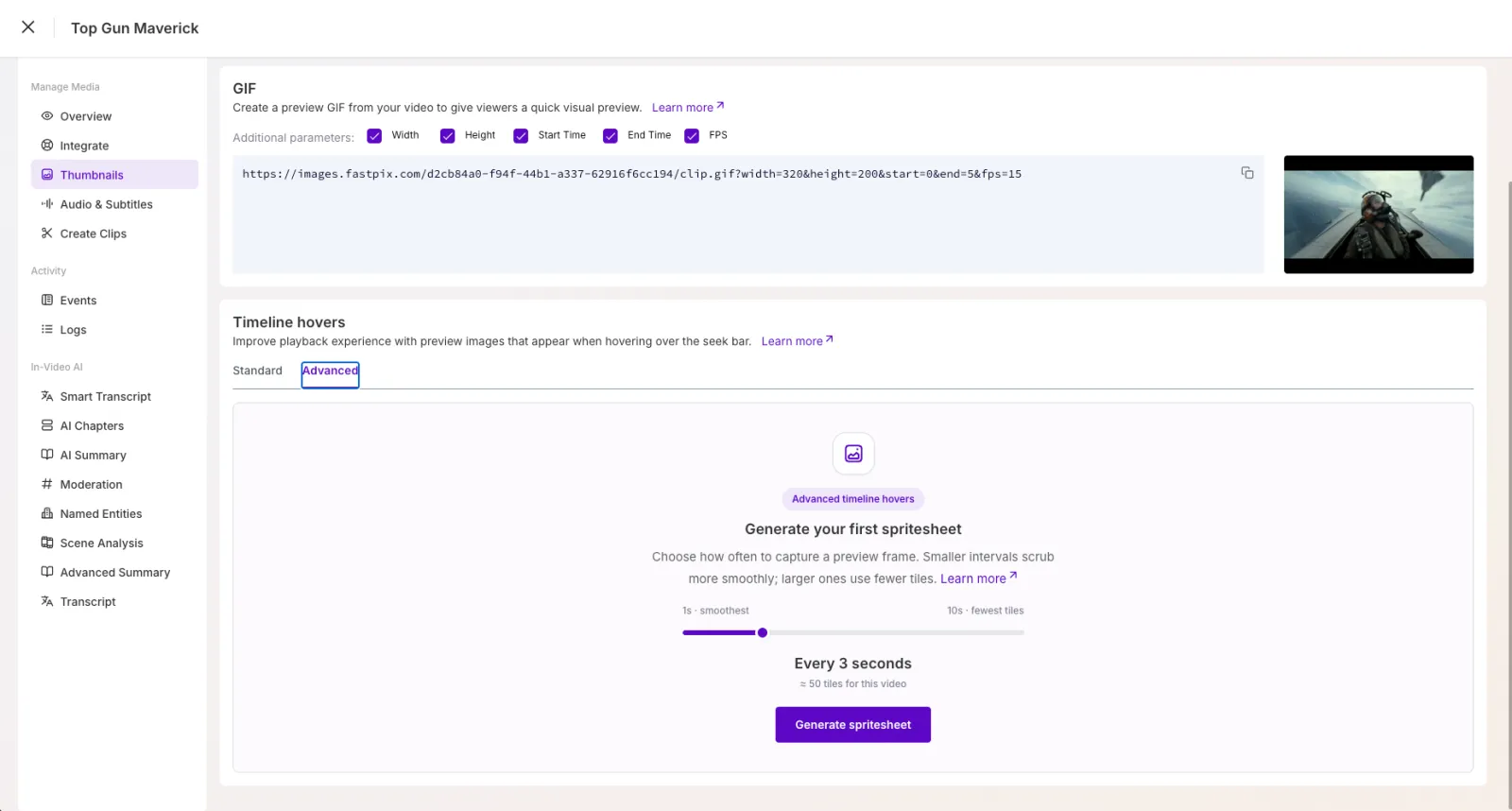
In the Timeline hovers card, switch to the Advanced tab. The Standard tab shows the automatic sheet.
-
Pick an interval on the 1 to 10 second slider. The slider shows how many thumbnails that interval produces for this video, or a message if the video is too long for it. Click Generate.
-
The interval appears as a chip marked processing, then flips to ready. The card shows the sheet with its delivery URL, and hovering the preview scrubs through it.
-
Click + Add interval to generate another. Intervals that already exist are shown but disabled. The button disappears once all ten exist.
The tab uses the media’s first-created playback ID. If that playback ID is private or DRM-protected, the dashboard shows the URL with a token={JWT} placeholder and no preview, so you substitute your own signed token.
From a delivery URL
All three files live on the image delivery domain, keyed by playback ID and interval.
intervalis a whole number from 1 to 10. Omit it and the service uses 10..jpegis accepted as an alias of.jpg.- Fetching the
.jpgfor an interval that was never generated starts generation and returns202 Acceptedwith a JSON body saying it is in progress. Fetch again later for the image. - The
.vttand.jsonare computed from the video’s duration and never start a job. Hand the.vttto any player that supports thumbnail preview tracks, and use the.jsonto build a custom scrubber.
Note: For one playback ID and interval, the image, VTT, and JSON always agree. The VTT cue count equals the JSON tile count equals
floor(duration / interval), every cue is exactlyintervalseconds long, and the#xywhcoordinates in the VTT match thexandyin the JSON.
Pick an interval
Shorter intervals produce more thumbnails, and a sheet is capped at roughly 6,300 tiles, so each interval can only cover videos up to a certain length. Nothing over 8 hours is supported at any interval.
The thumbnail count for a given video is floor(duration / interval). A 1 hour 12 minute video at 3 seconds produces 1,440 tiles. When a request breaks the rule, the error names the fix, for example “Video duration 18000.00s exceeds cap for interval=1s (3600s). Minimum interval for this video: 3s.” The dashboard disables intervals the video cannot use and shows the same message on the slider.
A few worked examples:
- A 90-minute webinar (5,400 s). Interval 1 is not allowed (cap 1 hour), so the smallest usable interval is 2 (cap 3 hours), giving 2,700 thumbnails. Choosing 1 returns an error naming interval 2 as the minimum.
- A 6-hour conference recording (21,600 s). Intervals 1 to 3 are out (caps 1, 3, and 5 hours). Interval 4 (cap 7 hours) is the smallest allowed, giving 5,400 thumbnails. Intervals 5 to 10 also work.
- A 45-second vertical short at interval 1. 45 portrait tiles of 160 x 256 px, laid out in 5 columns by 9 rows.
What you receive
Three files per interval, all keyed by the same playback ID and interval value.
The image
advanced-spritesheet.jpg?interval=N is one JPEG. Thumbnails run left to right, then down, in playback order. Columns are chosen from the thumbnail count: at least 5, at most 64 for landscape or 102 for portrait, so the sheet stays within roughly 16,384 px on either side. The image is JPEG only, with no width, height, or crop options.
Serve previews in an HTML5 player
advanced-spritesheet.vtt?interval=N is a standard thumbnail track. Each cue is exactly interval seconds long and points at a rectangle in the image, so you can hand it to any player that supports WebVTT thumbnail preview tracks.
Build a custom scrubber
advanced-spritesheet.json?interval=N has the same shape as the standard spritesheet.json plus an interval field. Use it when you render your own timeline UI and need direct access to tile coordinates and timing.
The .vtt and .json responses are cacheable for 24 hours, so CDNs and browsers keep them for a day. The in-progress 202 response is never cached.
Serve private and DRM media
All three policies work. Public playback IDs need nothing extra.
- Private media: append
&token=<playback JWT>to all three URLs. - DRM media: append
&token=<DRM JWT>, the same token used on the DRM stream URL, to all three, including the image.
Without a valid token, each URL returns 401. For DRM, note that the standard spritesheet.jpg still serves without a token, but advanced sheets are token-gated on the image too. See Generate JWTs for secure media and Set up DRM encryption.
One sheet is stored per media and interval, so a media with several playback IDs shares the same generated sheets. Requesting interval 3 through one playback ID makes it ready for all of them.
Support by media type
Advanced spritesheets are a feature of ready on-demand video. The service resolves the playback ID to a media record and checks its status, whether it has a video track, and its duration.
Limits
The standard spritesheet, single thumbnails, and GIF clips keep their existing behavior and limits.
Errors and troubleshooting
Frequently asked questions
Why does the image URL return JSON instead of a picture?
That is the 202 in-progress response. The sheet was not generated yet, and fetching it started the job. Retry after a minute, or request the interval through the dashboard first.
Why is interval 1 greyed out in the dashboard?
The video is longer than 1 hour, which is the most an interval of 1 can cover. The slider shows the smallest interval that works for the video.
A DRM video's advanced sheet returns 401 but the standard sheet works. Why?
That is expected. Advanced sheets require the DRM token on the image too, while the standard sheet was left open for existing integrations. Append &token=<DRM JWT> to the advanced URL.
The VTT has fewer cues than I expected. Is that a bug?
No. The cue count is floor(duration / interval), so a 65-second video at a 10-second interval has 6 cues, not 7. The final partial interval has no thumbnail.
Can I regenerate a sheet or change its thumbnails?
Not today. Each interval is generated once per media and reused.
What’s next
- Add automatic previews to every video: Create timeline hover thumbnails.
- Secure previews for gated content: Generate JWTs for secure media.
- Make a shorter asset to preview: Clip and trim videos.