For AI agents: a documentation index is available at the root level at /llms.txt and /llms-full.txt. Append /llms.txt to any URL for a page-level index, or .md for the markdown version of any page.
StatusSupportDiscussionsLog inSign Up
Docs HomeAPI ReferenceVideo on DemandAI FeaturesLive StreamingVideo PlayerVideo DataCloud PlayoutRecipes
    • Docs Home
  • Getting started
    • Welcome to FastPix
    • Activate your account
    • Set up a workspace
    • Upload and play your first video
  • Webhooks
    • Set up webhooks
    • Webhook event reference
  • Language SDKs
    • Choose an SDK
    • Node.js SDK
    • Python SDK
    • Go SDK
    • Java SDK
    • PHP SDK
    • Ruby SDK
    • C# SDK
  • Integrations
    • Integrate FastPix with WordPress
    • Build a video sharing app with StreamGate
      • Migrate in bulk
      • Migrate from Cloudflare Stream
      • Migrate from AWS
      • Migrate from Mux
      • Migrate from api.video
      • Migrate from Vimeo
      • Track migration status with webhooks
  • Account and billing
    • Manage usage and billing
    • Understand FastPix pricing
  • Changelog
    • Release notes
LogoLogo
StatusSupportDiscussionsLog inSign Up
Migration resources

Track migration status with webhooks

Configure FastPix webhooks to get real-time updates on video migrations and enable dynamic notifications.

Was this page helpful?
Previous

Manage usage and billing

Learn how to activate your FastPix account and authenticate with the API, obtain and manage access tokens, understand permissions, select workspaces, and handle admin-only access.

Next
Built with

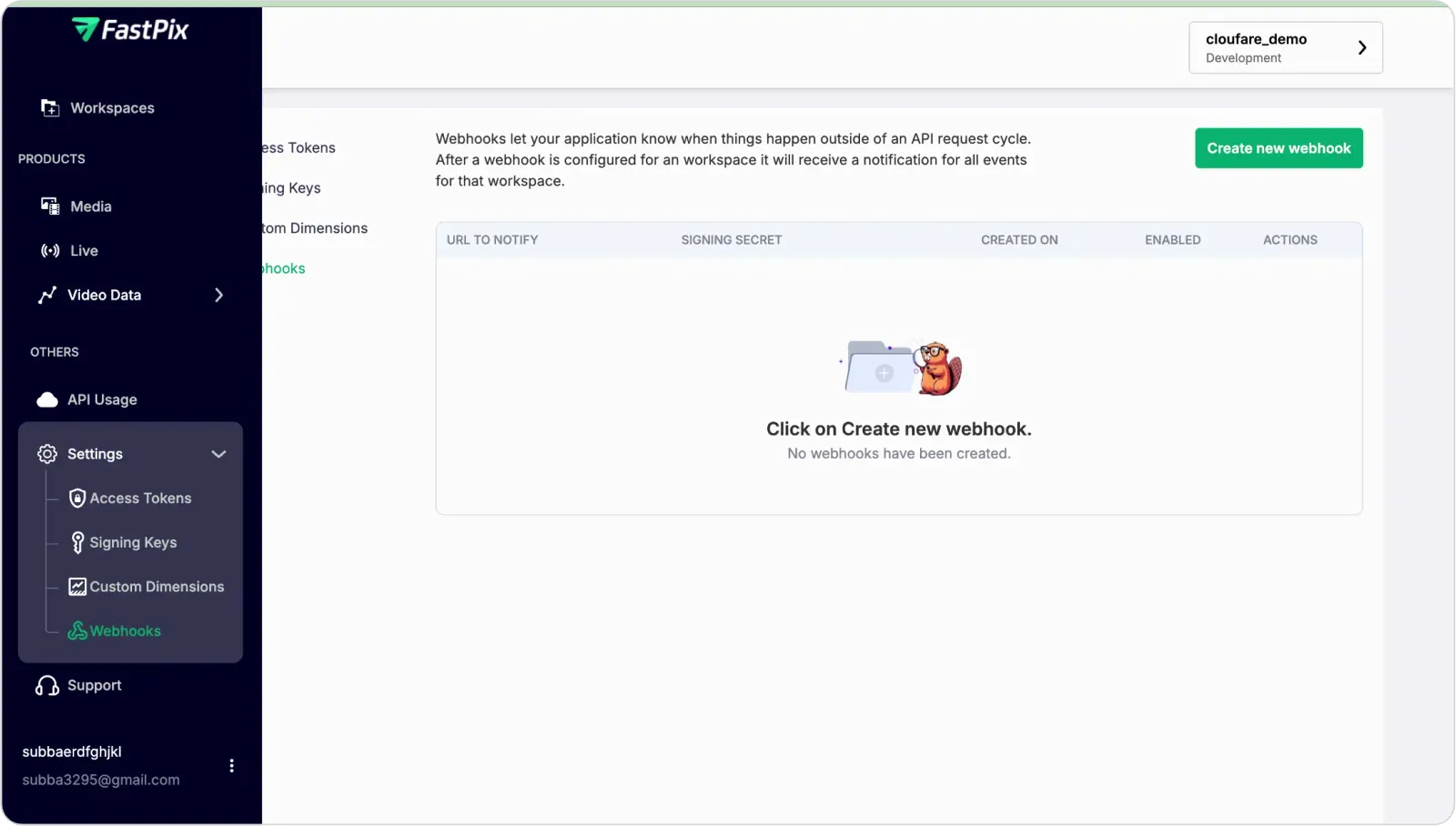
To receive dynamic status updates for your migrated videos, you’ll need to configure webhooks in FastPix.

Follow the steps below:


  1. Access FastPix webhook settings

Access FastPix webhook settings


  1. Configure webhook endpoints:
    • Set the endpoint URL where you want to receive status updates.
    • Configure authentication if required.
    • Select events to track (e.g., migration started, completed, failed).
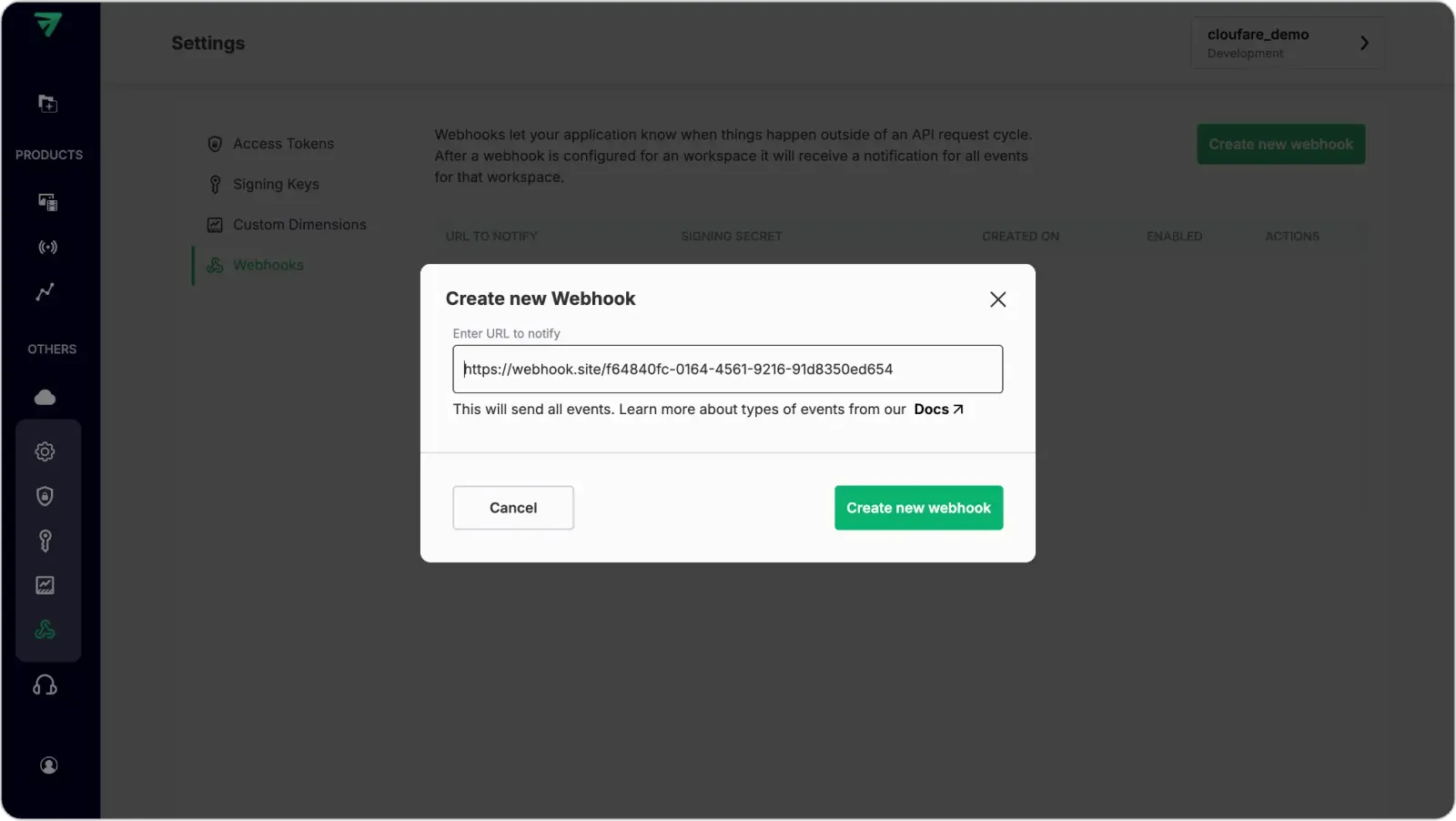
Configure webhook endpoints


Read our detailed guide on using webhooks.

You can also enable security measures using webhook signature verification.


  1. Once created, you can test the webhook configuration.
  2. Enable and integrate webhooks in your application to start receiving migration status updates.
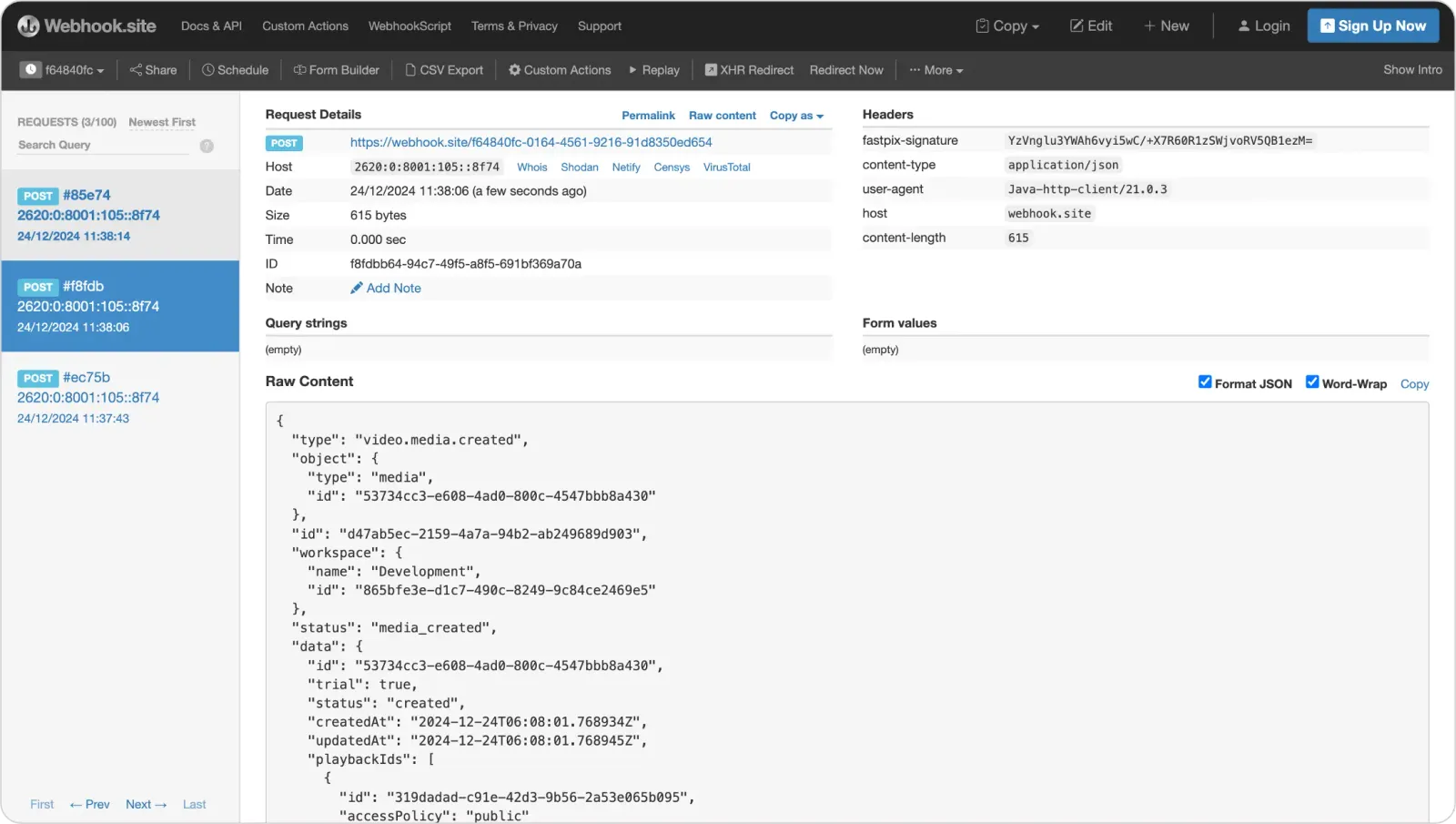
webhooks in your application to start receiving migration status updates


Important notes


  • Keep the tracking page open until you see confirmation of video migration.
  • Monitor webhook responses for real-time status updates.