

Configure recap emails
The Notes Agent can send a recap email after every meeting it records. The email goes out once Notes Agent finishes processing the recording, and gives a short summary of what was discussed. Recap emails are disabled by default. Enable them for each workspace that needs them.
What the recap email contains
Each email uses the subject Recap: {meeting title} and includes:
- The meeting title.
- The date, duration, and number of participants.
- An AI-generated overview of the meeting.
- The top five topics discussed.
- The action items.

Configure recap emails
Recap email settings apply at the workspace level. They cover every meeting in the workspace, whichever calendar account organized it. Recap emails are disabled by default.
To enable recap emails:
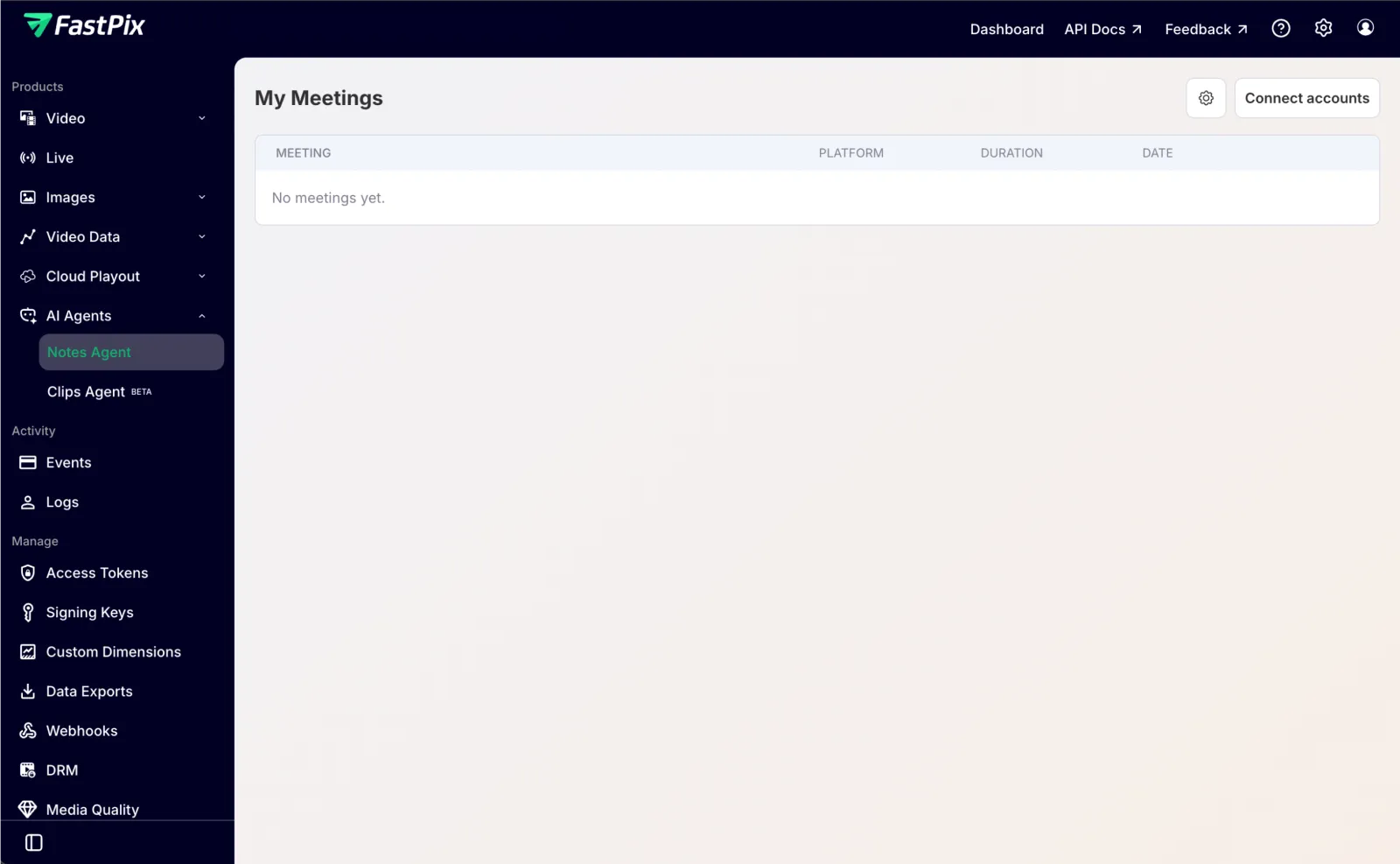
- In the FastPix dashboard, go to AI Agents → Notes Agent.
- Click the settings (gear) icon at the top right of the My Meetings page.
- In the Recap email dialog, enable Send recap email. It is disabled by default.
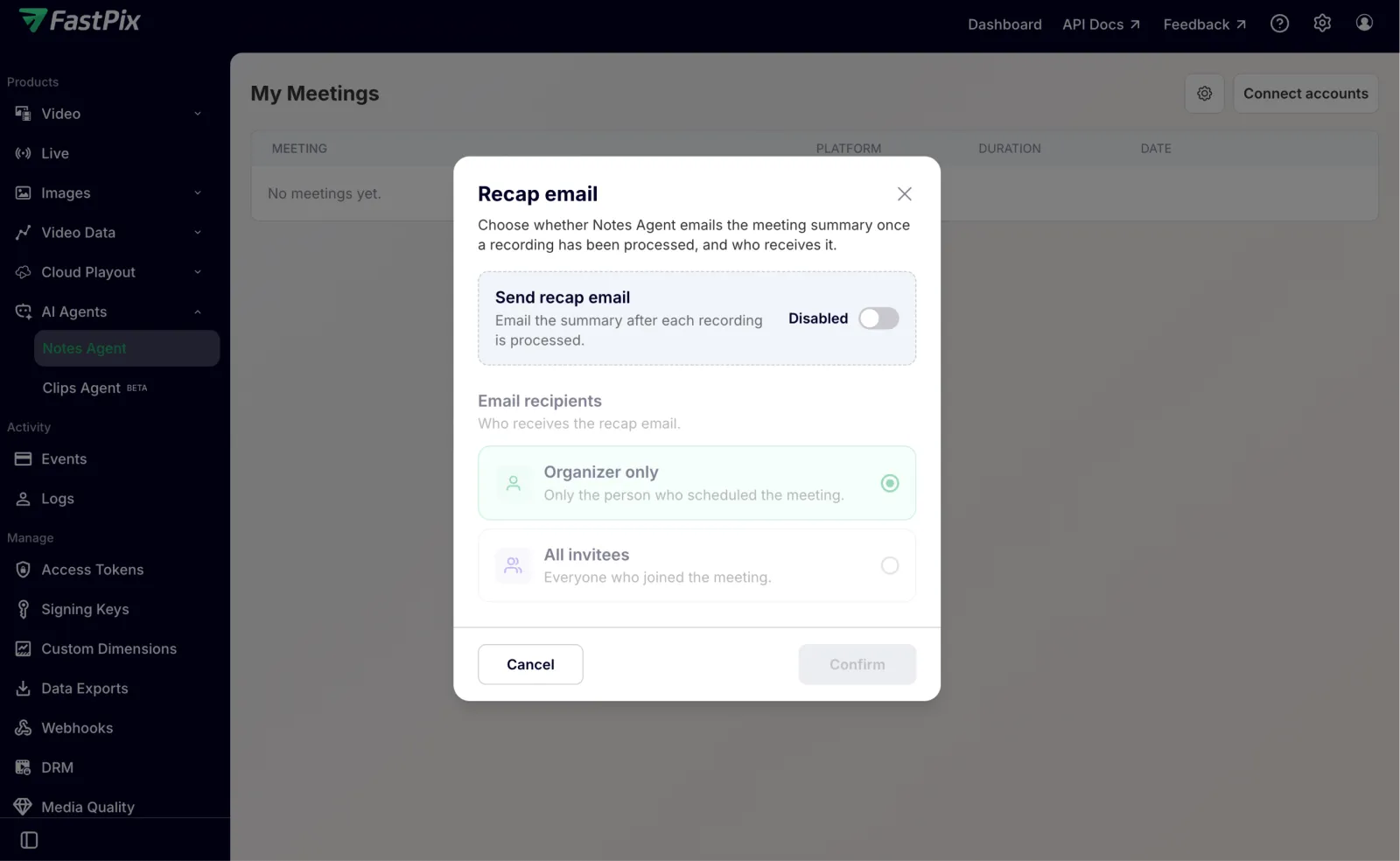
- Under Email recipients, select Organizer only or All invitees.
- Click Confirm.
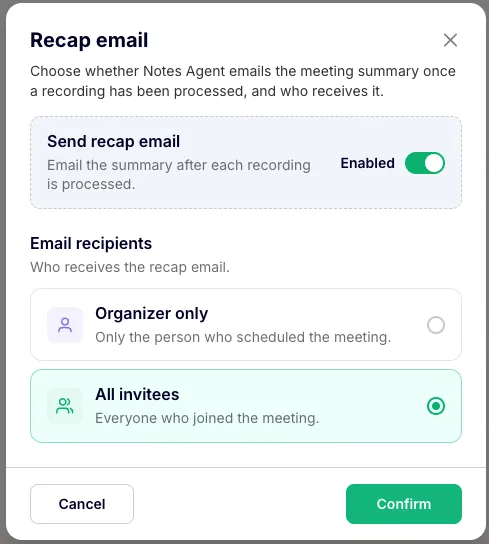
The following settings control recap emails:
After you confirm, the Notes Agent sends the recap email automatically once it finishes processing each recording. You don’t need to take any further action.
Frequently asked questions
Are recap emails enabled by default?
No. Recap emails are disabled by default and apply at the workspace level. To enable them, go to AI Agents → Notes Agent, open the Recap email dialog from the settings gear, enable Send recap email, and click Confirm.
Who receives the recap email?
You choose per workspace. Organizer only sends the email to the person who scheduled the meeting, and All invitees sends it to everyone who joined. The default is Organizer only.
When is the recap email sent?
Automatically, once Notes Agent finishes processing each recording. You don’t need to take any manual action after you enable it.
Which meeting platforms support recap emails?
Recap emails work for every platform Notes Agent supports: Google Meet (Google Calendar), Microsoft Teams (Outlook Calendar), and Zoom (Google or Outlook Calendar).
What address does the recap email come from?
The sender depends on the calendar provider that organized the meeting: notes@fastpix.ai for Google Calendar and notes@fastpix.co for Microsoft Outlook. The sender name is FastPix NotesTaker in both cases.