

Clean up with AI tools
The AI tools in the AI video editor cut dead air and filler words in one step. Both use the clip’s transcript to find what to cut. Two tools are available in this release: Remove pauses and Remove filler words.
Remove pauses
- Select AI tools, then Remove pauses.
- Set Minimum pause length. The panel shows Pauses detected and Time you’ll save.
- Select Remove pauses (N).
Result: A message confirms “Removed N pauses”, and the card shows an On badge.
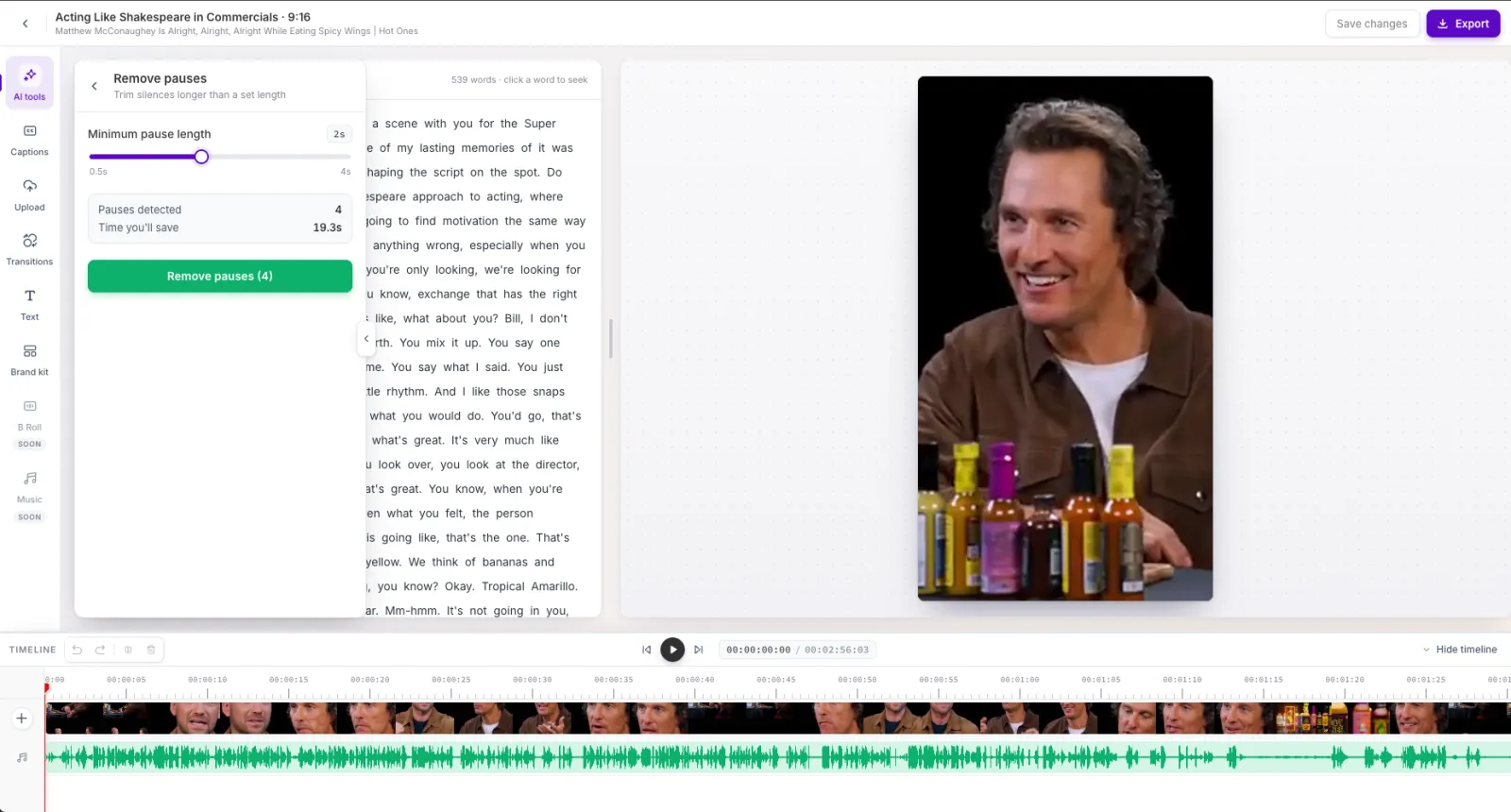
- The slider runs from 0.5 to 4 seconds in 0.1-second steps. The default is 2 seconds.
- You can run it again at a shorter length to cut more.
- Each removed pause becomes a split, so you can trim any cut back with the trim grips.
Remove filler words
- Select AI tools, then Remove filler words. The panel shows Filler words detected and Time you’ll save.
- Select Remove filler words (N).
Result: A message confirms “Removed N filler words”, and the card shows an On badge.
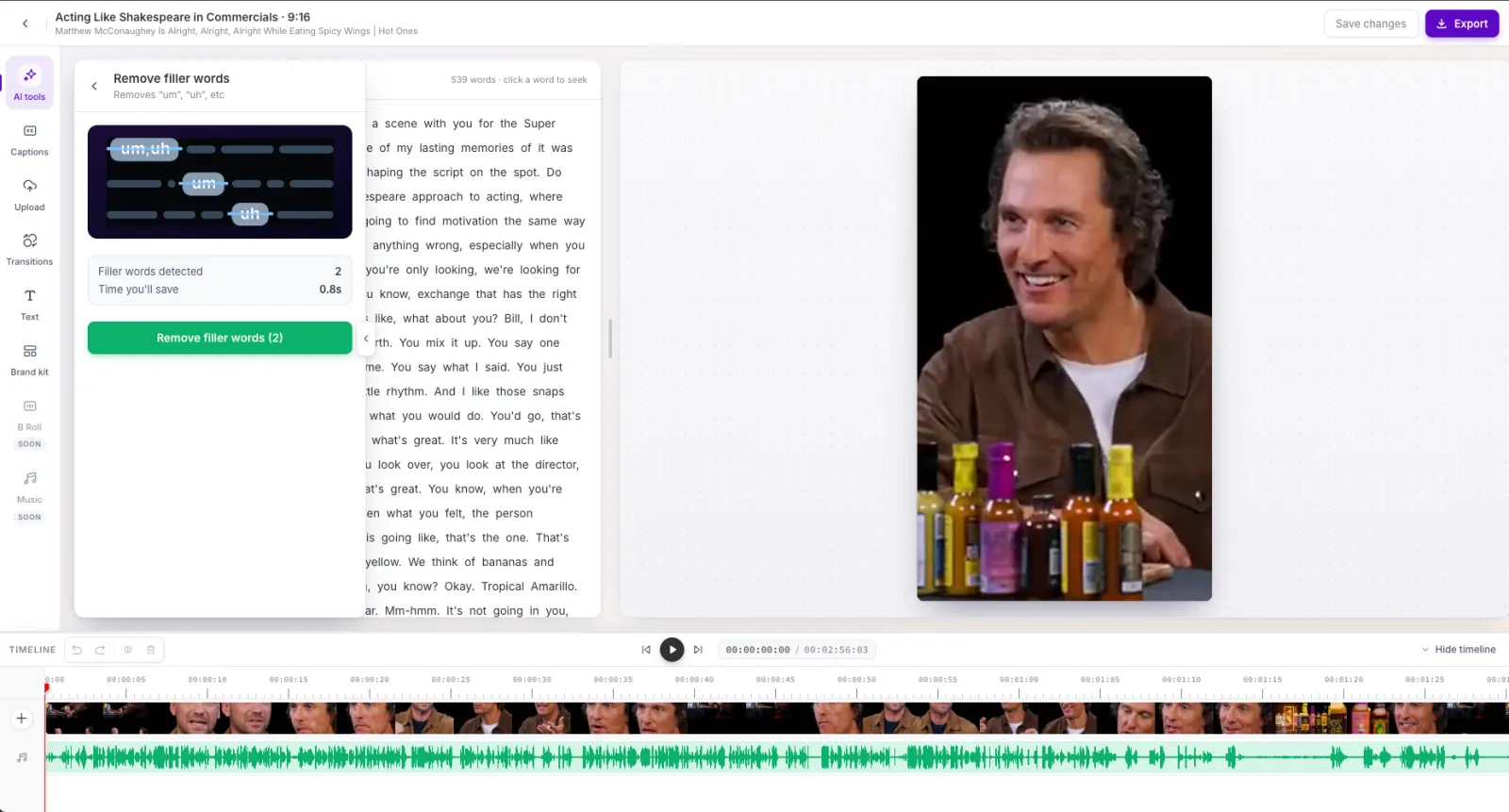
- It removes sounds such as “um”, “uh”, “er”, “ah”, “hmm”, and “mm” when they stand alone.
- It doesn’t remove words like “like” or “you know”, which can carry meaning.
Things to know
- Each tool is a single undo step, and captions stay in sync.
- The On badge stays after you save and reopen the clip.
- Neither tool works on clips without a word-level transcript.
- The other six AI tools (Auto censor, Speech enhancement, AI emoji, AI keywords highlight, Speaker color, and AI voiceover) show a Soon pill.
Frequently asked questions
What does Remove pauses do?
Remove pauses finds the silent gaps in your clip, the dead air between sentences, and cuts them out. You set a minimum pause length, so only pauses longer than that are removed. Each removed pause becomes a split, so you can trim any cut back on the timeline.
What are filler words, and what does Remove filler words do?
Filler words are the small sounds people make while thinking, such as “um”, “uh”, “er”, “ah”, “hmm”, and “mm”. Remove filler words finds them in the transcript and cuts them out in one step, so the clip sounds tighter. It leaves meaningful words like “like” and “you know” alone.
Can I undo an AI tool?
Yes. Each tool is a single undo step, so one undo reverts the whole clean-up.
Why are the AI tools unavailable for my clip?
They need a word-level transcript. A clip without one, such as an audio-only clip, can’t use the AI tools.
Does Remove filler words cut phrases like 'you know'?
No. It removes standalone sounds such as “um” and “uh”. It leaves words like “like” and “you know”, which can carry meaning.